

Wallet activity targeting lets you reach crypto users based on real on-chain behavior, such as active traders, new wallet holders, or high-value holders. This article is a focused walkthrough of one common use case; for the full segment list, see → Pre-Built Audiences - Blockchain Behavior.
Prefer to watch? See the video walkthrough below, or follow the written steps.
Example: Targeting Active Crypto Users
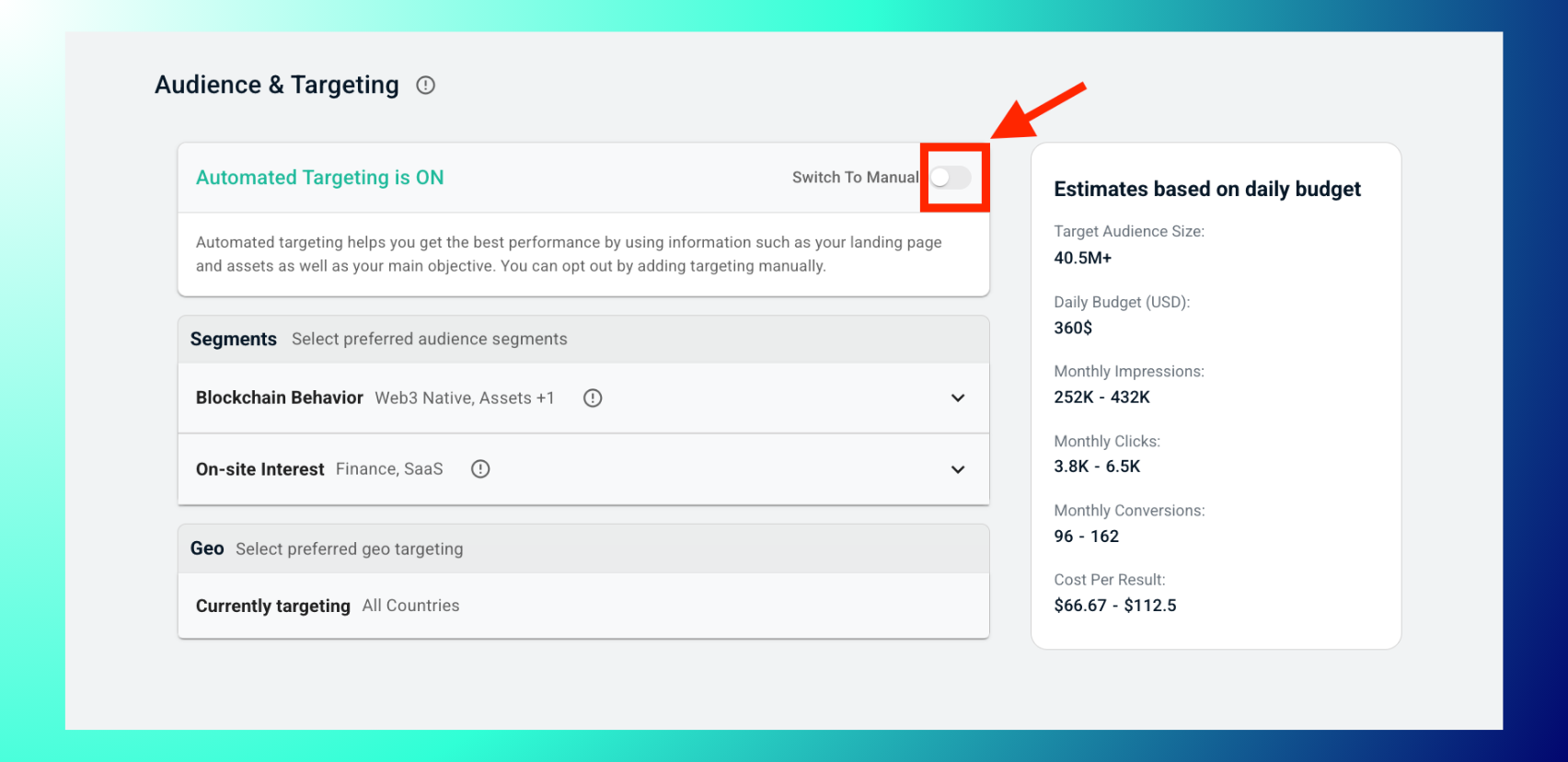
1. In the campaign's Audience & Targeting step, switch to Manual Targeting.
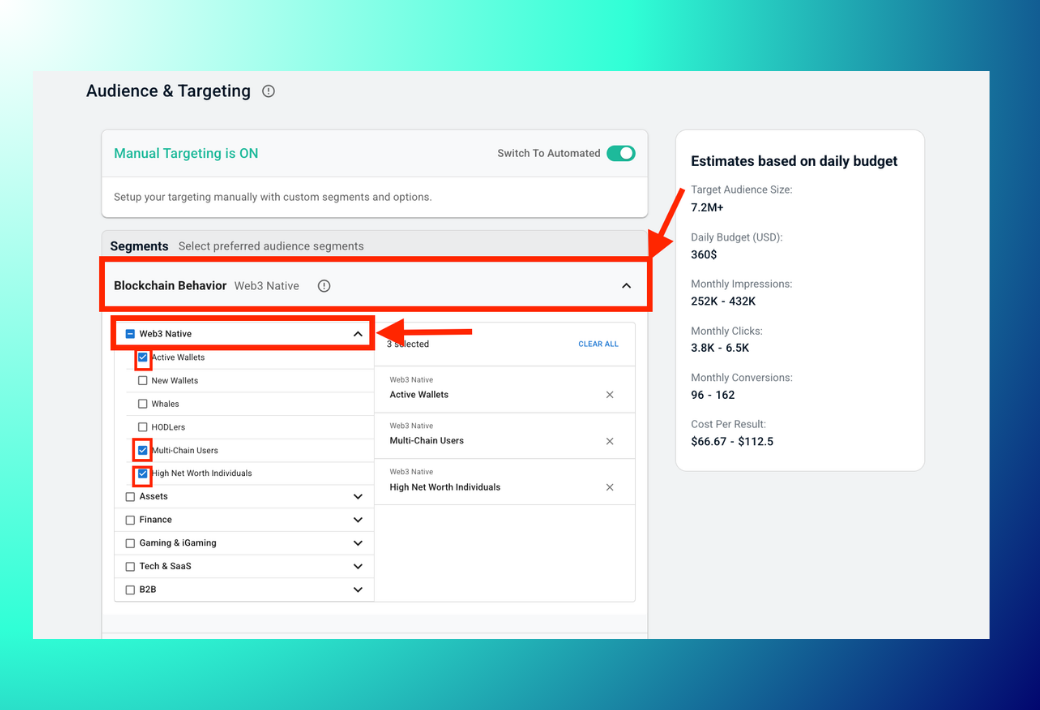
Under Segments, expand Blockchain Behavior. Next, expand Web3 Native and check the wallet-activity sub-segments relevant to your goal, e.g. Active Wallets, New Wallets, Whales, HODLers, Multi-Chain Users, High Net Worth Individuals.
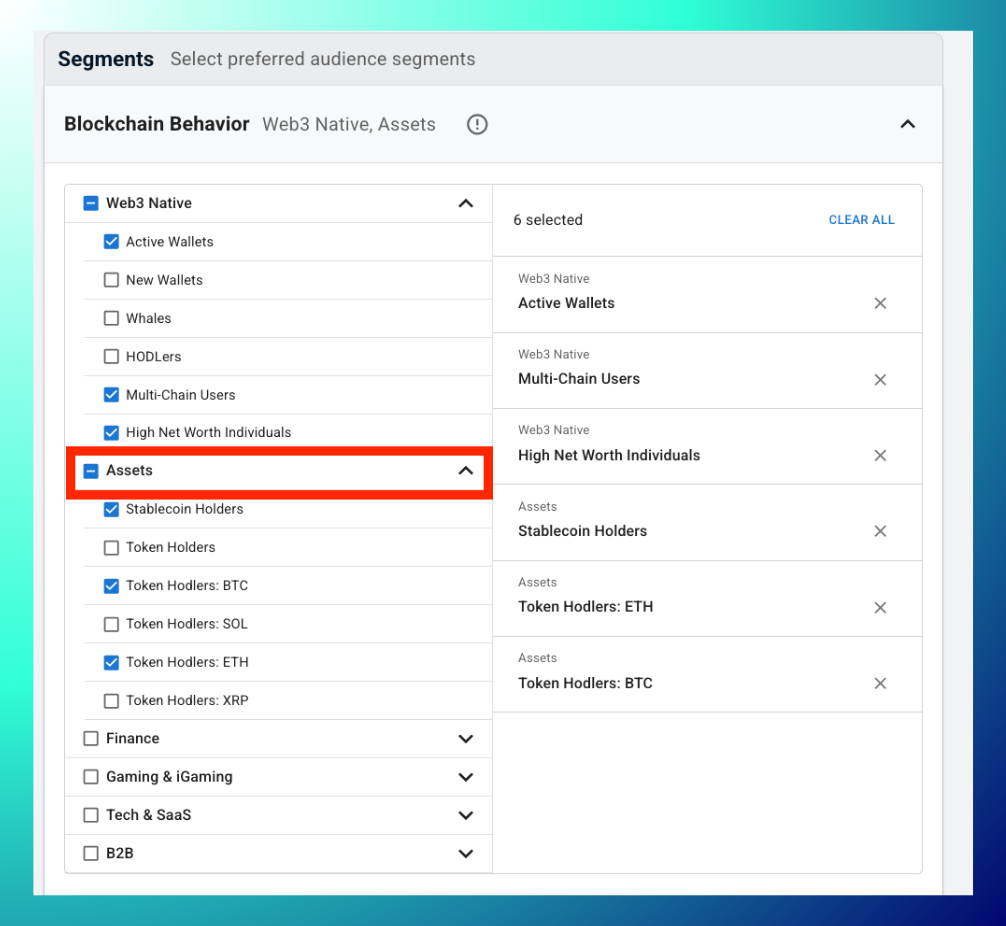
Optionally expand Assets and add holdings-based sub-segments, for example Stablecoin Holders, Token Holders, or chain-specific holders like Token Hodlers: BTC/SOL/ETH/XRP.
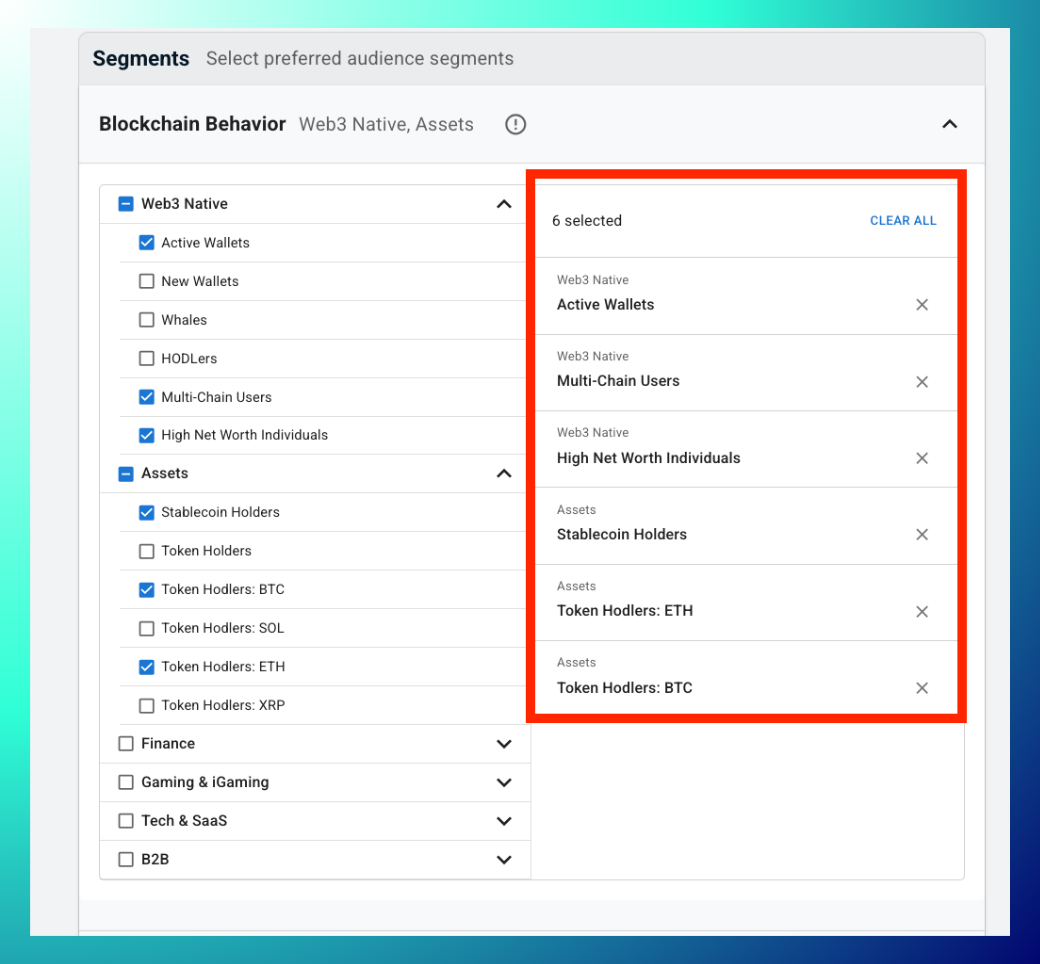
Review your selections in the right-hand panel: each one is listed individually with an ✕ to remove it, and a Clear All option to reset.
Check the estimates based on daily budget panel for updated Target Audience Size, Impressions, Clicks, Conversions, and Cost Per Result as you add or remove segments.
Best Practices: Start broad with one category (e.g. just Web3 Native) before layering in Assets or Finance sub-segments, so you can see the impact of each addition on audience size. If a combination gets too narrow, Clear All resets it in one click, no need to uncheck segments one by one. Combine wallet-activity segments with On-site Interest segments for even tighter targeting. See → Pre-Built Audiences - Interest Graph.
Troubleshooting: Audience size dropped sharply after adding a segment? Remove the most recently added one first. Layering narrow segments together, for example Whales plus High Net Worth Individuals, compounds quickly. Estimates not updating? Confirm at least one sub-segment is checked; the panel stays blank with none selected.
FAQs
- What's the difference between Web3 Native and Assets? Web3 Native targets by wallet behavior (activity level, tenure, chain usage). Assets targets by what a wallet actually holds (stablecoins, specific tokens).
- Can I remove a single segment without clearing everything? Yes, click the ✕ next to that specific segment in the right-hand panel.
- Is there a limit to how many sub-segments I can select? Not indicated in the interface, but each addition narrows your audience, so check the estimates panel as you go.

