

Funding your account is required to activate and support high-volume campaigns. This article explains how to add prepaid funds using various methods.
Follow these steps to add funds into your account:
- Step 1: Log in to the HUB dashboard and Click "Deposit Funds" at the top left corner to start the process.
- Step 2: Choose a payment method; options include crypto, card and bank transfer.
- Step 3: Enter the amount (minimum $10,000 for campaign activation).
- Step 4: Generate and copy payment link for crypto or card transactions. If you’re going with bank transfer, copy the wire transfer details.
- Step 5: Make your deposit and confirm the transaction; funds are added to your prepaid balance (instant for crypto/Stripe, 1 to 5 business days for bank/Wise). Check your email for confirmation and invoice.
How to Deposit using Crypto
Step 1: Click on deposit.

Step 2: Select crypto.
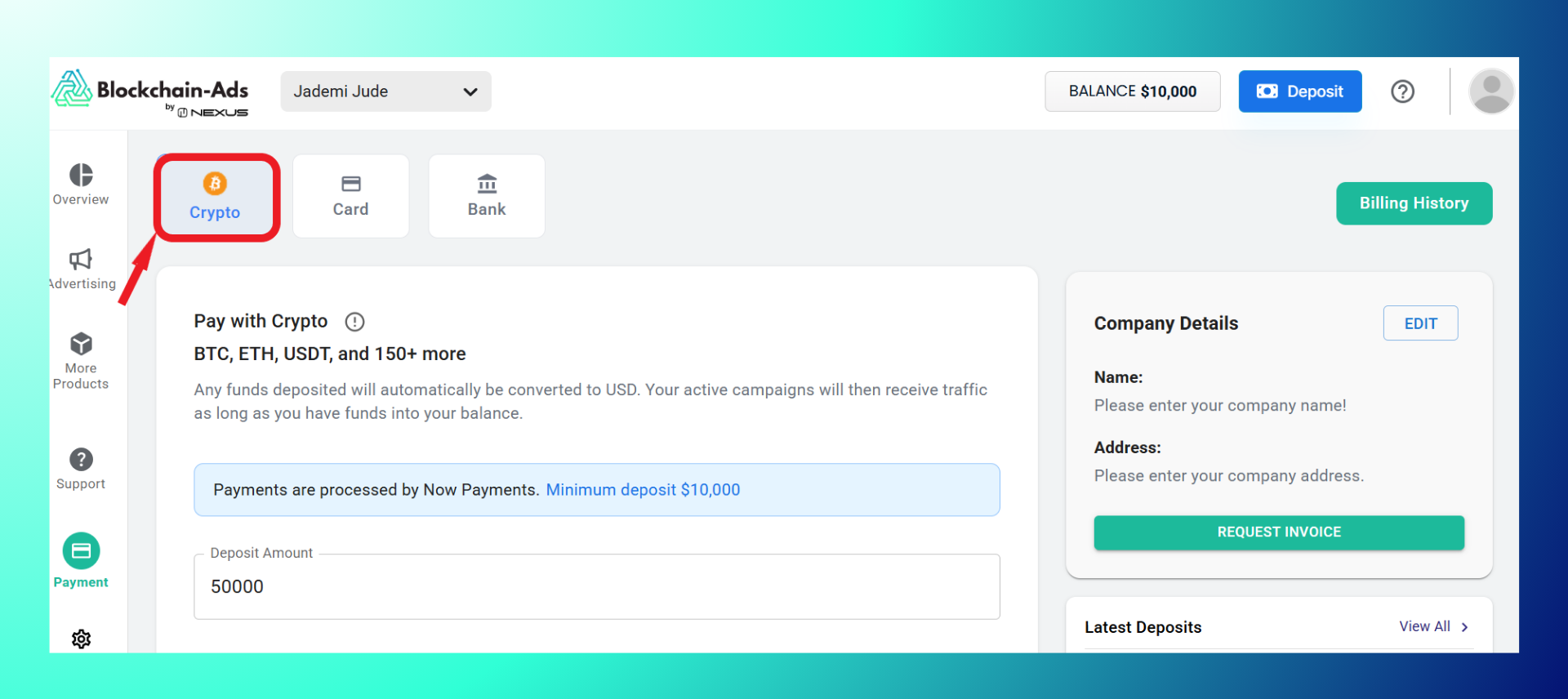
Step 3: Enter the deposit amount.

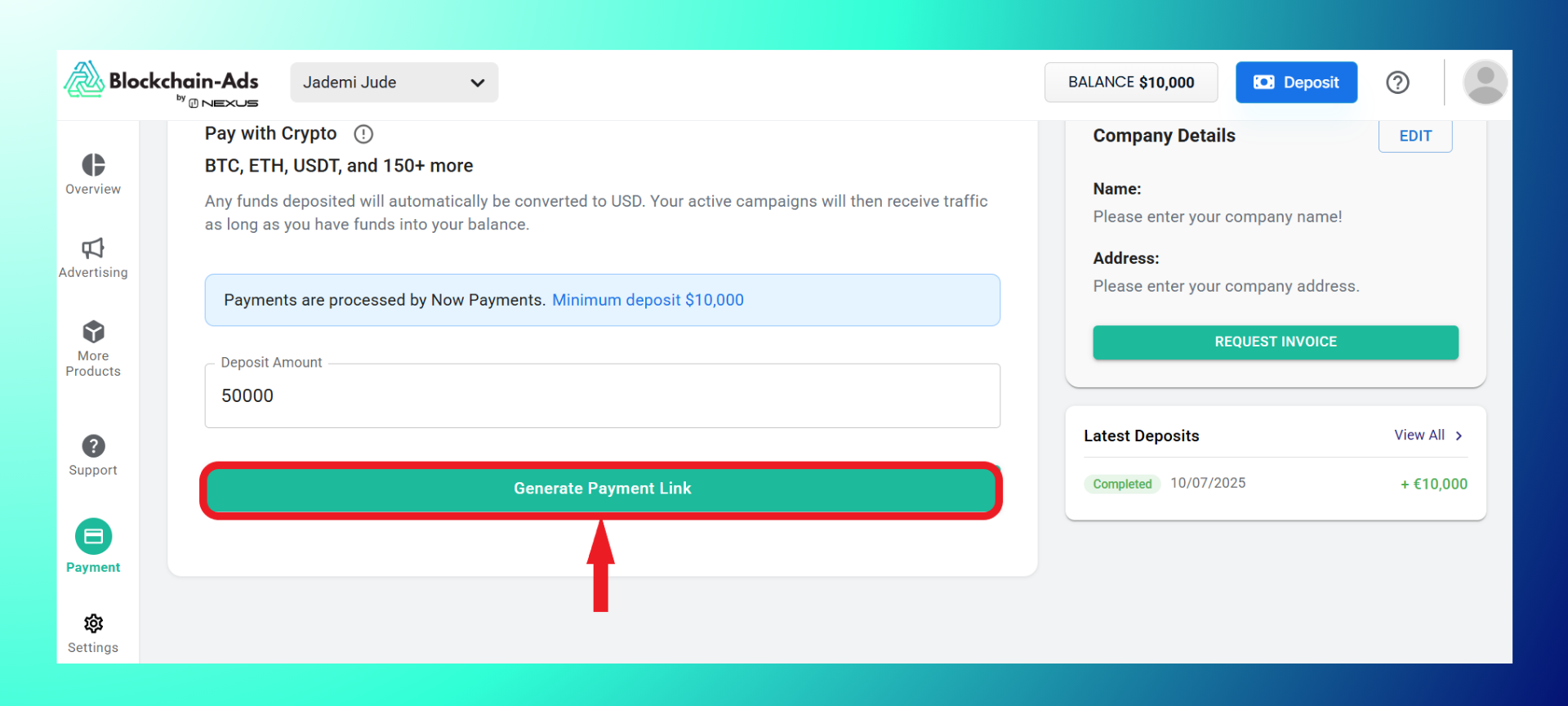
Step 4: Generate the payment link.
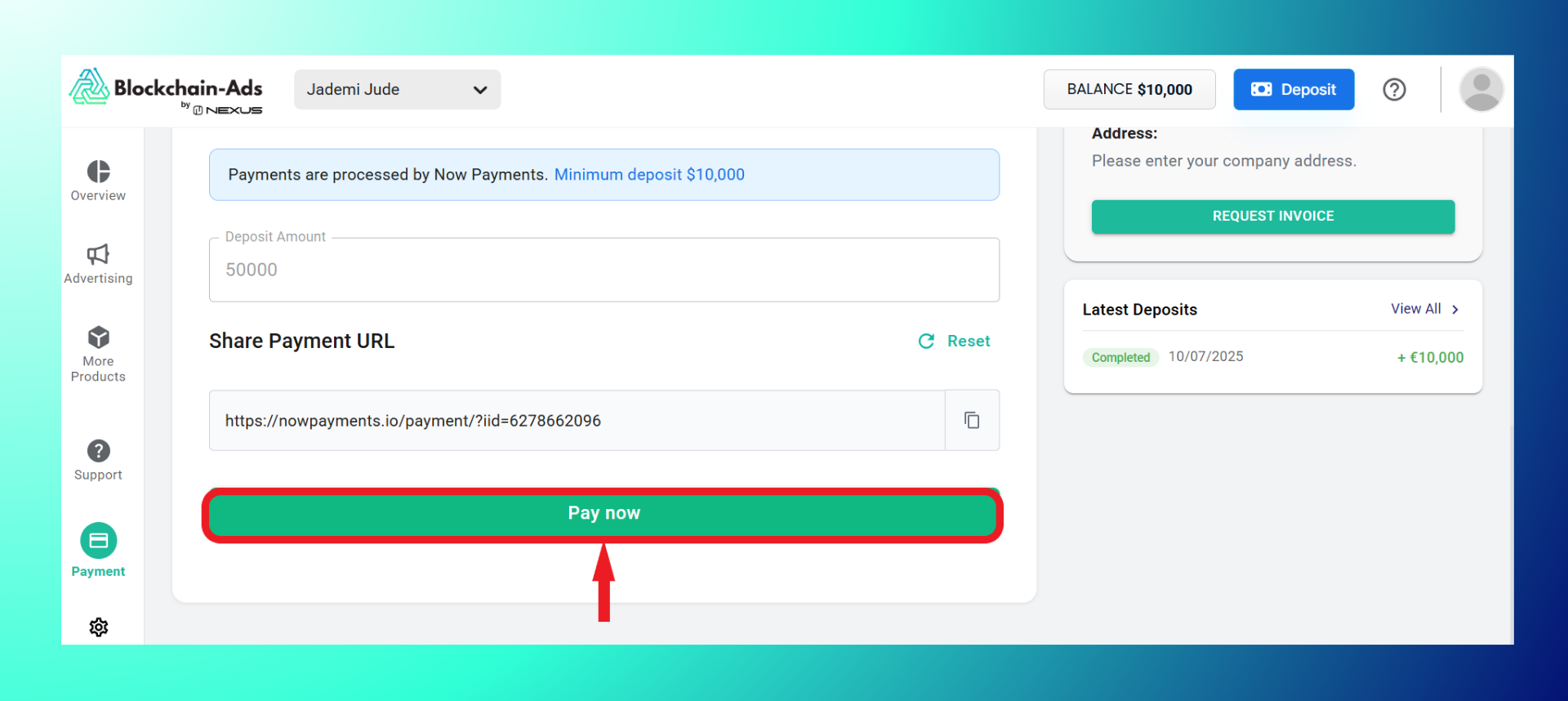
Step 5: Click the “Pay Now” button.
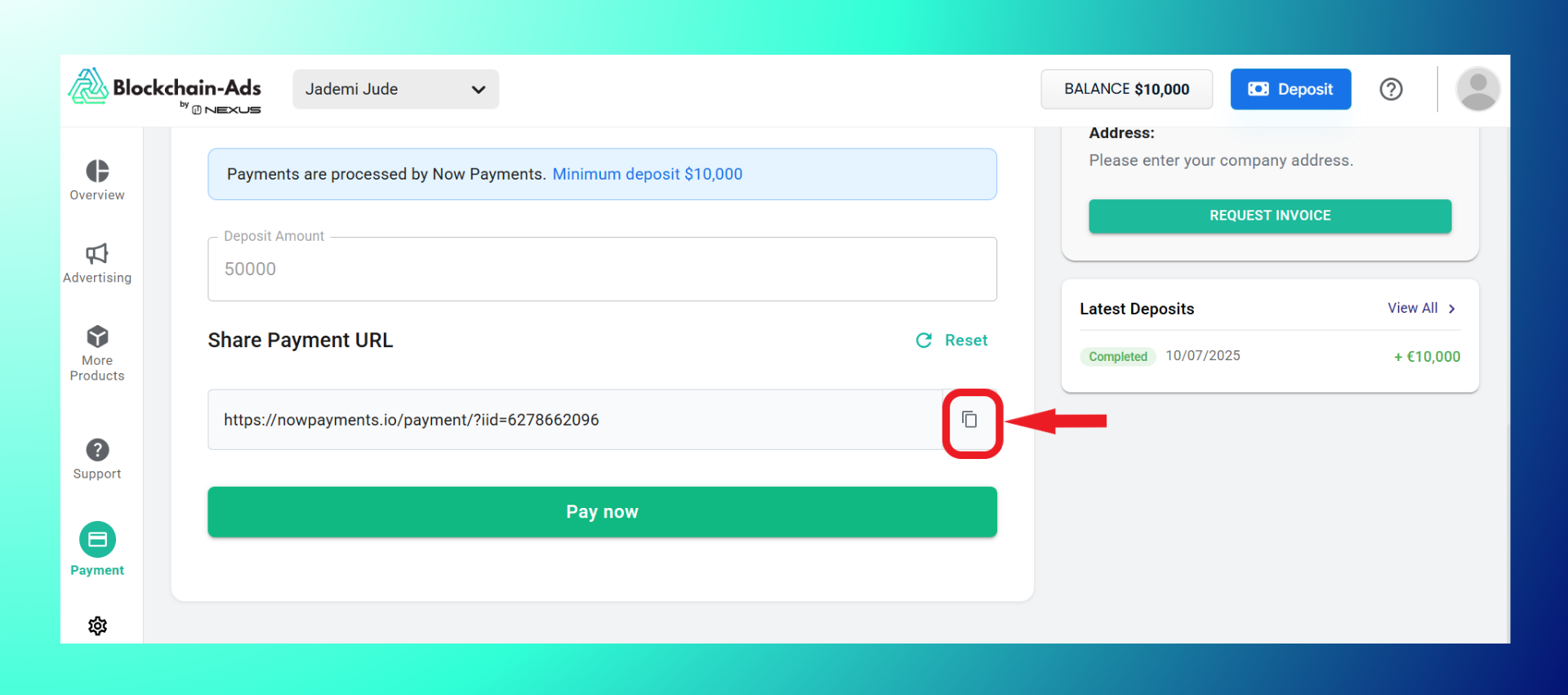
Or copy the payment URL and open on a new page.
Step 6: Choose your preferred cryptocurrency
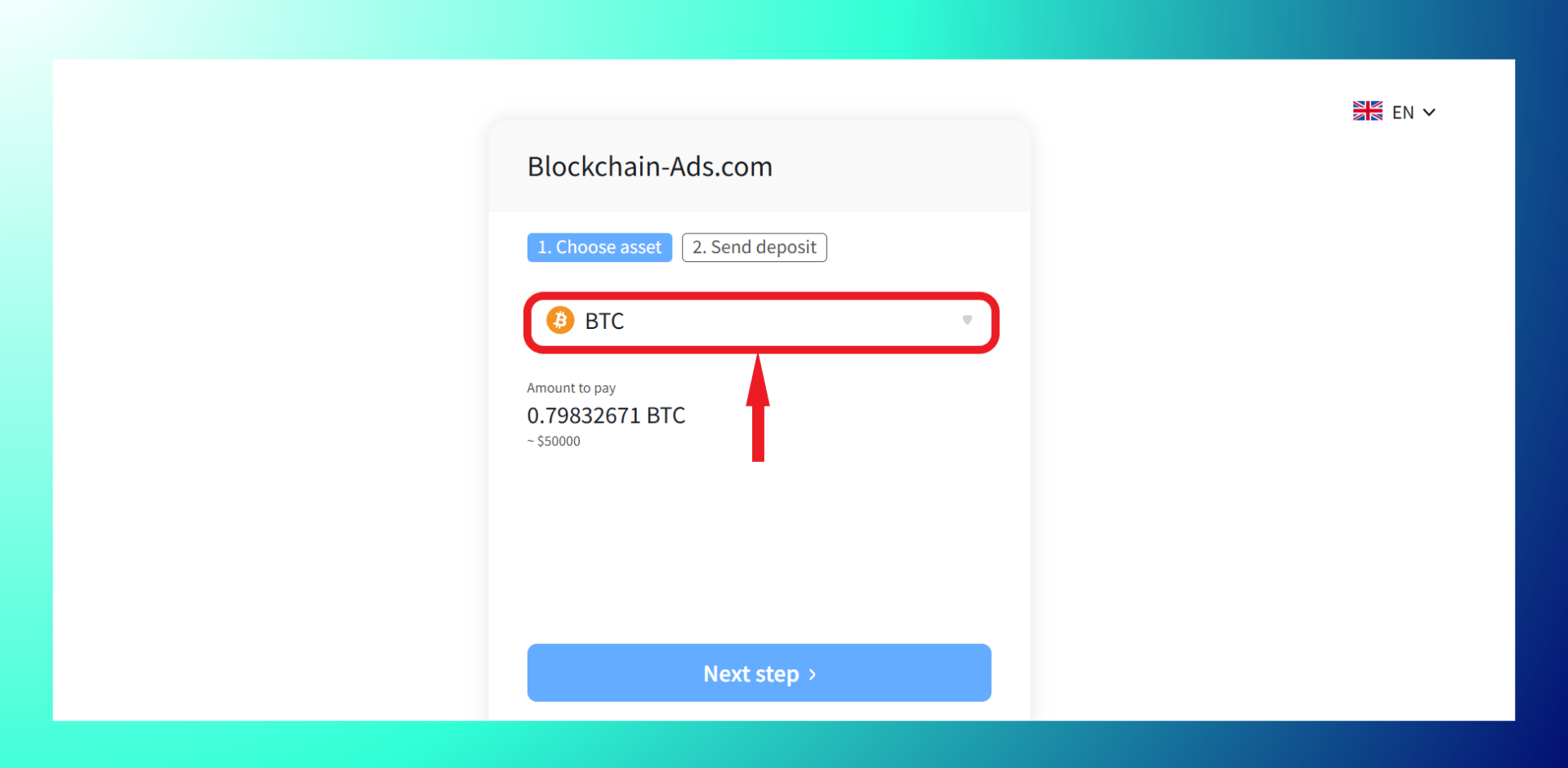
And click on the next step.

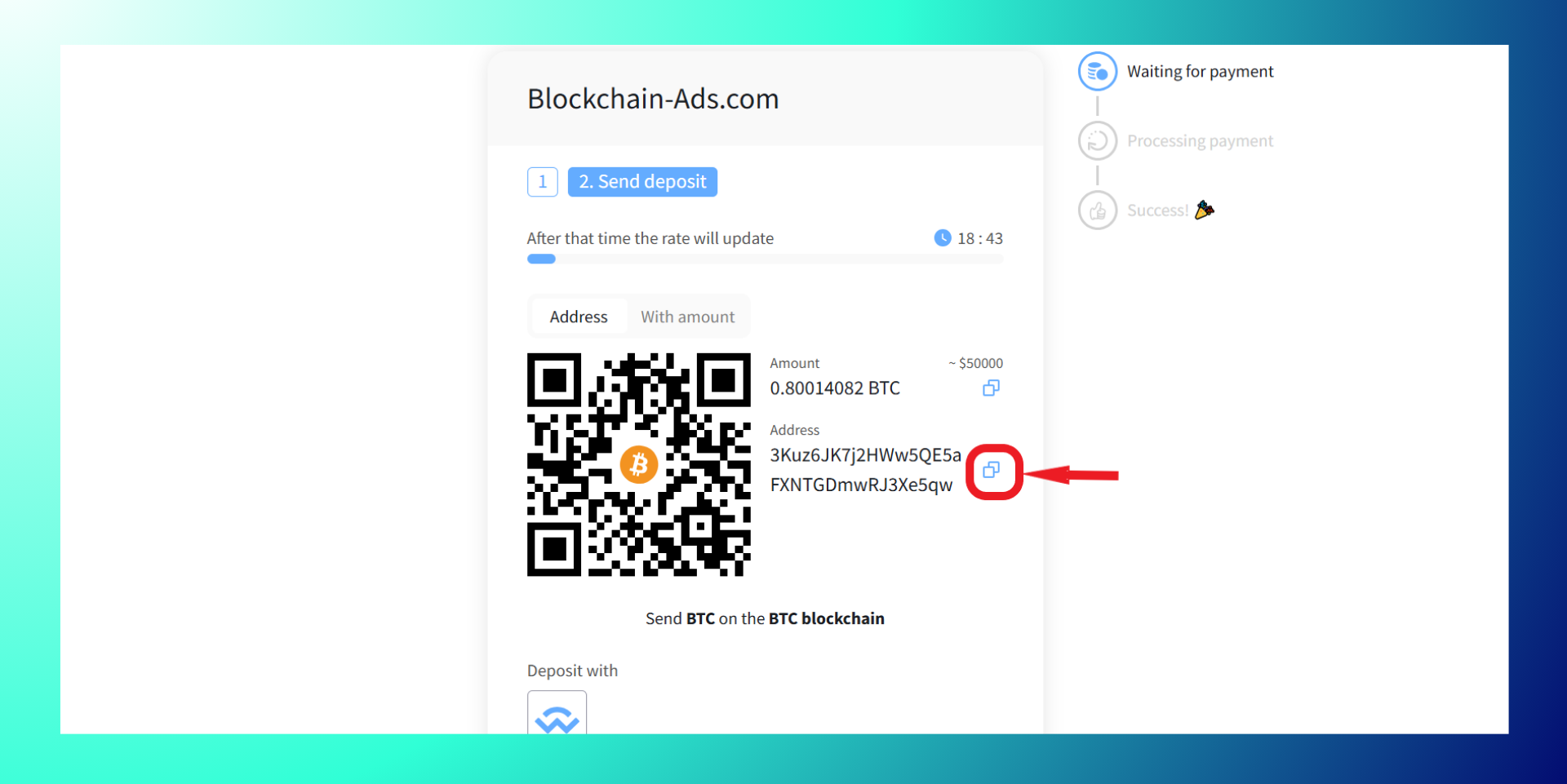
Step 7: Scan the QR code to pay

Or Copy the wallet address and pay into it.
How to Deposit using Credit Card
Step 1: Click on deposit.
Step 2: Select card.
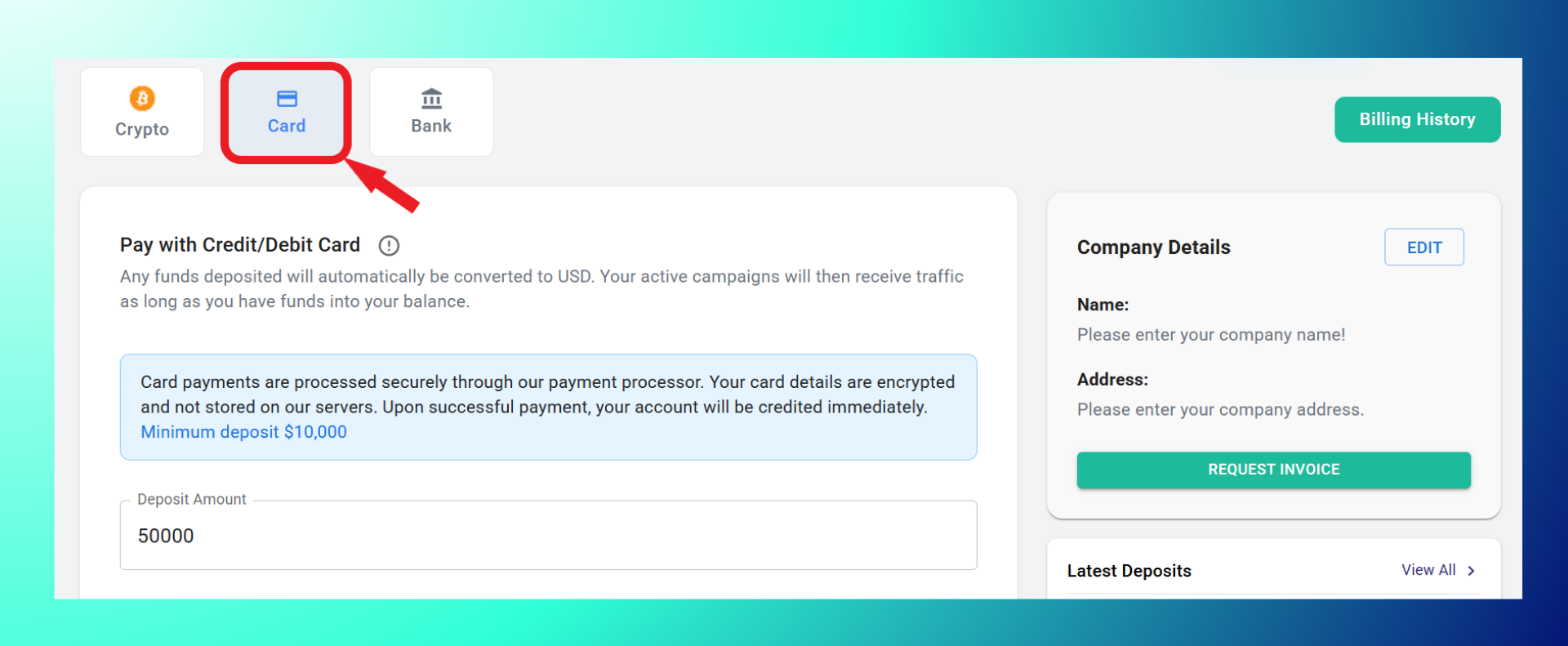
Step 3: Enter the deposit amount.
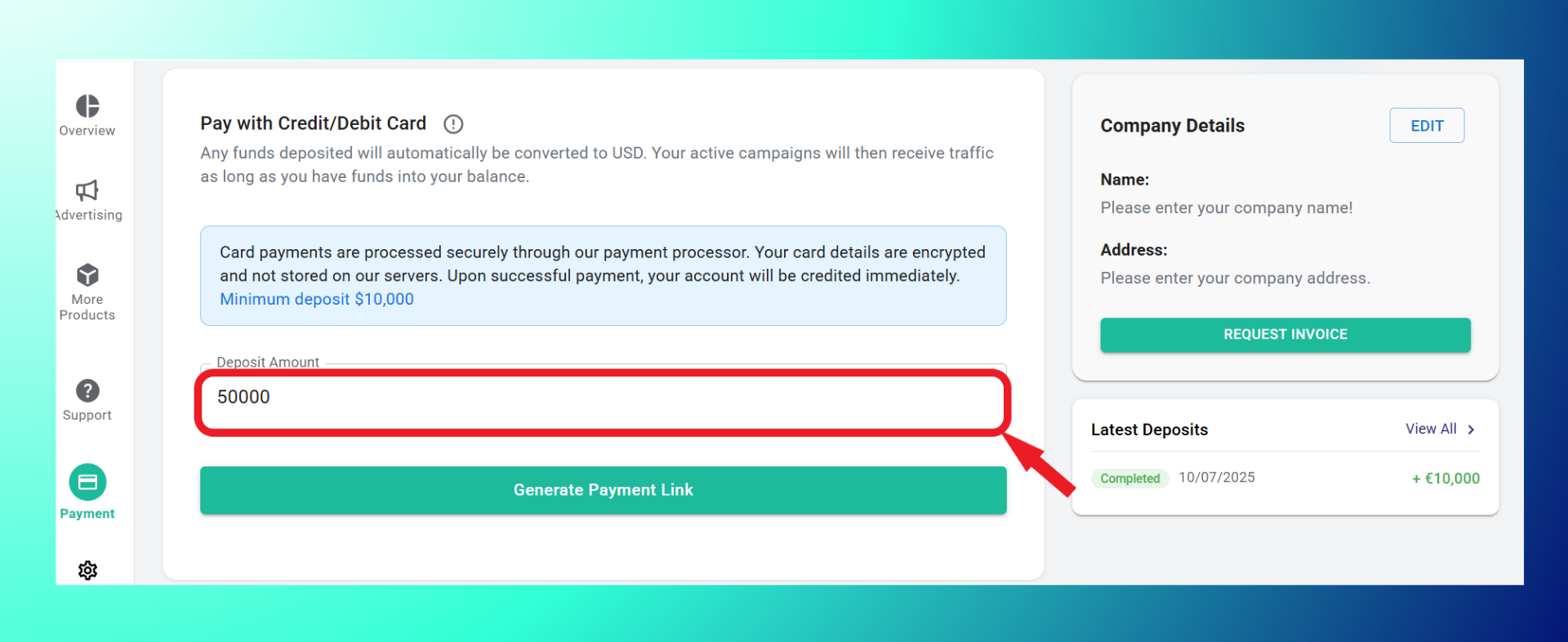
Step 4: Generate payment link.
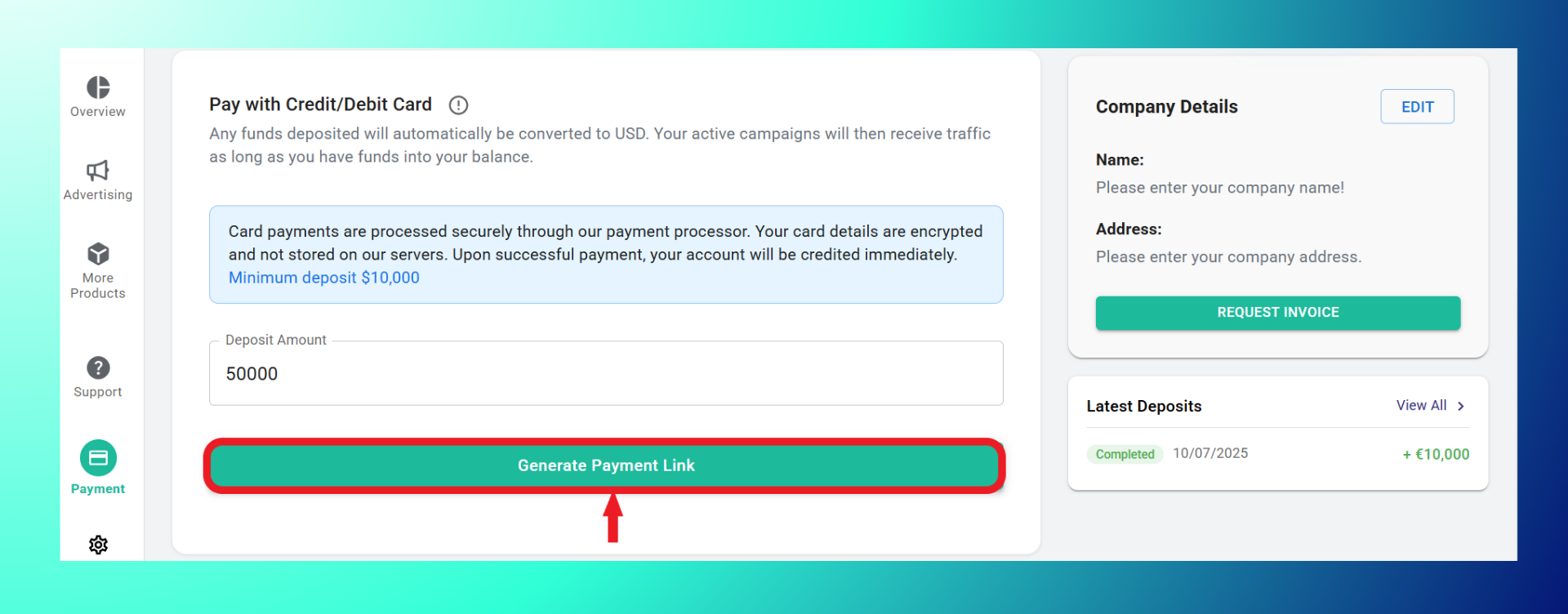
Step 5: Click the “Pay Now” button.
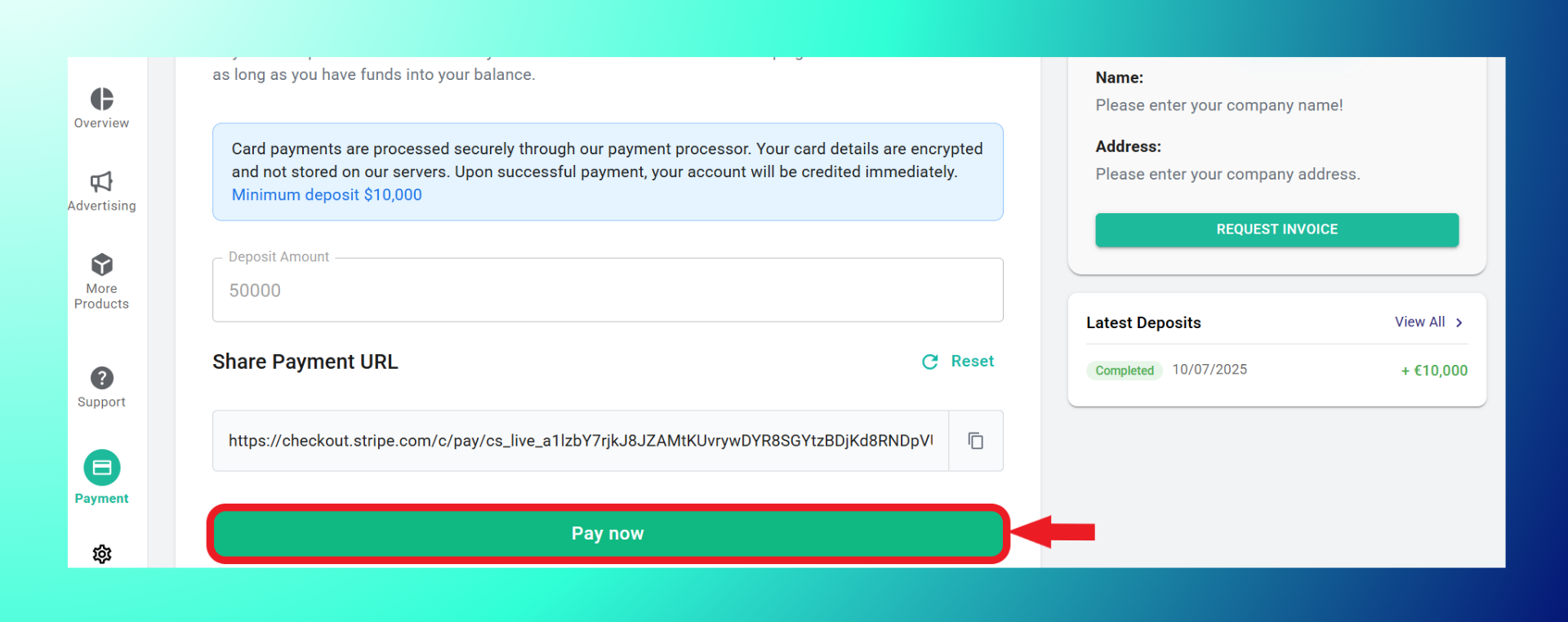
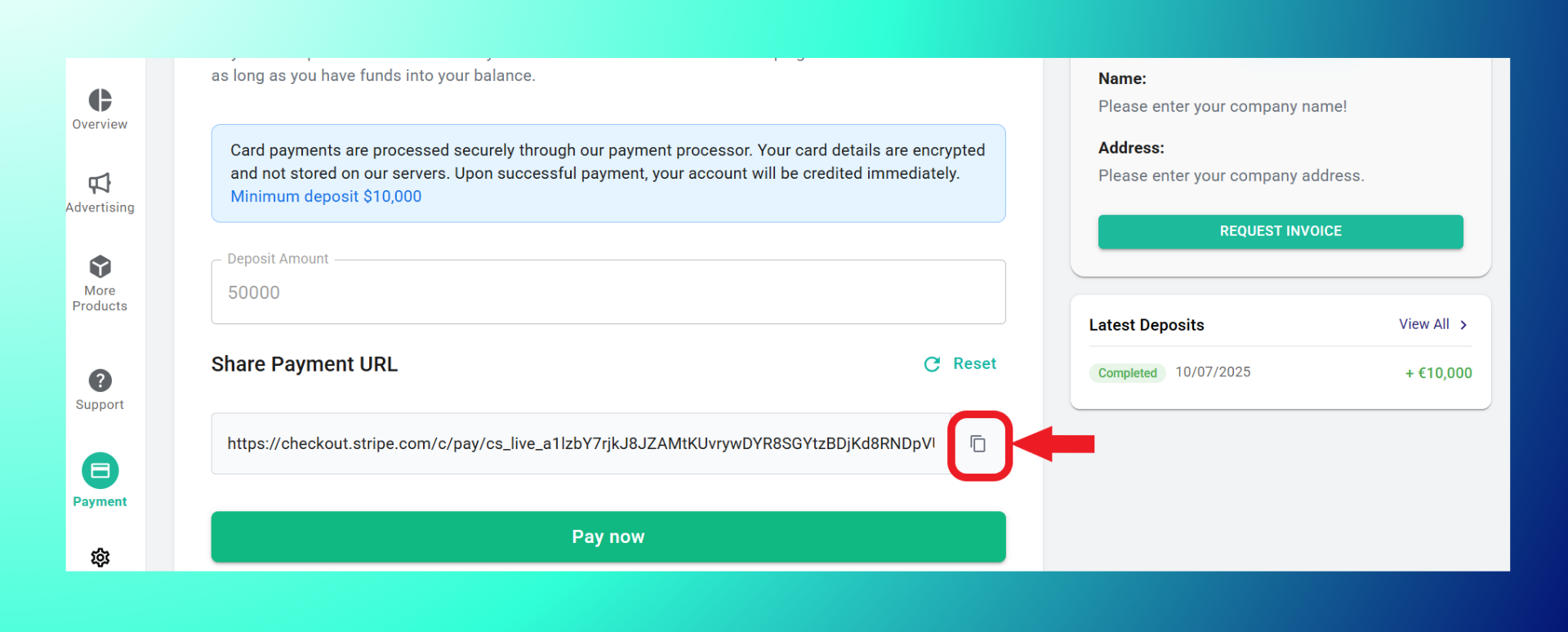
Or copy the payment URL and open on a new page.
Step 6: Pay using the Stripe link.
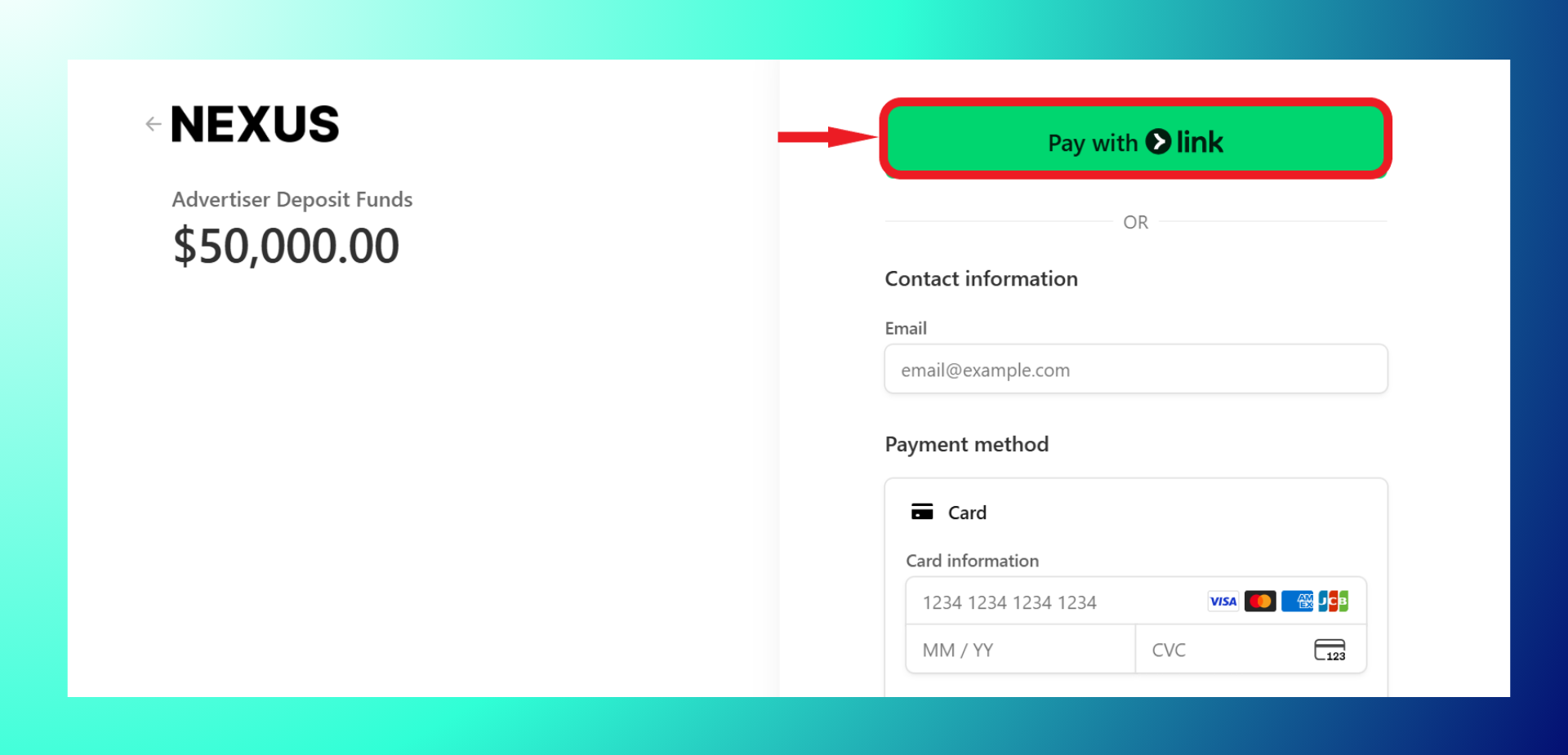
Or fill out the payment information and click “Pay Now.”
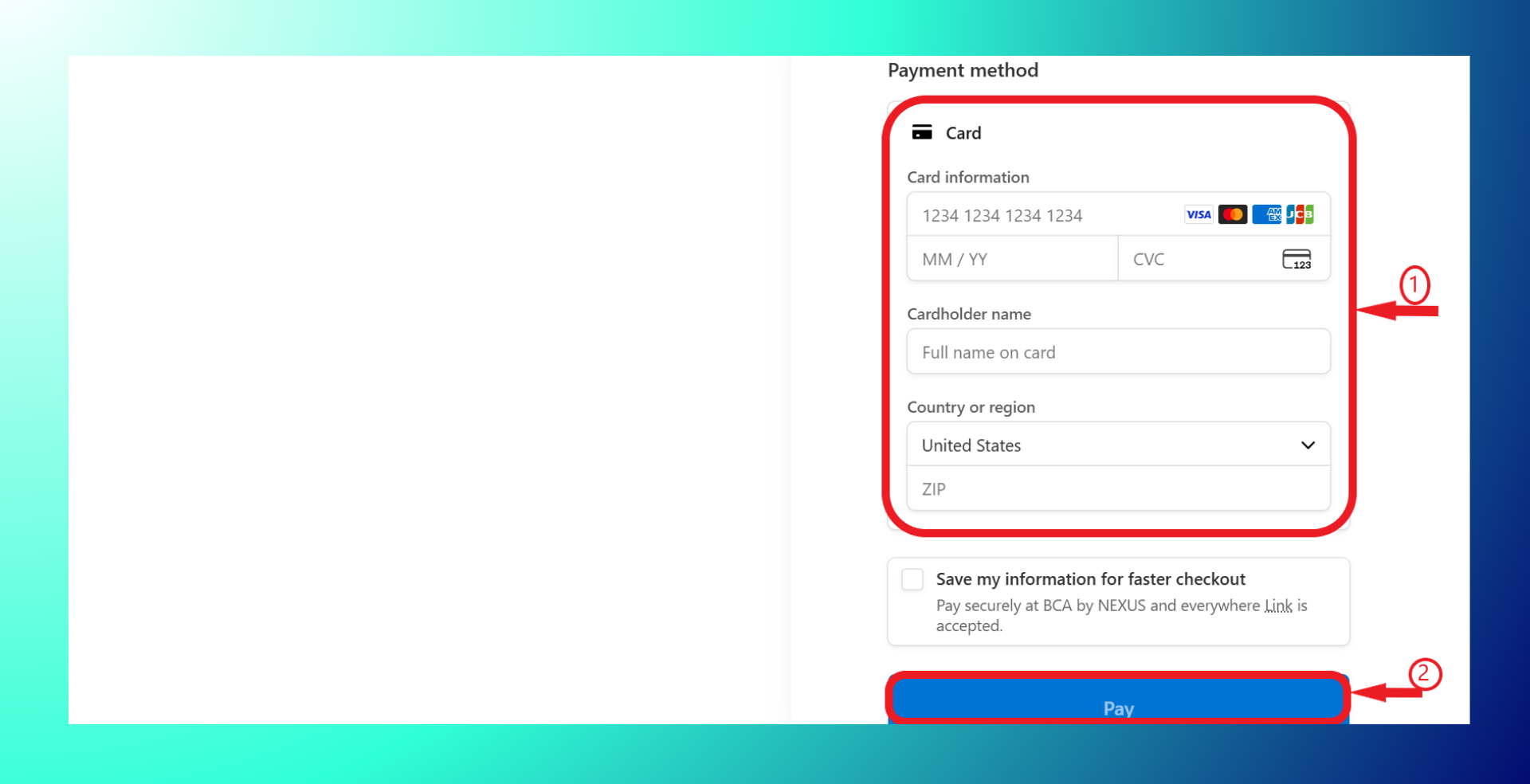
How to Deposit using Bank Transfer
Step 1: Click on deposit.
Step 2: Select bank
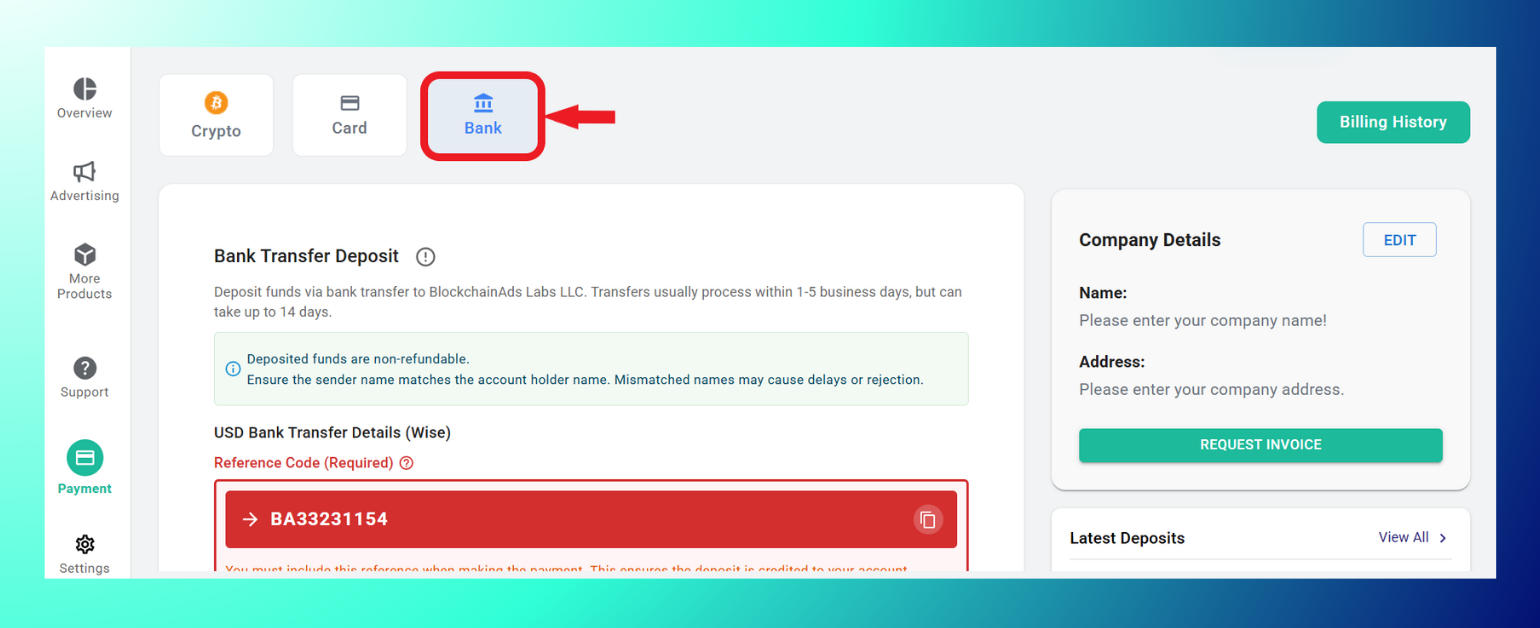
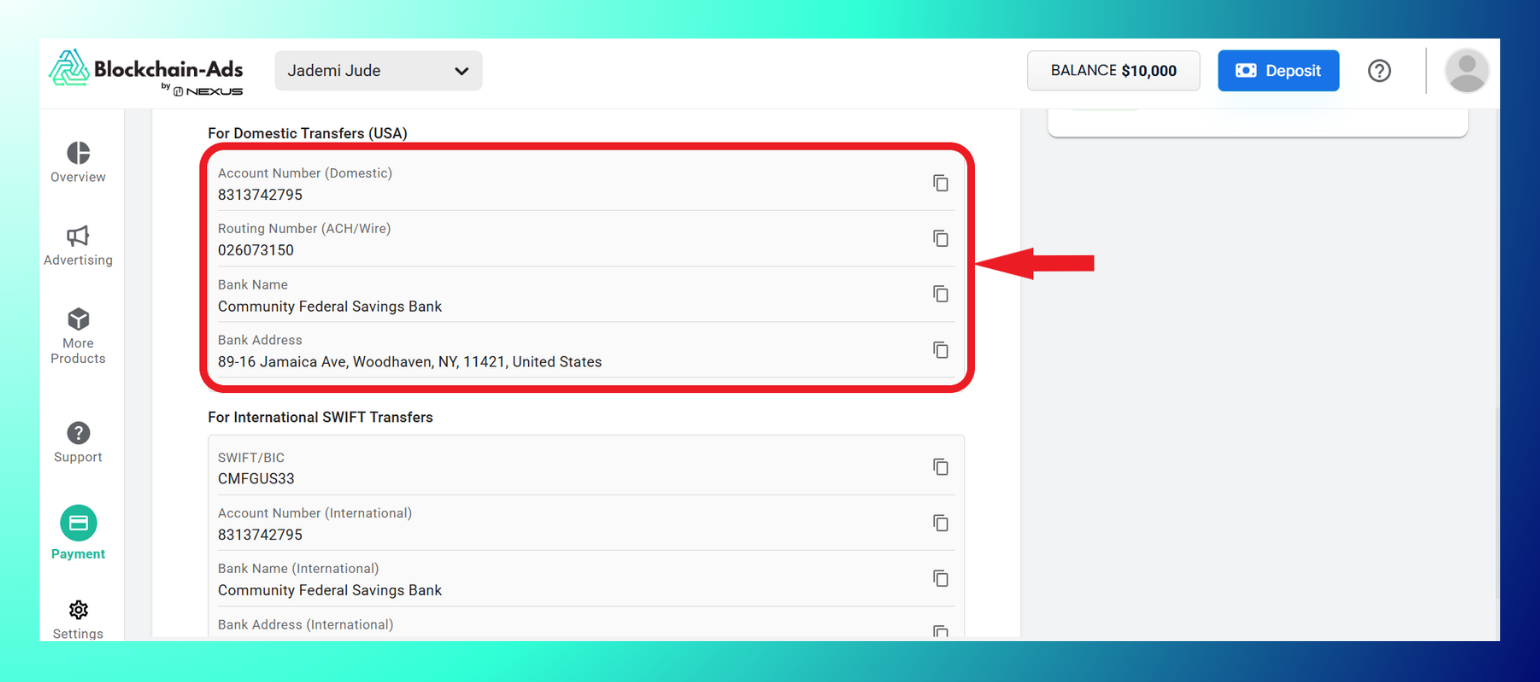
Step 3: Copy the bank details for domestic transfers
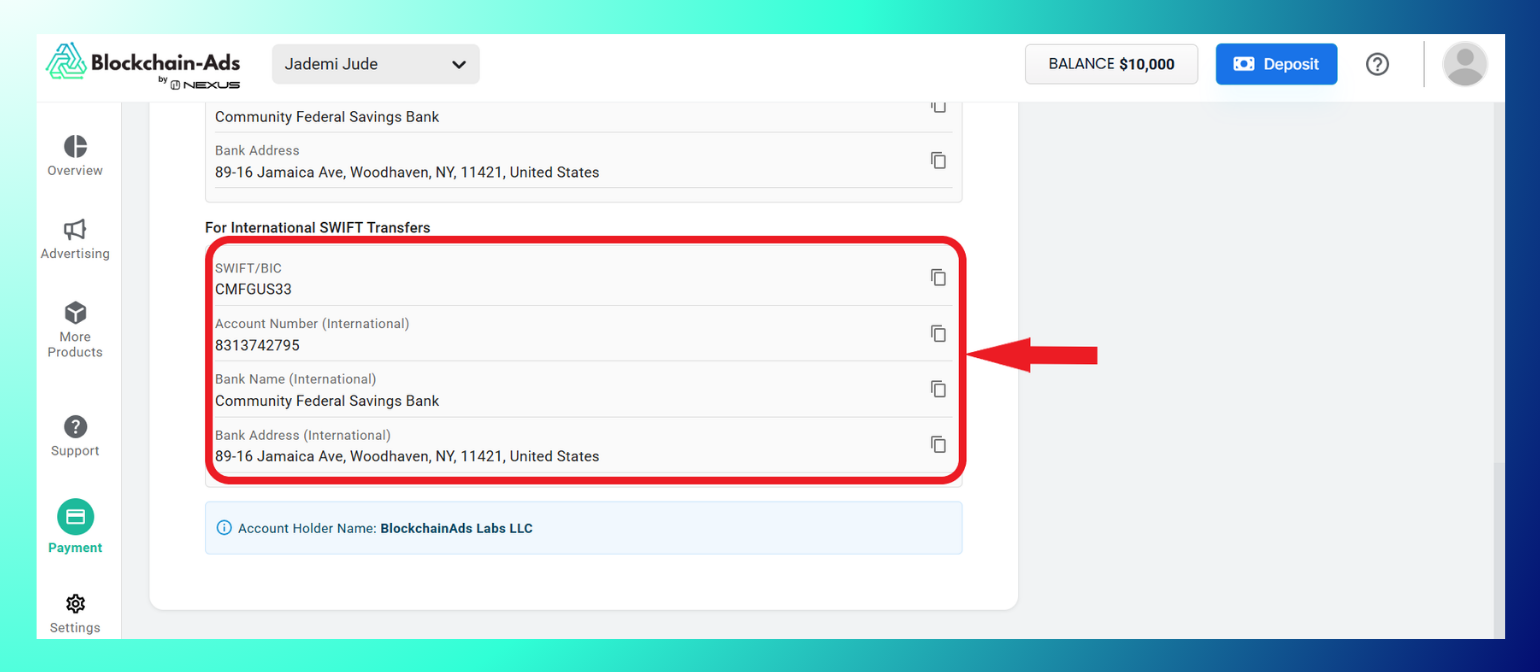
Or international SWIFT transfers
Step 4: Deposit the funds to Blockchain-Ads and take note of the given reference code.
Best Practices: Use cryptocurrency for instant processing, ideal for high-volume spenders; add funds in bulk to cover an average monthly spend of around $135K; monitor balance in HUB to avoid campaign interruptions; request a prepayment invoice for large deposits.
Troubleshooting: If funds haven't appeared after the expected window, check the transaction status (transaction hash for crypto, reference number for bank transfers). If the payment failed, retry it or switch payment methods, and if it's a bank transfer, allow up to 3 business days before contacting support.
Payment Methods Overview
| Method | Description | Processing Time | Notes |
|---|---|---|---|
| Cryptocurrency (NowPayments) | Any crypto (e.g., BTC, ETH, USDT) | Instant | Secure wallet transfer |
| Credit Card/Stripe | Fiat via card | Minutes | Easy for quick deposits |
| Bank Transfer | Wire USD | 1–5 business days | Use provided details |
| Wise | International fiat transfer | 1–2 days | Low fees for global |
Note: The $10,000 is a one-time minimum deposit required to activate your advertiser account, and it unlocks full platform access, spendable at your own pace. How quickly you use it depends on how many campaigns you run and how you set daily budgets. A separate minimum daily ad spend of $360 per active campaign ensures each campaign has enough volume for optimization and meaningful results.

