

On-site Interest segments target users based on website activity and content engagement, separate from on-chain data. It's one of the segment options available when configuring targeting; see → How to Configure Targeting if you haven't set that up yet.
Steps to Use Pre-Built Interest Graph
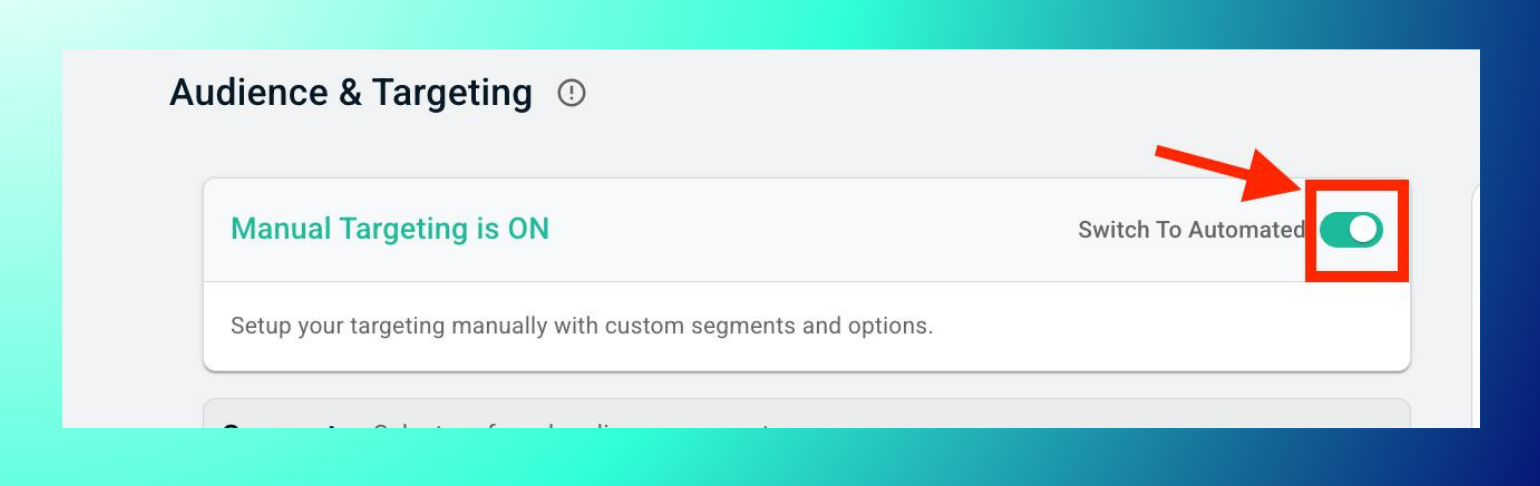
- In the campaign's "Audience & Targeting" step, switch to Manual Targeting.
- Under Segments, expand On-site Interest.

- Use the search bar or browse by topic (Finance, Gaming, AI, SaaS, Adult, Custom/Partner).
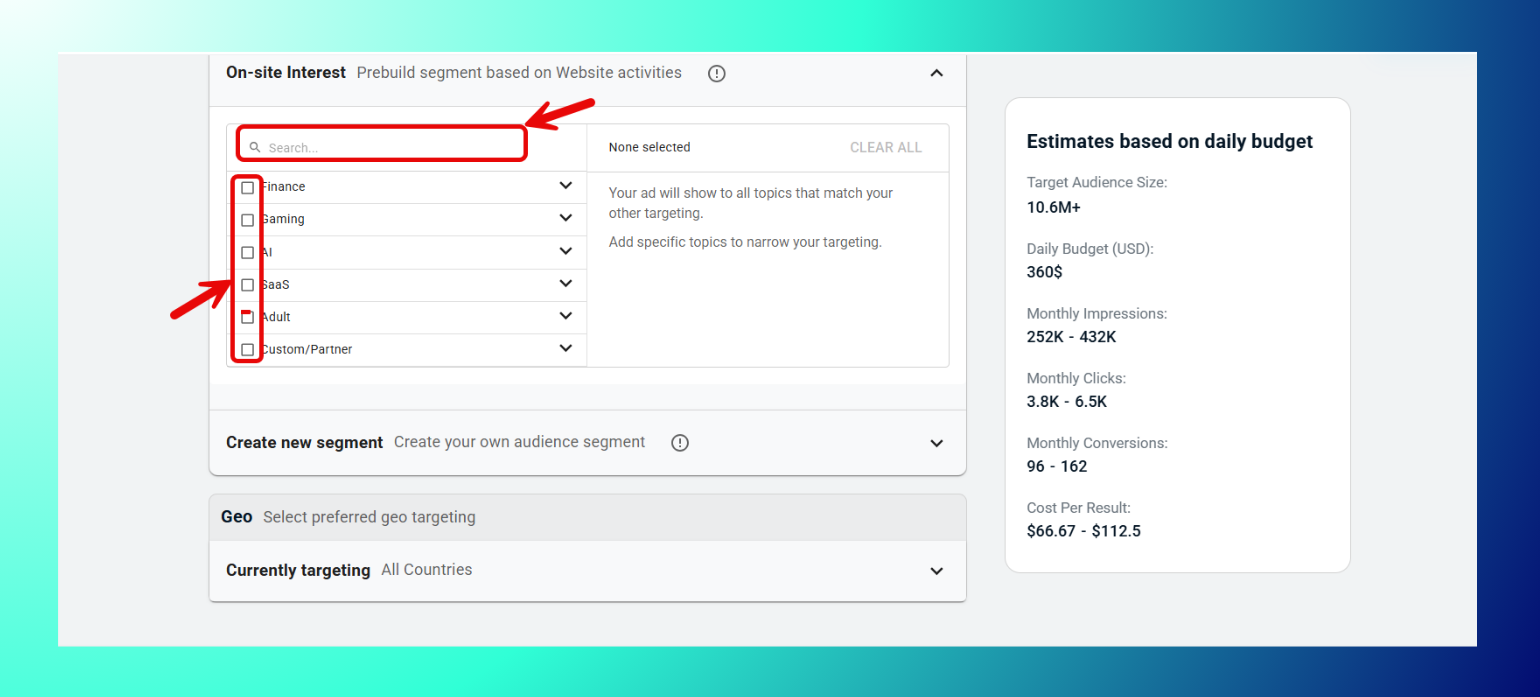
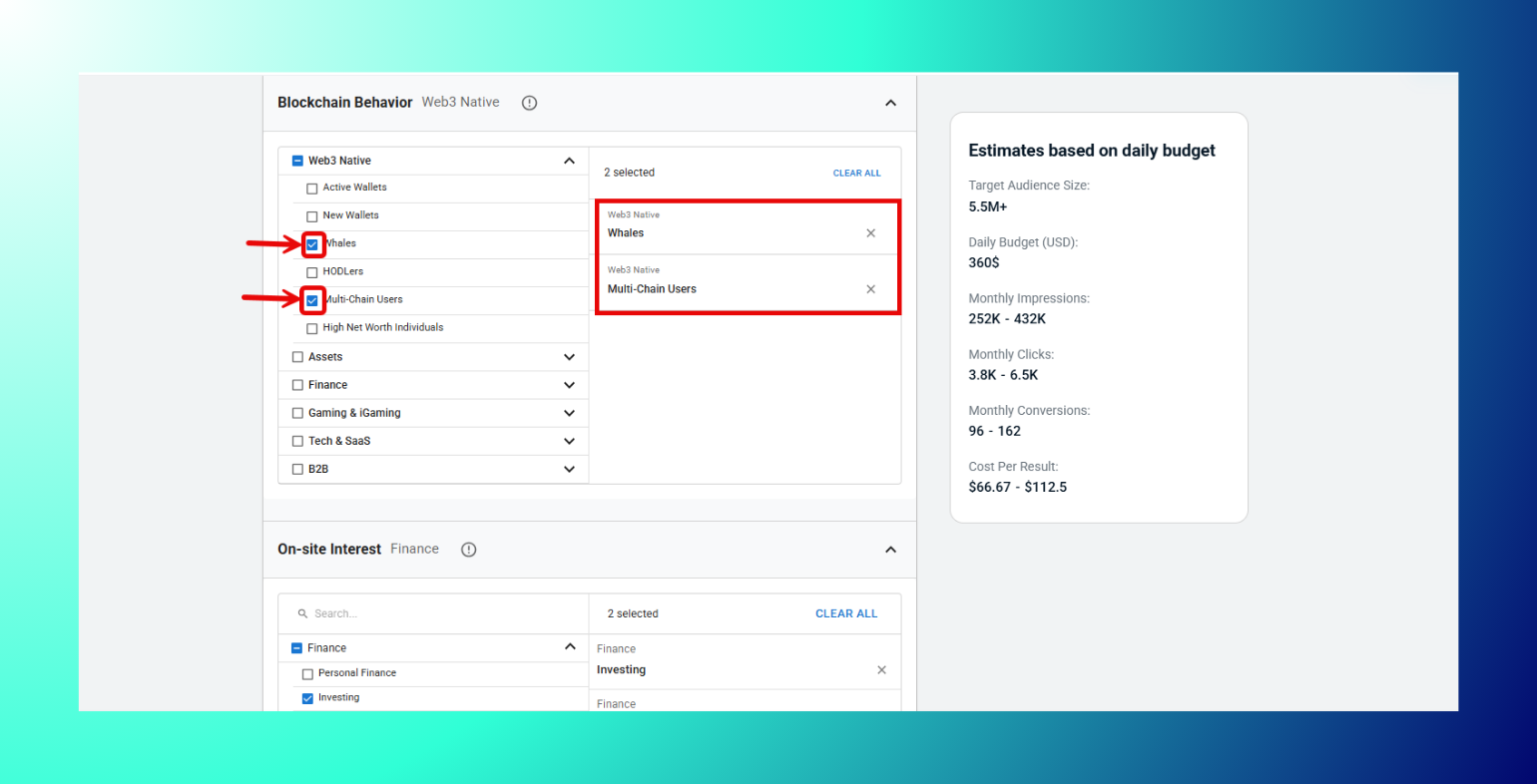
- Check the boxes for the sub-topics you want to target.

- Layer with Blockchain Behavior segments if you want added precision.
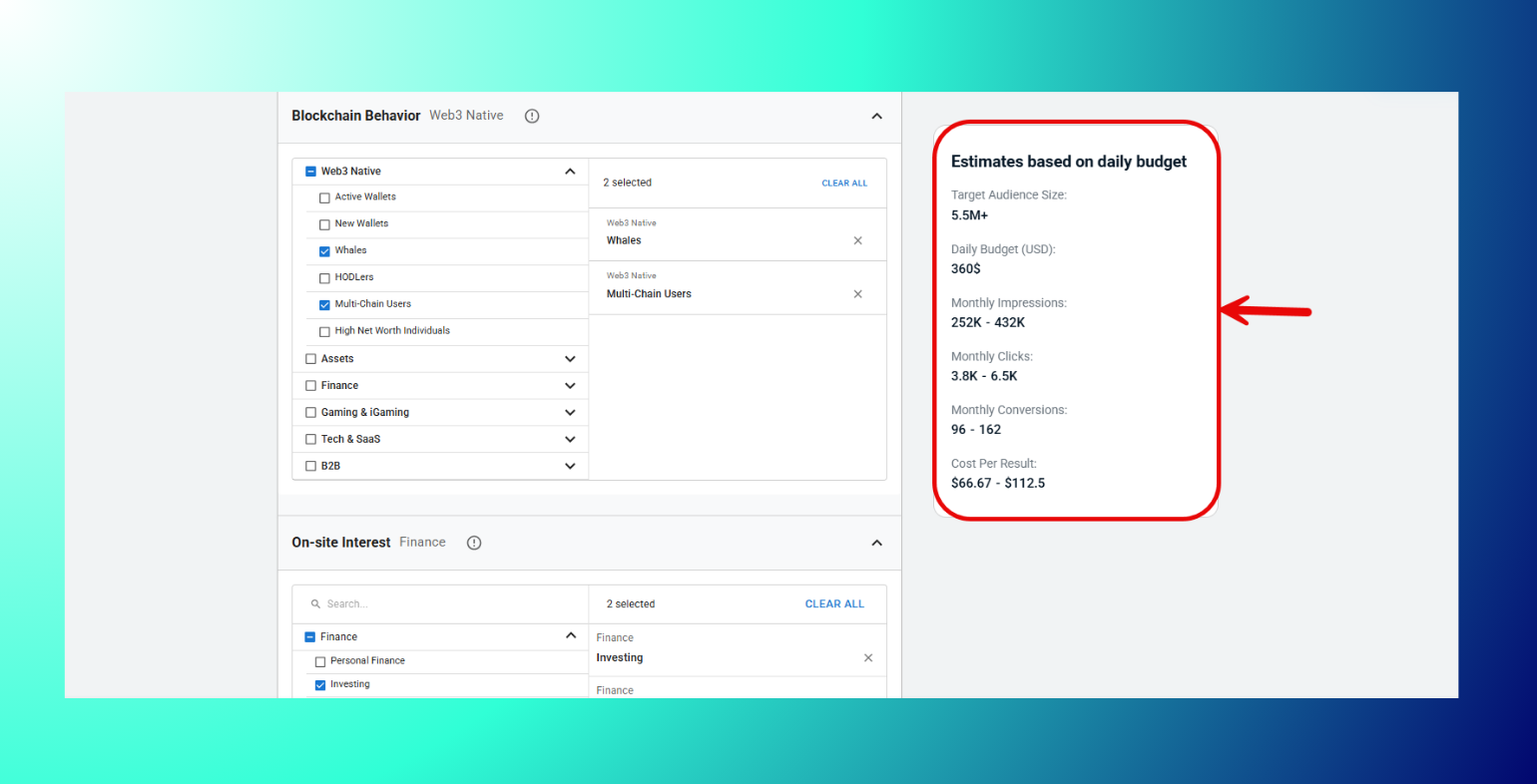
- Check the audience size and impression estimates in the right panel.
- Save to the campaign.
Available Topics
| Topic | Sub-segments |
|---|---|
| Finance | Personal Finance, Investing, Wealth Management, Forex & Trading, Retirement Planning, Insurance |
| Gaming | PC/Console Gaming, Mobile Gaming, eSports, Simulation/Sports Games, RPG & MMO, Gambling Watchers |
| AI | Generative AI, AI for Business, AI Enthusiasts, AI for Creators, AI Infra |
| SaaS | CRM Tools, Marketing Tech, SaaS Buyers, Workplace Productivity, Dev Tools, Fintech SaaS, Subscription Management |
| Adult | Adult Streaming, Adult Content, Adult eCommerce, Kink/Fetish Content, Webcam Tippers |
| Custom/Partner | Uploaded CRM Data, Ad Click Audiences, Lookalikes, Content Subscribers, Multi-Platform Engagers, Media Bundle Subscribers |
Note: Selecting no sub-topics under a category means your ad shows to all topics matching your other targeting. You only narrow things down once you check specific boxes.
Best Practices: Use On-site Interest for broad topical reach; combine with Blockchain Behavior for depth (e.g. "AI Enthusiasts" + "Tech & SaaS" wallets); use the search bar for large topic lists like Finance or SaaS.
Troubleshooting: No sub-topics showing? Confirm you've expanded the correct topic row. Low audience estimates? Broaden by selecting the parent topic's more general sub-segments, or add more than one.
FAQs
- What is On-site Interest targeting? Segments built from website activity and content engagement, separate from blockchain data.
- Can I select multiple topics? Yes, and you can combine sub-segments across different topics.
- What's Custom/Partner? Segments built from your own uploaded data. That is CRM lists, ad click audiences, lookalikes, and similar sources.
- How is this different from Blockchain Behavior? On-site Interest is based on browsing/content signals; Blockchain Behavior is based on on-chain wallet activity. They can be combined.

