

Keep your Blockchain-Ads account secure with these practices.
Steps to Secure Your Account
- Create a strong, unique password (12+ characters, a mix of letters, numbers, and symbols).
- Never share your login credentials; invite teammates individually instead (see below).
- Keep your API key private; never expose it in client-side code or public repositories.
- Report suspicious activity to contact@blockchain-ads.com immediately.
- Update your password every 3 to 6 months.
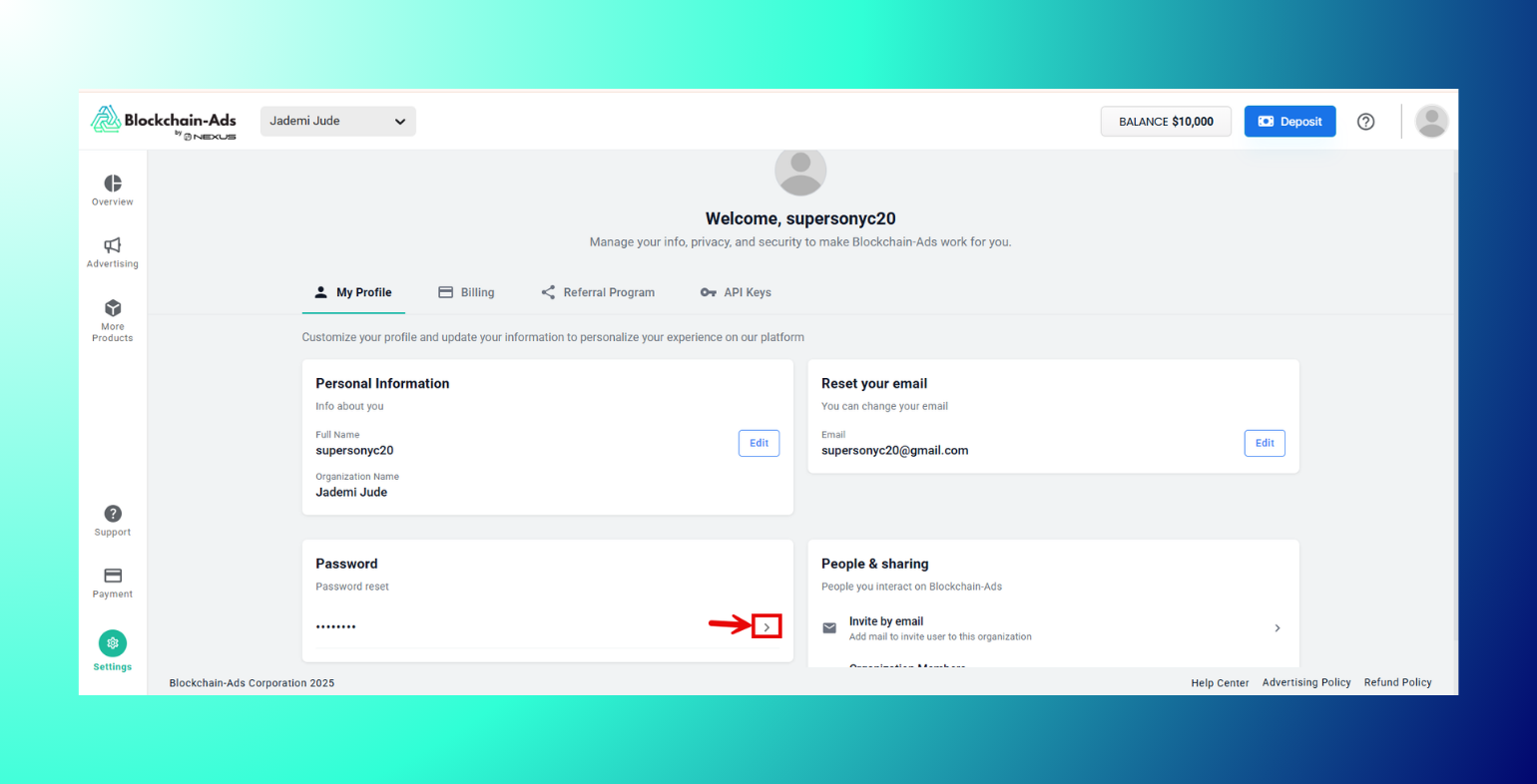
How to Update Your Password
Step 1: Go to Settings

Step 2: My Profile

Step 3: Password, and click the arrow to reset it.
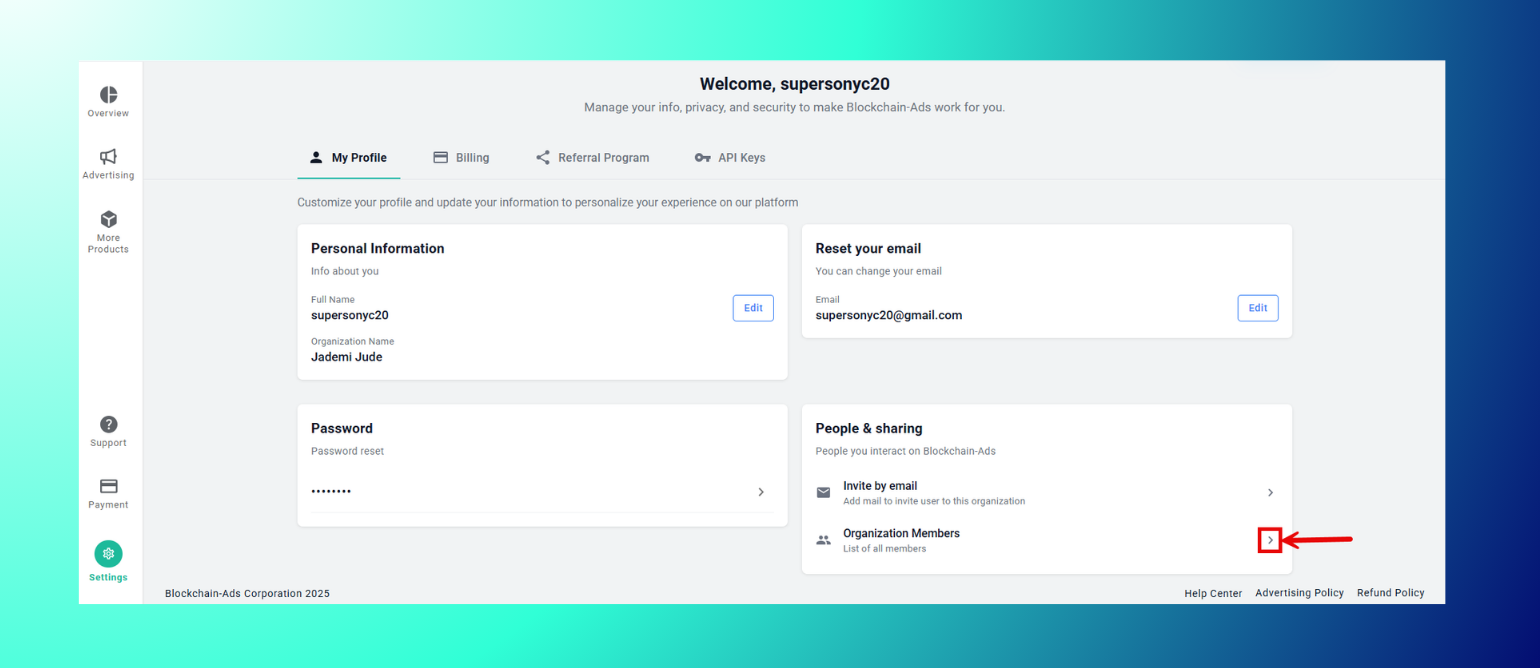
How to Invite Team Members Securely
Step 1: Go to Settings
Step 2: Open My Profile
Step 3: Scroll down to People & Sharing

Step 4: Click on Invite by Email to give teammates their own access.

Manage or remove members anytime under Organization Members.
Managing Your API Key
Your API key grants full programmatic access to your account, so treat it like a password. Include it in requests via the x-api-key header, and avoid hardcoding it anywhere it could be exposed publicly.
- Rotate a key
Step 1: Click "Create New API" to generate a new one.
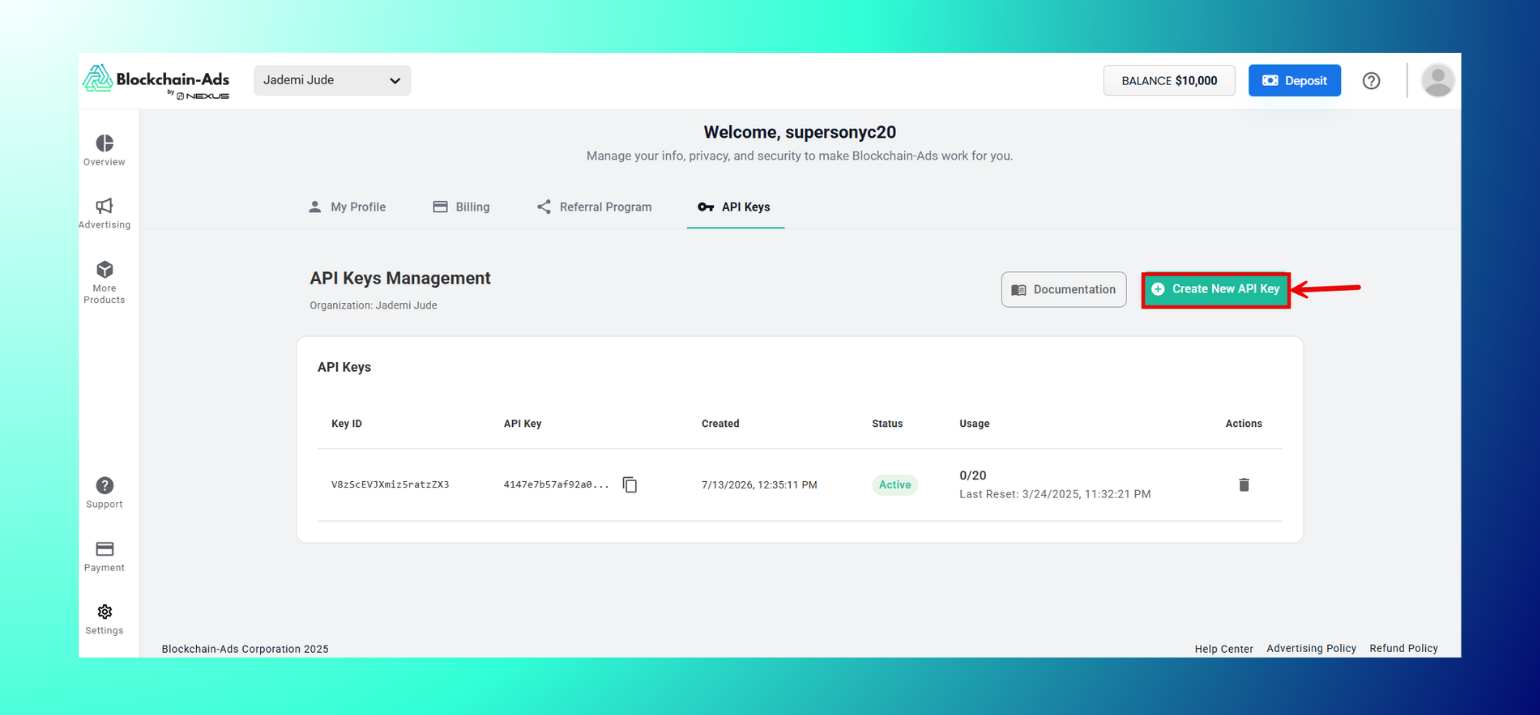
Step 2: Delete the old key from the Actions column.

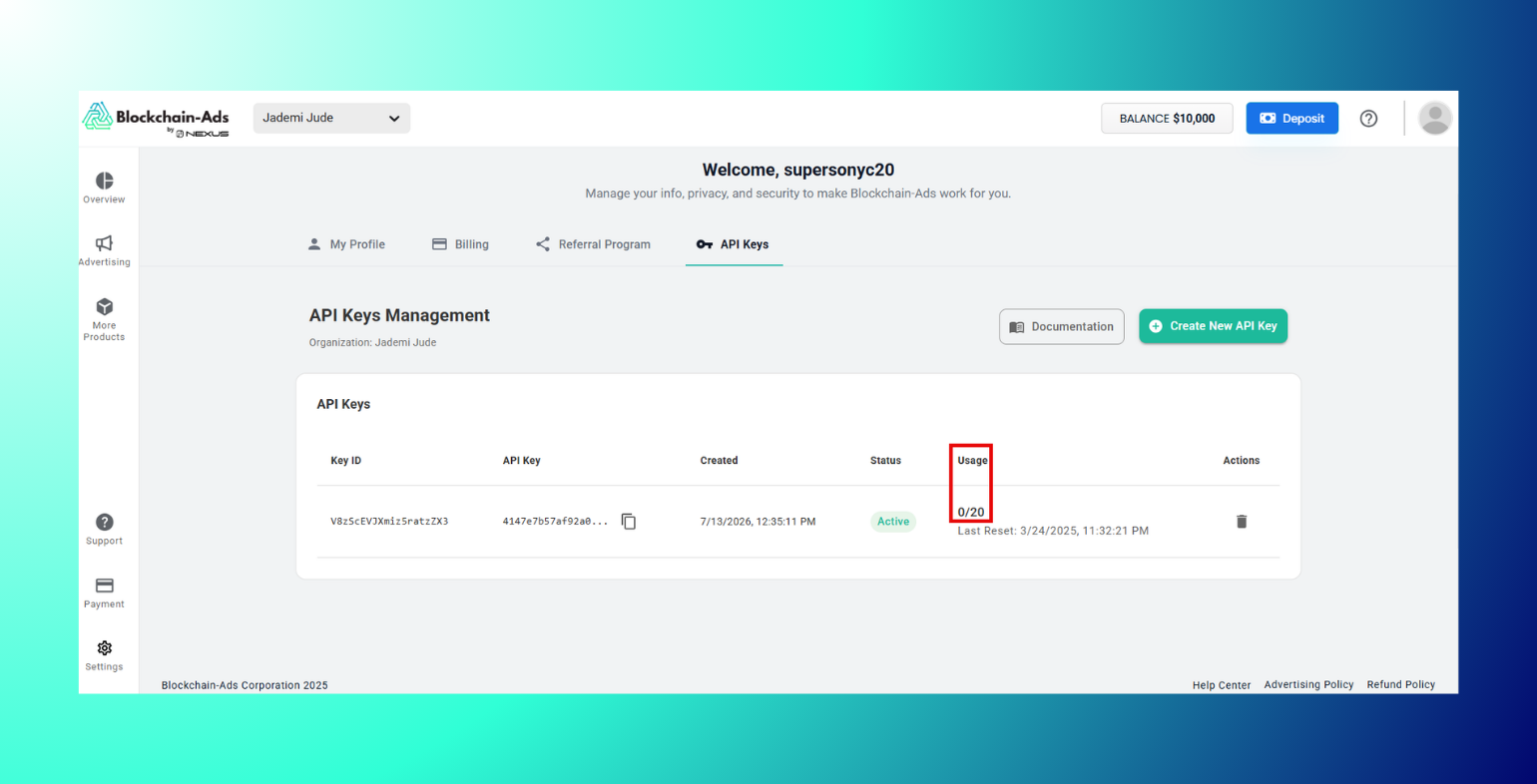
- Monitor usage
The Usage column shows how many calls a key has made. So, a sudden spike can be an early sign of misuse.
Best Practices: Use a password manager and avoid credential sharing by inviting members individually. Rotate API keys periodically and delete unused ones. Log out of shared devices and update your password regularly.
Troubleshooting
Forgot your password? Use the reset link on the login page.
Locked out? Contact support.
FAQs
- What if I suspect unauthorized access? Change your password immediately, delete any API keys you don't recognize, and email contact@blockchain-ads.com.
- How do I change my password? Go to settings, open “My Profile," and click on “Password.”
- What's the best setup for teams? Invite each team member individually by going to your Settings. Select “My Profile” and click on “People & Sharing” to invite team members via email. This is a better option than sharing one login.
- What if my API key is exposed? Delete it and create a new one in the settings section.

