

To switch between accounts, you first need access to more than one, either by inviting others or being invited (see → Managing Multi-User Accounts).
Once you have that, switching takes seconds, with no logging out required.
Steps to Switch Accounts
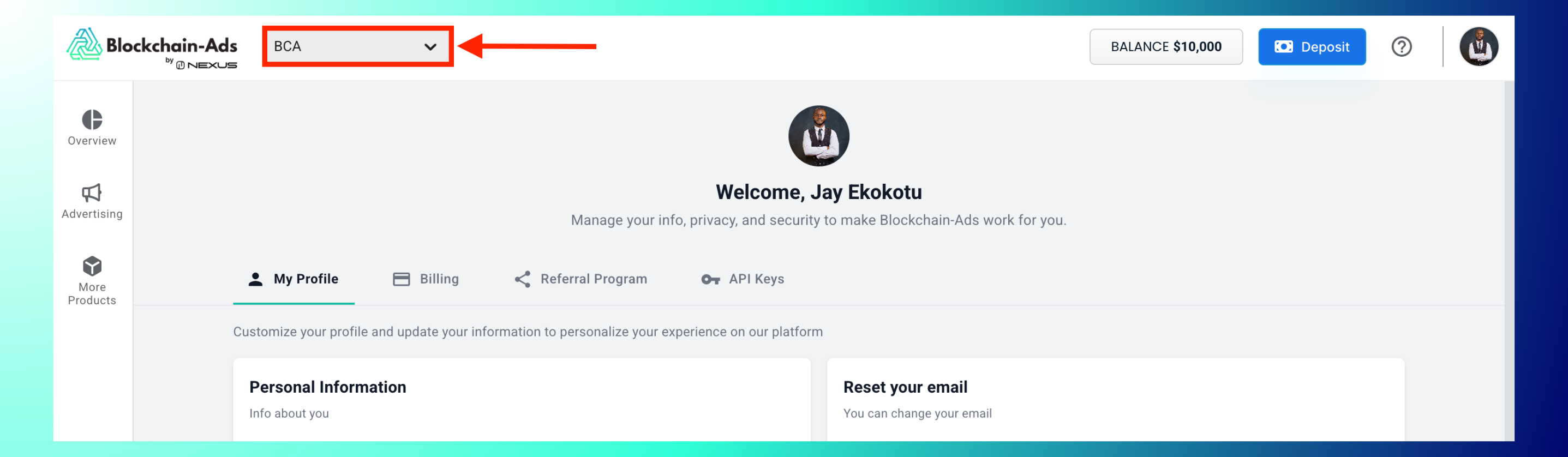
Log in to HUB. Click the account dropdown next to the Blockchain-Ads logo in the top-left corner (it shows your currently active account name, e.g., "BCA").
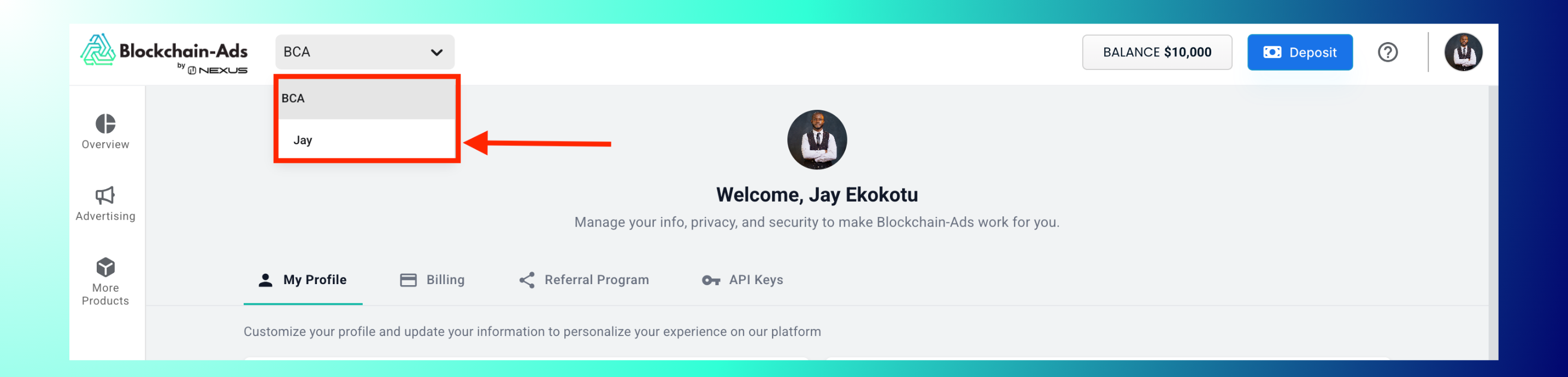
Select the account you want to switch to from the list. The dashboard instantly updates with that account's campaigns, analytics, and settings.
Account Isolation
Each account operates independently, with separate campaigns, billing, and user lists, with no data crossover. This makes it easy for agencies to manage multiple clients or brands under one login.
Best Practices: Label accounts clearly so they're easy to tell apart at a glance; log out or switch back after working in a client's account for security; confirm you're in the right account before making changes, since the switch is instant and easy to miss.
Troubleshooting: Don't see the dropdown? You likely only have access to one account; confirm you've been invited to, or have invited, another one. Dropdown not updating the dashboard? Refresh the page after switching. Missing an account you expect to see? Contact support at contact@blockchain-ads.com.
FAQs
- How do I get access to another account? You need to be invited: see → Managing Multi-User Accounts.
- Is data shared between accounts? No, each account is fully isolated.
- Is there a limit on how many accounts I can switch between? Not indicated in the interface.
- How do I switch back? Open the same dropdown and select the other account.

