

This guide outlines the steps to take after your Blockchain-Ads account is approved. To learn how to qualify and get approved, see → How to Request Access (Eligibility Requirements).
Completing these steps ensures your account is fully set up and ready to launch high-performing campaigns.
Getting Your Login
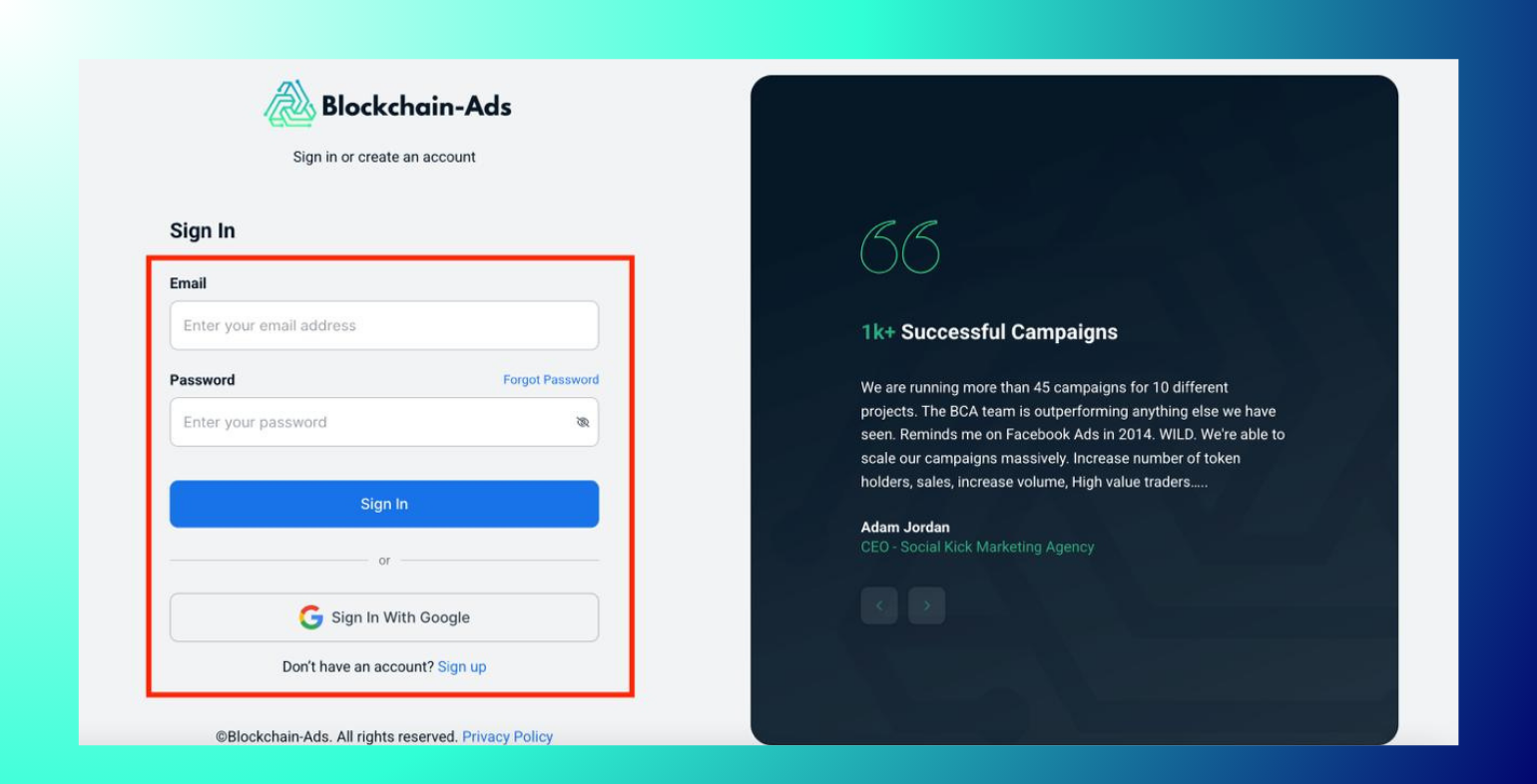
Once your application is approved, the Blockchain-Ads team creates your account using your email and sends you your login details. You don't sign up yourself. Just set your password and log in.
- Open the email from Blockchain-Ads with your login details.
- Log in and set your own password when prompted.
- You'll land on the Account Setup page, which tracks your progress through the remaining steps.
The Account Setup Page
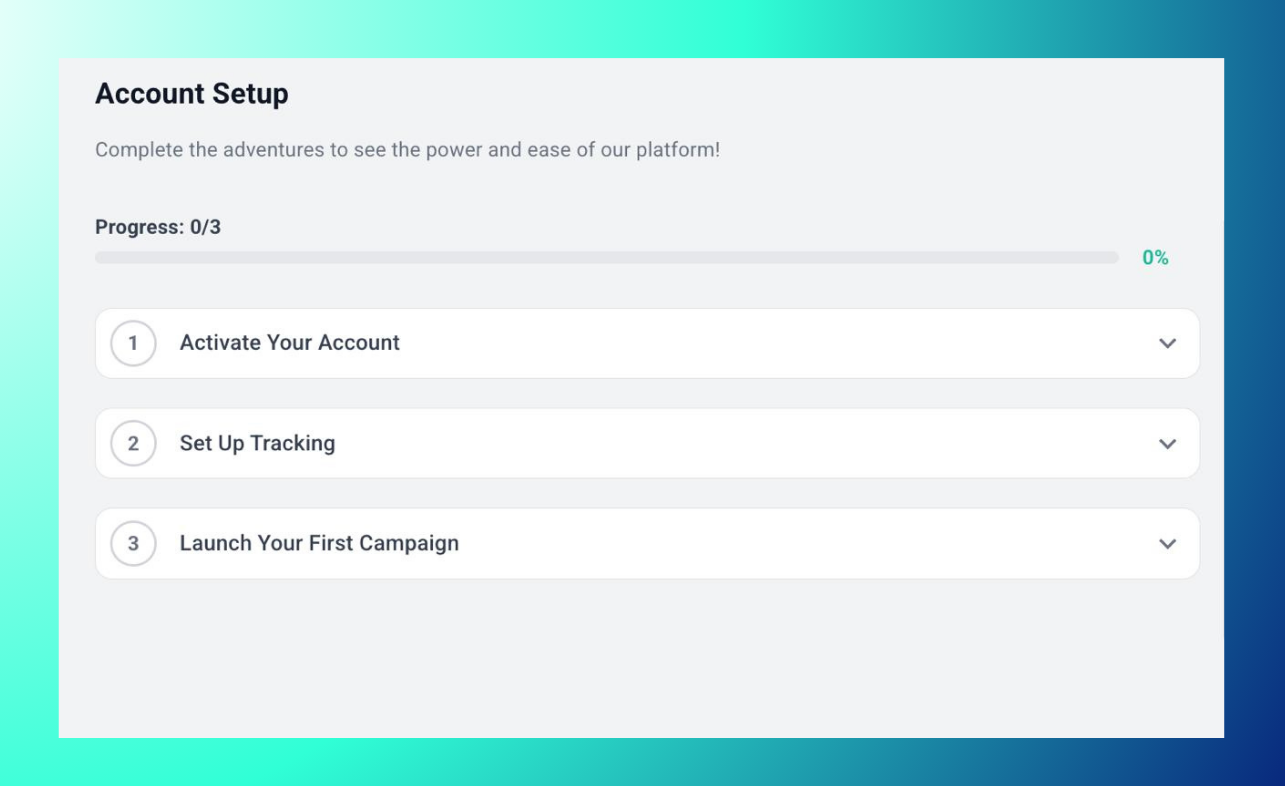
Your Account Setup page shows a progress bar ("Progress: 0/3" on a new account) and three steps: Activate Your Account, Set Up Tracking, and Launch Your First Campaign. Click any step to expand it and see what's needed.
Step 1: Activate Your Account
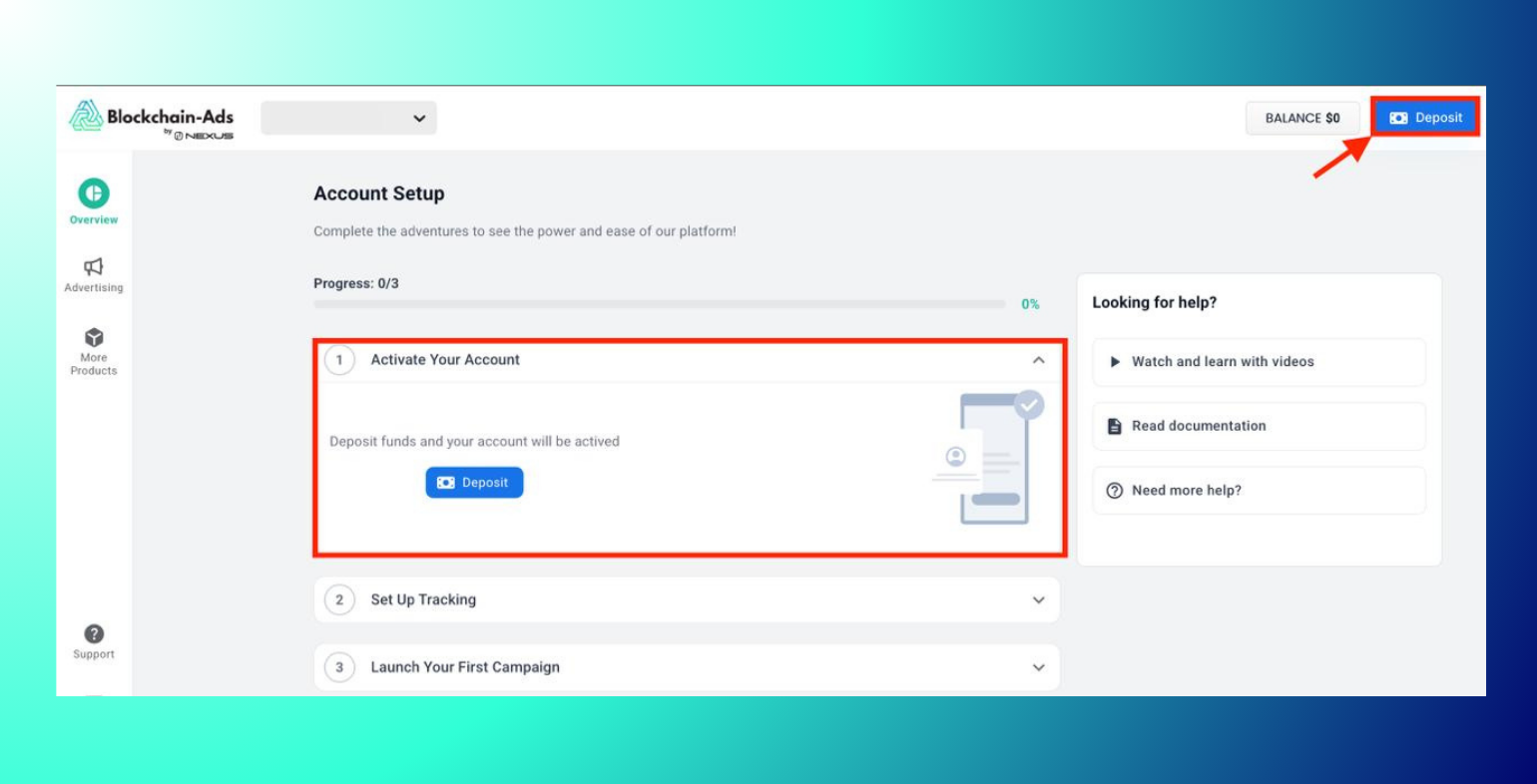
Why? A minimum deposit activates your account and unlocks the rest of HUB: campaign tools, tracking setup, and analytics all require an active account first.
How? Expand "Activate Your Account" and click Deposit. Your account activates once funds are received. For payment methods and instructions, see → Funding Your Account.
Step 2: Set Up Tracking
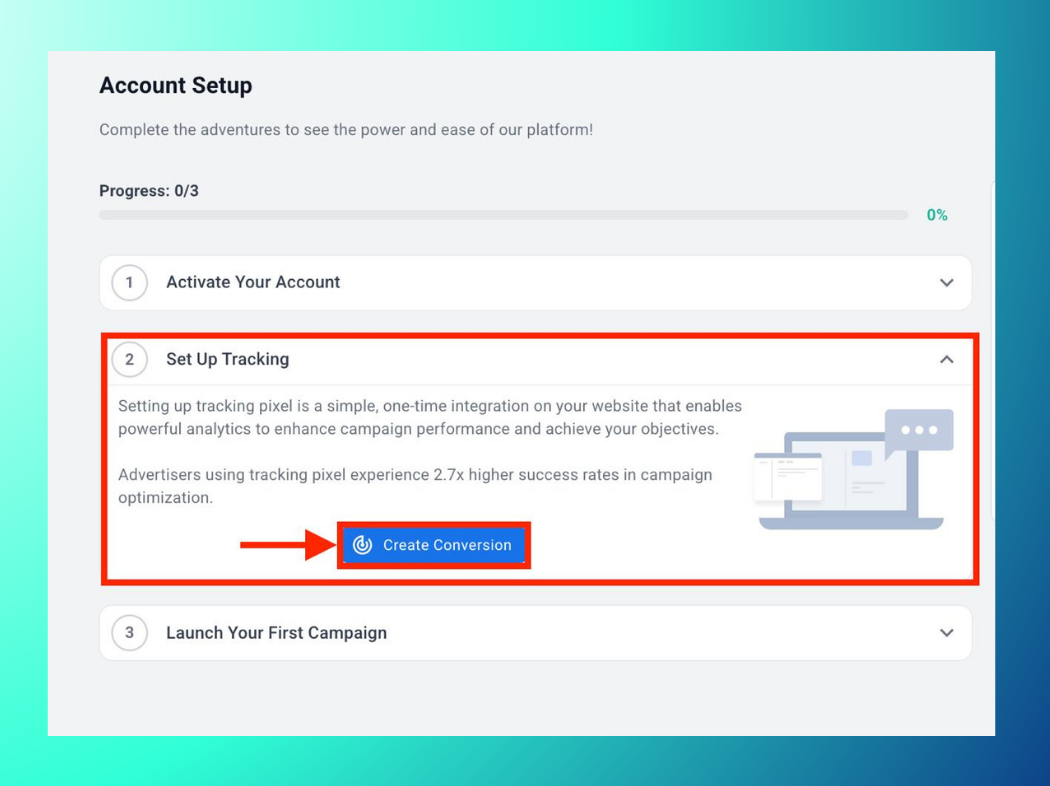
Why? Tracking (via a conversion pixel) is a one-time integration on your website that enables analytics and helps optimize campaign performance, required before launching any campaigns.
How? Expand "Set Up Tracking" and click Create Conversion, then follow the → Installing the Blockchain-Ads Pixel guide. It can be added manually or via a tag manager.
Step 3: Launch Your First Campaign
Why? Running a pilot campaign lets you test targeting, bidding, and reporting for your industry, and establishes benchmarks for optimization and scale.
How? Expand "Launch Your First Campaign" and click Create Campaign, then follow → How to Launch a New Campaign. To see how Blockchain-Ads adapts to your vertical, review → Industries Served by Blockchain-Ads.
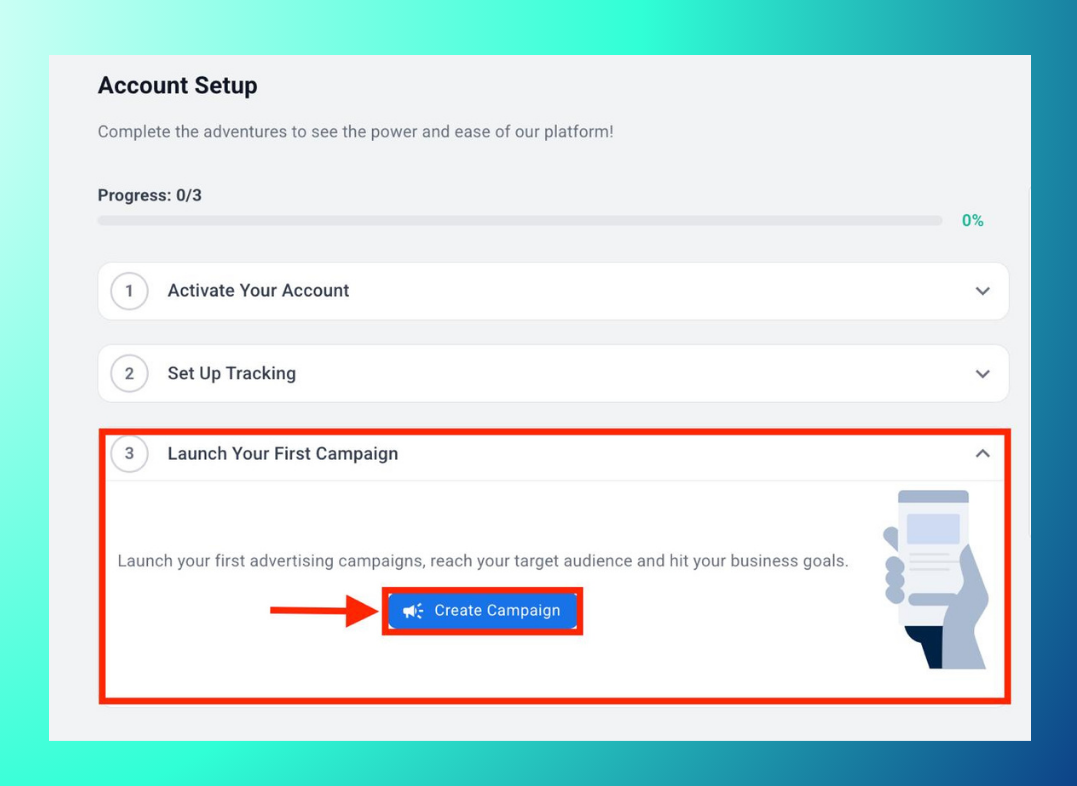
Once all three steps are complete, your progress bar reaches 100%.
Getting Help
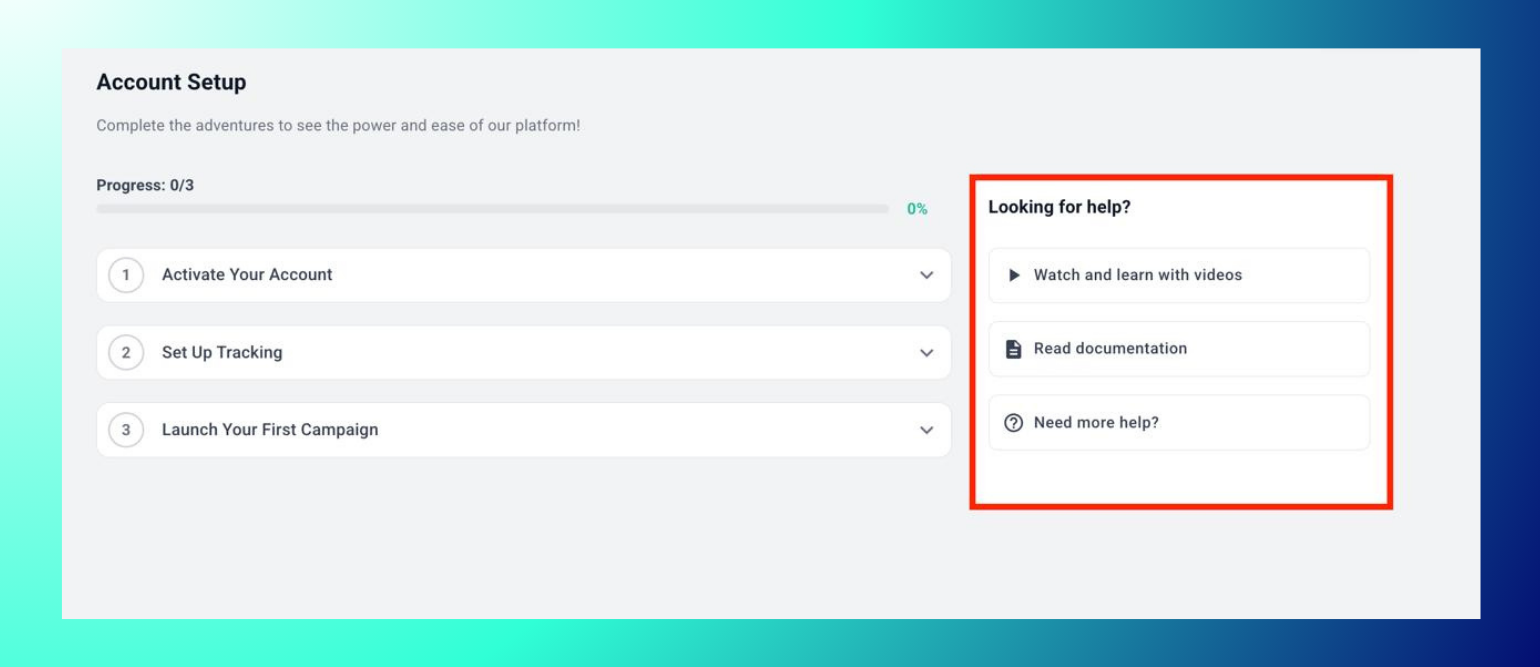
The Account Setup page includes a "Looking for help?" panel with three options: Watch and learn with videos, Read documentation, and Need more help?.
Troubleshooting and Support
Didn't receive your login email? Check your spam or junk folder. If it's not there, contact support at contact@blockchain-ads.com.
Was your access request denied? You're welcome to reapply after resolving the issue flagged during review. Contact the support team for help.
Need help getting set up? Use "Need more help?" on the Account Setup page, or contact support directly.

