

Thank you! Your submission has been received!
Oops! Something went wrong while submitting the form.
Topics
If the pre-built segments don't cover what you need, you can build your own audience from your own data. This is one of the segment options available when configuring targeting; see → How to Configure Targeting if you haven't set that up yet.
Steps to Create a Custom Segment
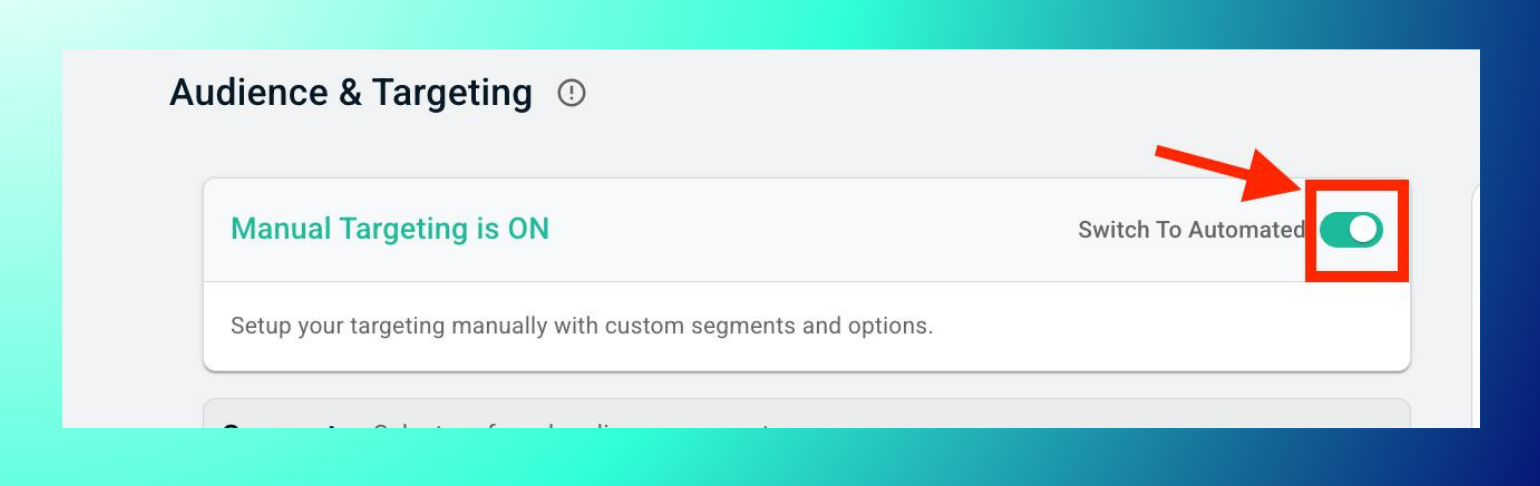
- In the campaign's "Audience & Targeting" step, switch to Manual Targeting.
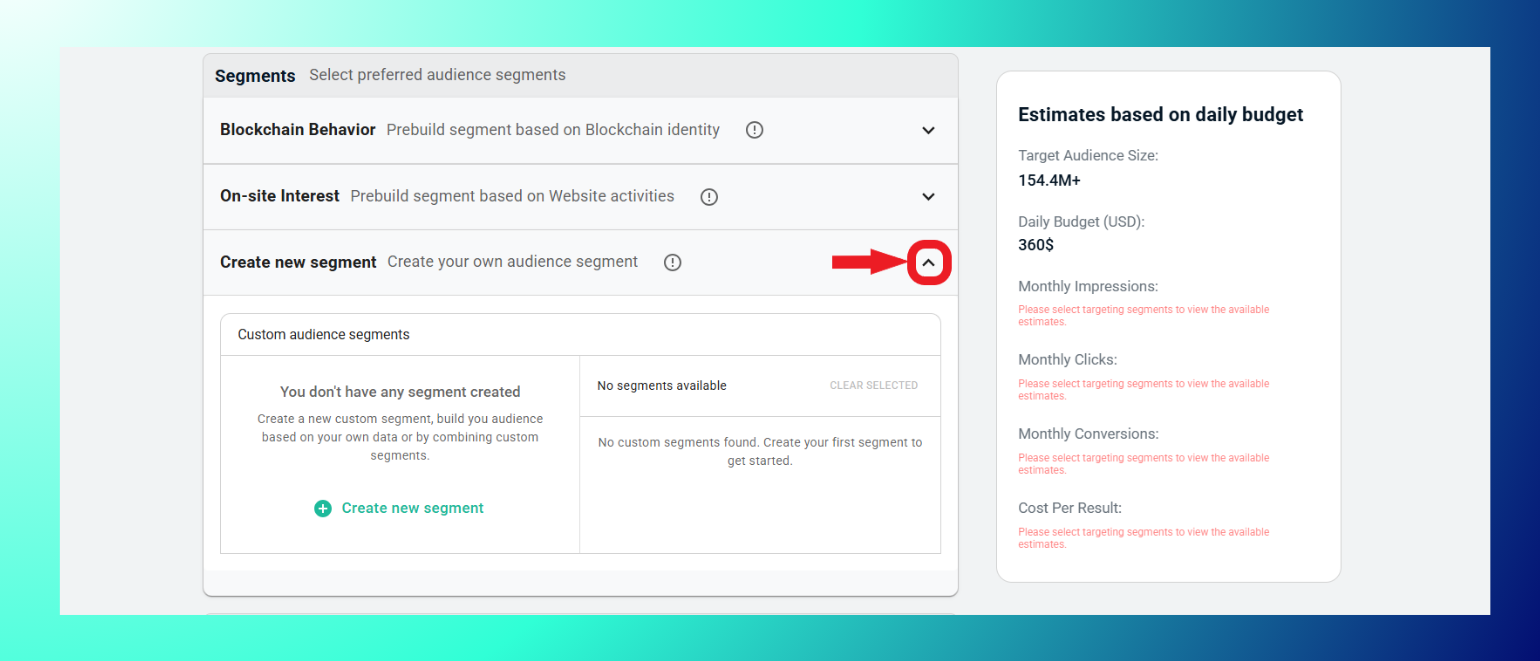
- Under Segments, expand Create new segment.
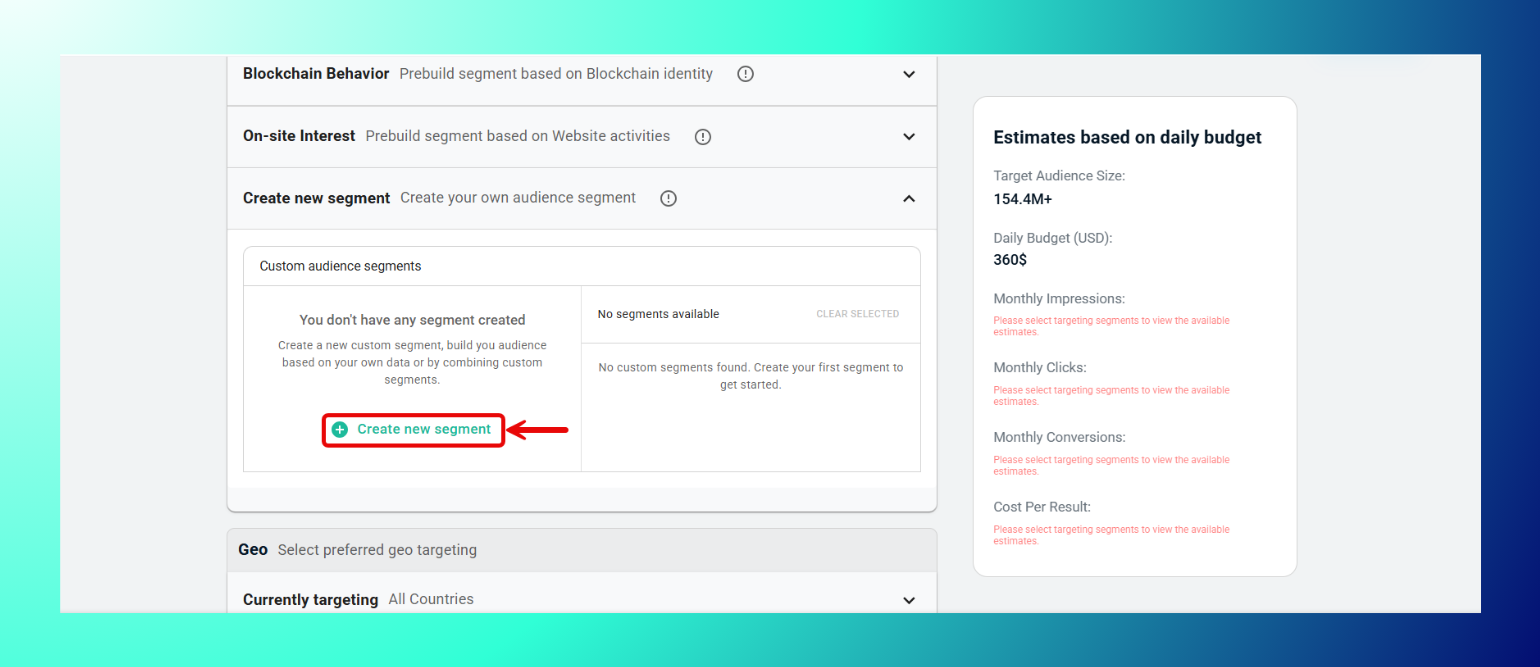
- Click + Create new segment.
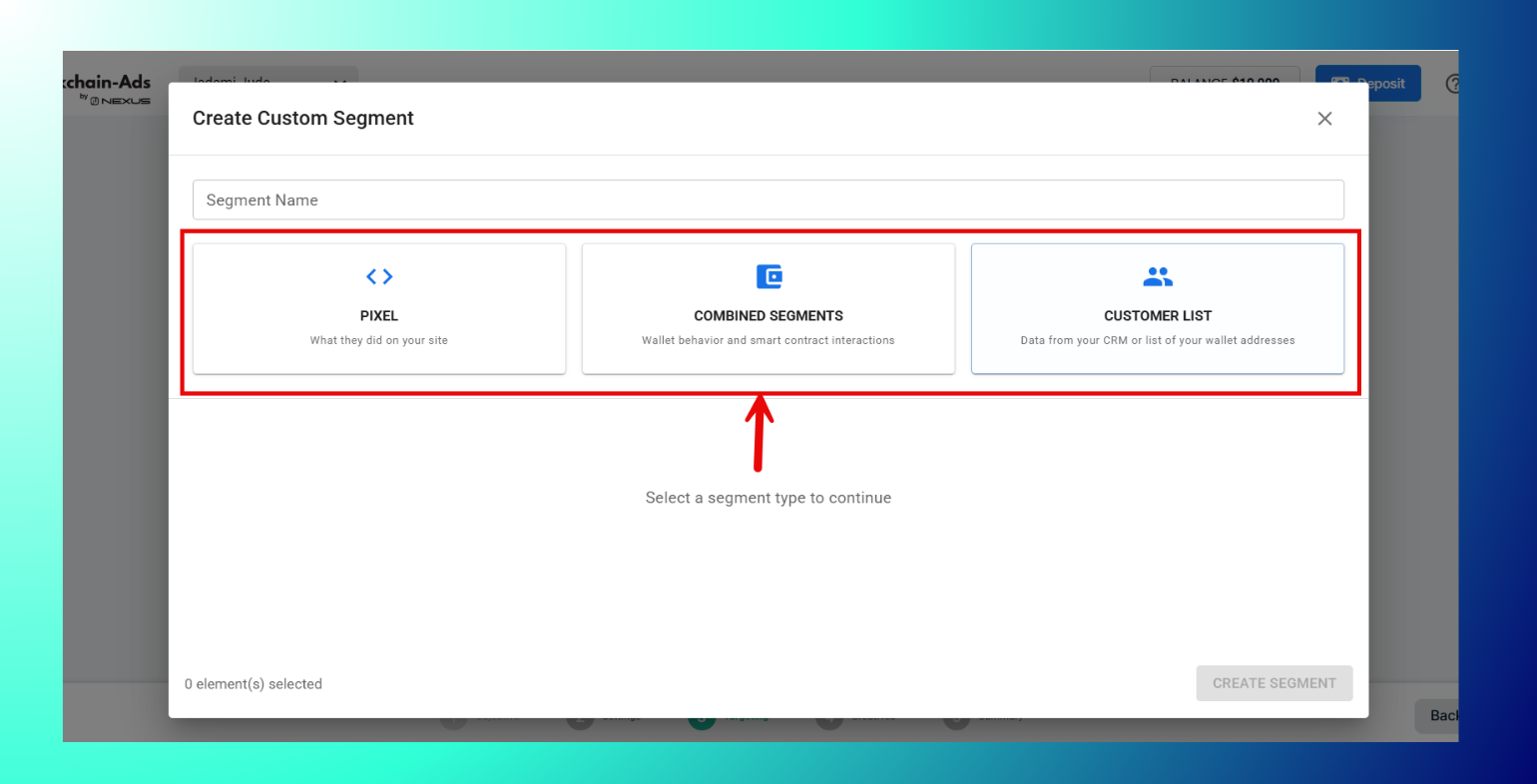
- Follow the setup flow to build your audience from your own data or by combining existing custom segments.
- Save the segment and it will then be available to add to this and future campaigns.
Best Practices: Name segments descriptively so they're easy to find and reuse later. Test segment size in the estimates panel before applying to a live campaign and combine custom segments with pre-built ones (Blockchain Behavior or On-site Interest) for broader reach.
Troubleshooting: Don't see the "+ Create new segment" button? Confirm Manual Targeting is switched on. Custom segment creation isn't available under Automated Targeting.
FAQs
- What can I build a custom segment from? Your own data, or by combining existing custom segments.
- Where do saved segments appear? Under "Create new segment," alongside the option to build a new one.
- Can I reuse a custom segment across campaigns? Yes, once saved it's available for future campaigns too.
Next steps
Thank you! Your submission has been received!
Oops! Something went wrong while submitting the form.

