Blockchain Behavior segments target users based on on-chain signals (wallet activity, holdings, and transaction history) with ready-to-use categories for quick setup.
It's one of the segment options available when configuring targeting; see → How to Configure Targeting if you haven't set that up yet.
Steps to Use Pre-Built Blockchain Behavior
- In the campaign's "Audience & Targeting" step, switch to Manual Targeting.
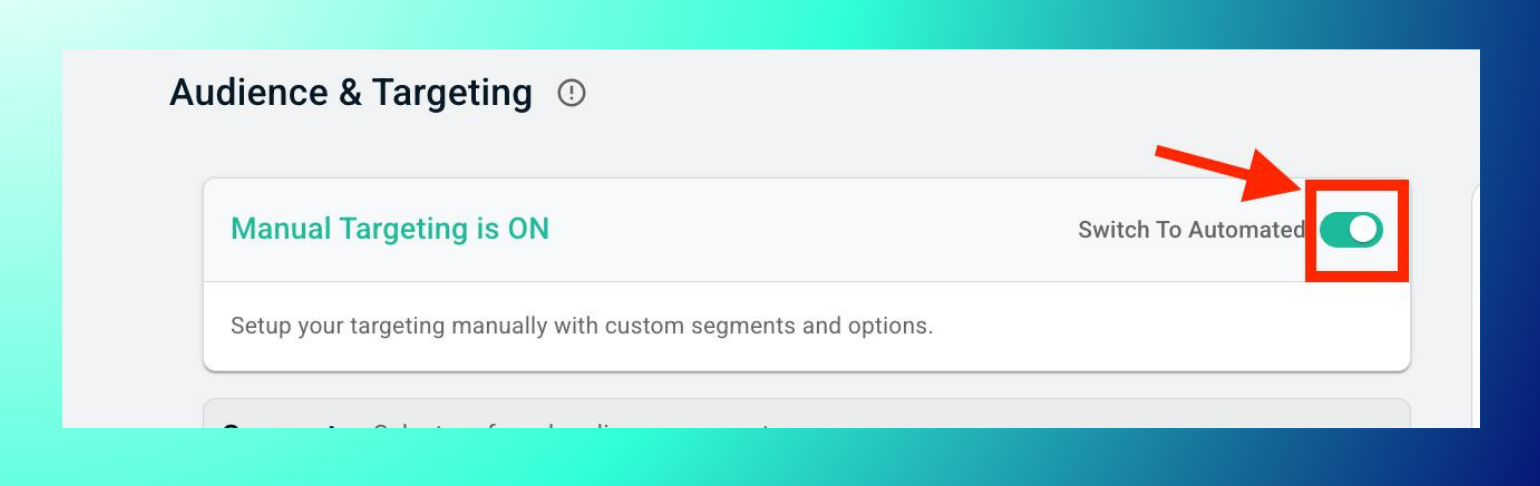
- Under Segments, expand Blockchain Behavior to see all audience segments.

- Click on the dropdown icon on the segment you want to target.

- Check the boxes for the categories and sub-segments you want to target.
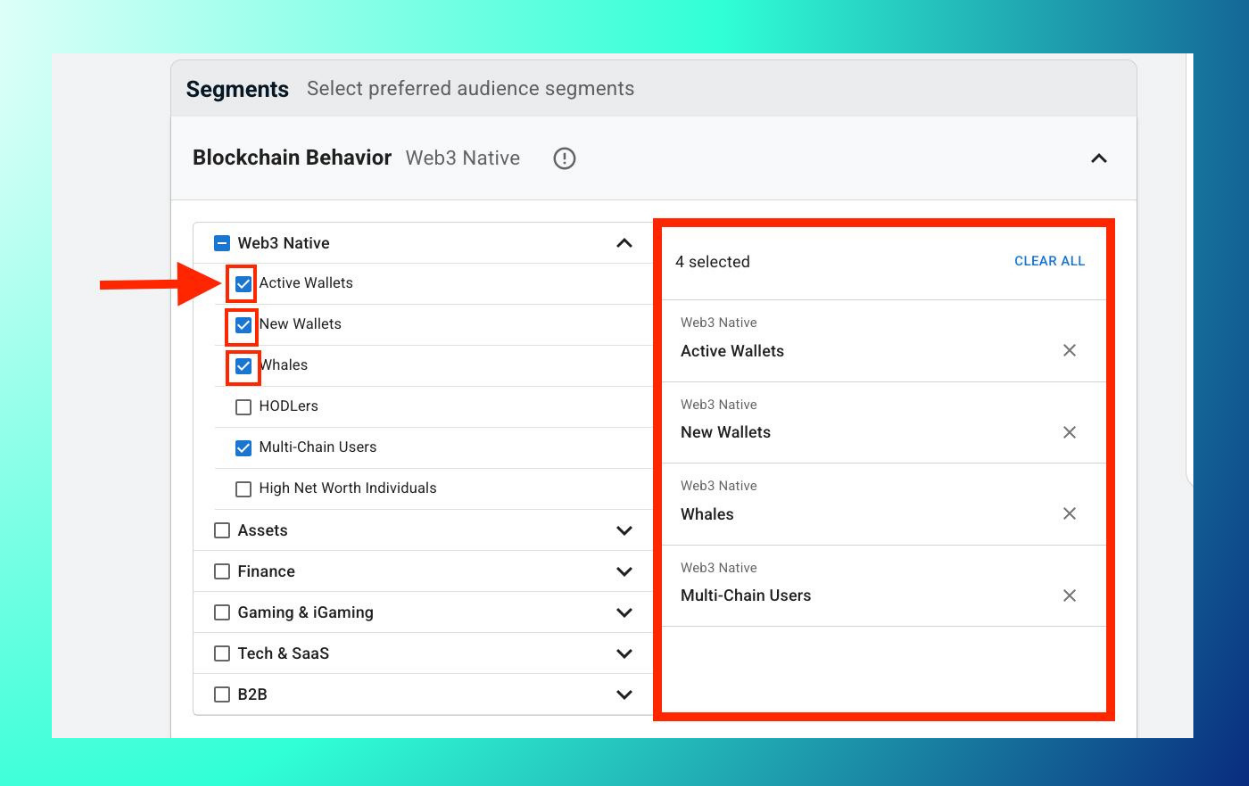
- Layer multiple sub-segments (e.g., Whales + DeFi Protocol Users) for more precise targeting.
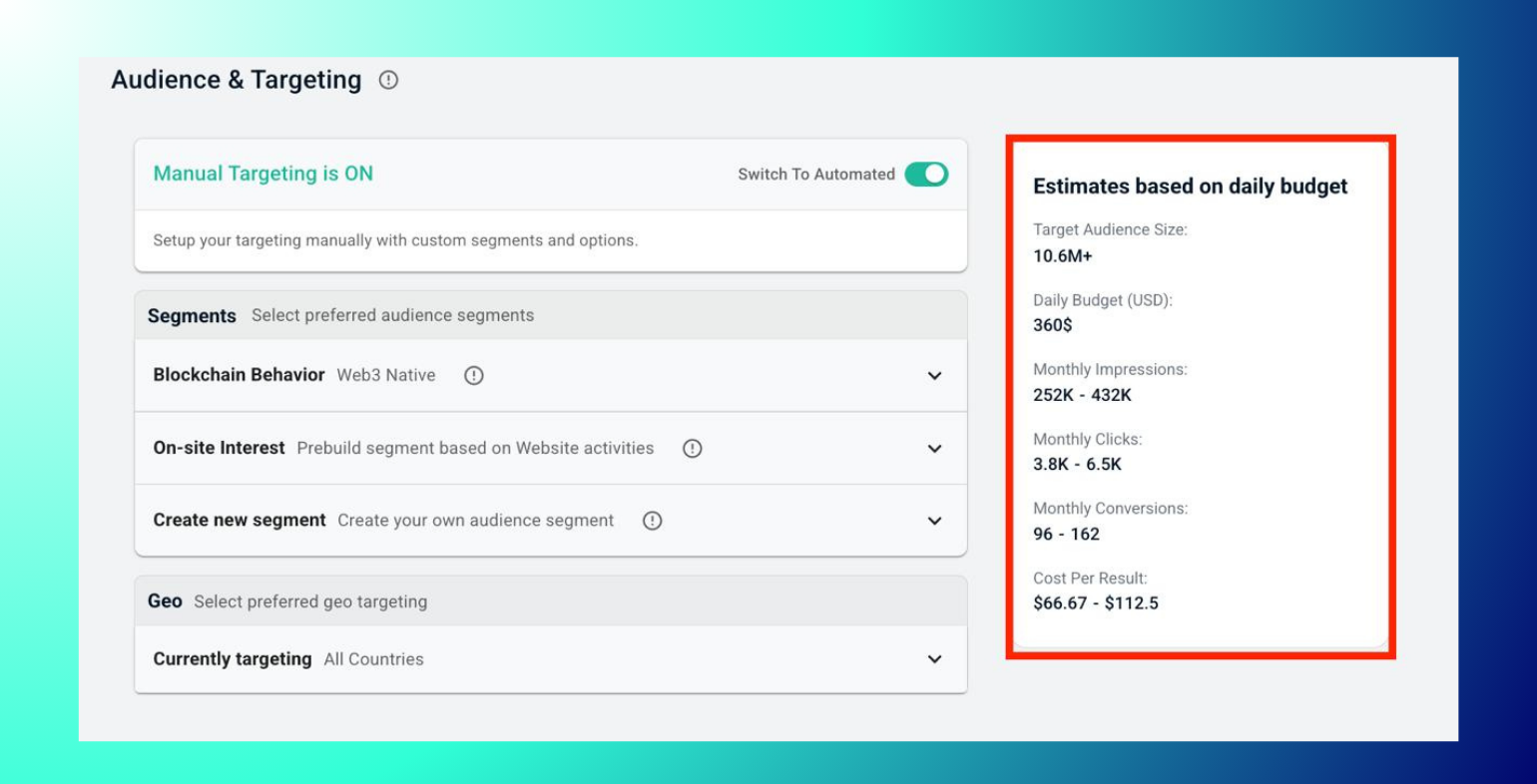
- Check the audience size and impression estimates in the right panel.
- Save to the campaign.
Available Categories
| Category | Sub-segments |
|---|---|
| Web3 Native | Active Wallets, New Wallets, Whales, HODLers, Multi-Chain Users, High Net Worth Individuals |
| Assets | Stablecoin Holders, Token Holders, Token Hodlers: BTC, Token Hodlers: SOL, Token Hodlers: ETH, Token Hodlers: XRP |
| Finance | Retail Investors, Perpetual Traders, Forex Traders, DeFi Protocol Users, Bridge Users, Token Swappers, Airdrop Farmers, High-Risk Users, CEX Users, Investment Platforms Users, Compliance-Friendly Users |
| Gaming & iGaming | Play-to-Earn Gamers, Blockchain Gaming Users, Web3 Gamers, Casino Players, Sports Bettors, High Value Casino Players, Mobile Gamers, Memes |
| Tech & SaaS | AI Tool Users, SaaS Subscribed |
| B2B | Blockchain Engineer, API Consumers |
Best Practices: Choose segments based on campaign goals and combine them with On-site Interest segments for added precision; start with 2–3 sub-segments to balance reach and relevance. selecting too many at once can dilute targeting.
Troubleshooting: Segment not loading? Refresh the page. Low audience size? Select broader categories like Web3 Native over niche ones like Whales. Estimates not showing? Confirm you've checked at least one sub-segment. The estimates panel stays blank until a selection is made.
FAQs
- What are pre-built segments? Ready-to-use groups like DeFi Protocol Users or Active Wallets, built from on-chain data.
- Can I add multiple sub-segments? Yes, layer them for more precise targeting.
- Why is my audience size small? Niche segments like Whales or High Net Worth Individuals are naturally smaller; broaden with a category like Web3 Native if you need more reach.
- Do segments update automatically? Yes, they refresh based on ongoing on-chain activity.