

ウォレットアクティビティによるターゲティングでは、アクティブなトレーダー、新規ウォレット保有者、高額資産保有者など、実際のオンチェーン行動にもとづいて暗号資産ユーザーにリーチできます。この記事では、よくあるユースケースをひとつ取り上げて手順を解説します。セグメントの全一覧は → 構築済みオーディエンス:ブロックチェーン行動をご覧ください。
動画で確認したい場合は、下の動画ウォークスルーをご覧いただくか、文章の手順に沿って進めてください。
例:アクティブな暗号資産ユーザーへのターゲティング
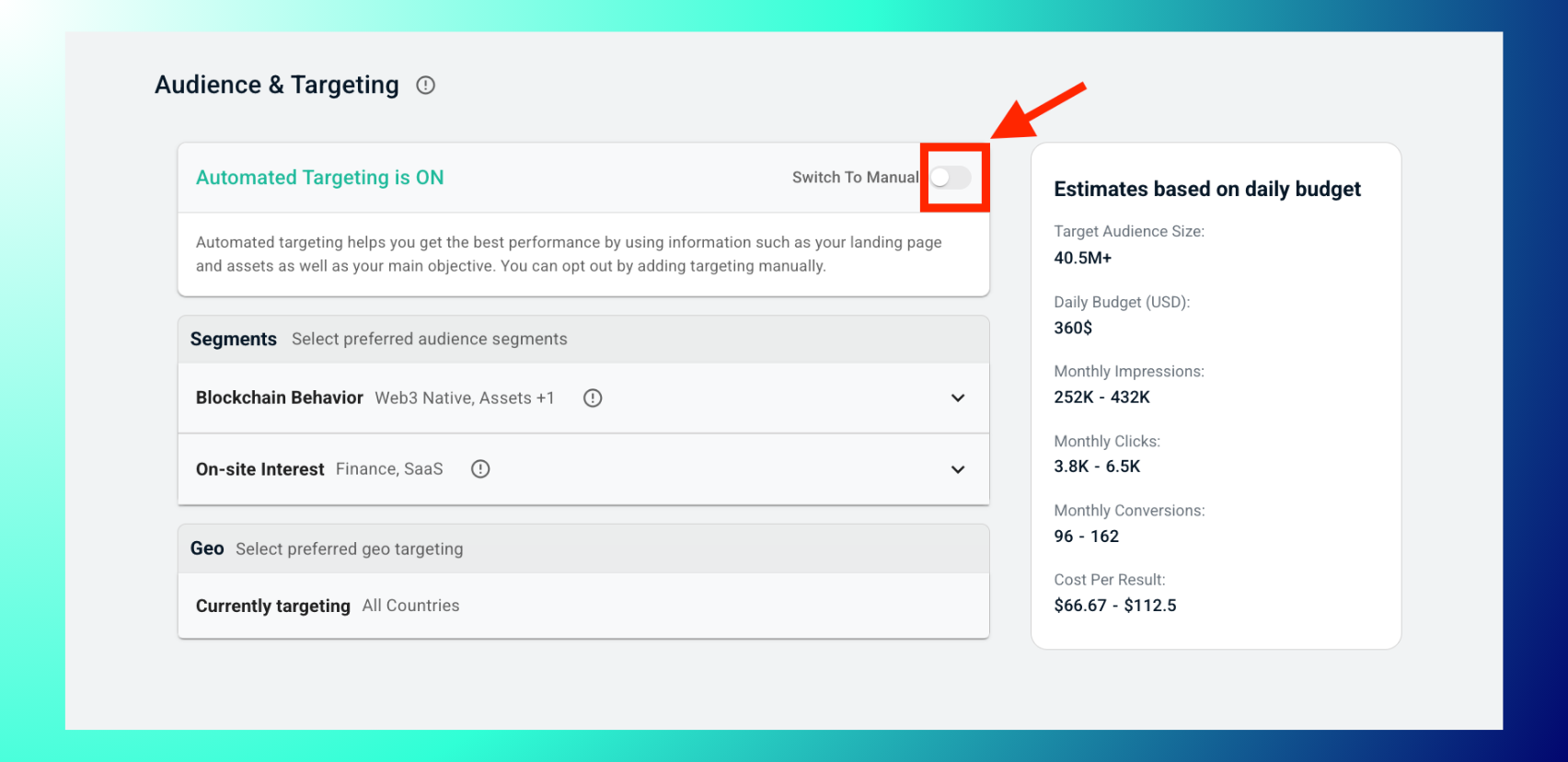
1. キャンペーンのAudience & Targeting(オーディエンスとターゲティング)ステップで、Manual Targeting(手動ターゲティング)に切り替えます。
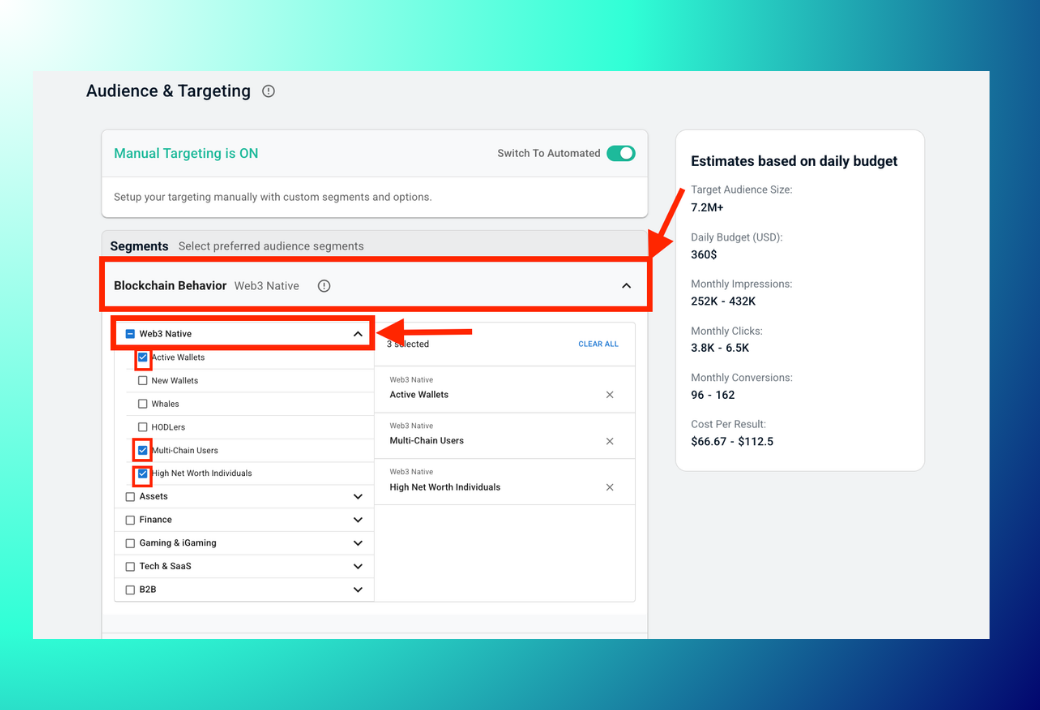
Segmentsの下にあるBlockchain Behaviorを展開します。次にWeb3 Nativeを展開し、目的に合ったウォレットアクティビティのサブセグメントにチェックを入れます。例:Active Wallets、New Wallets、Whales、HODLers、Multi-Chain Users、High Net Worth Individuals。
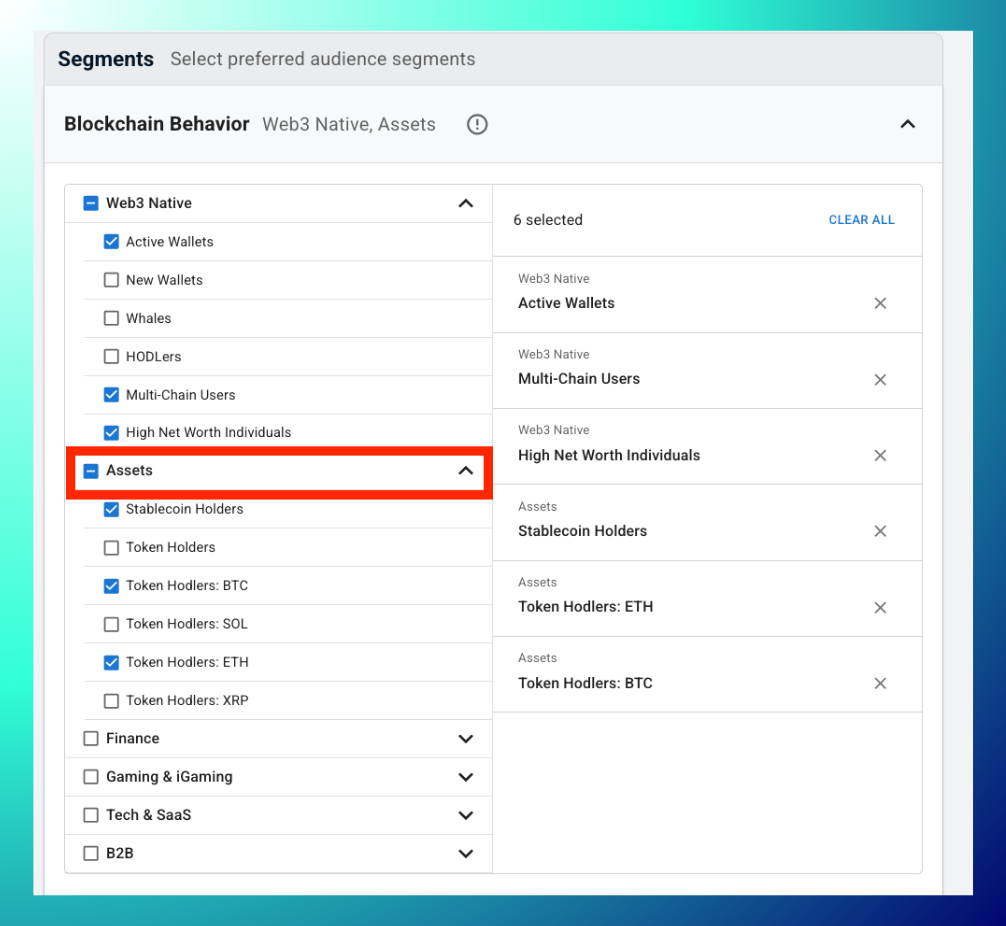
必要に応じてAssetsを展開し、保有資産にもとづくサブセグメントを追加します。例:Stablecoin Holders、Token Holders、またはToken Hodlers: BTC/SOL/ETH/XRPのようなチェーン別の保有者。
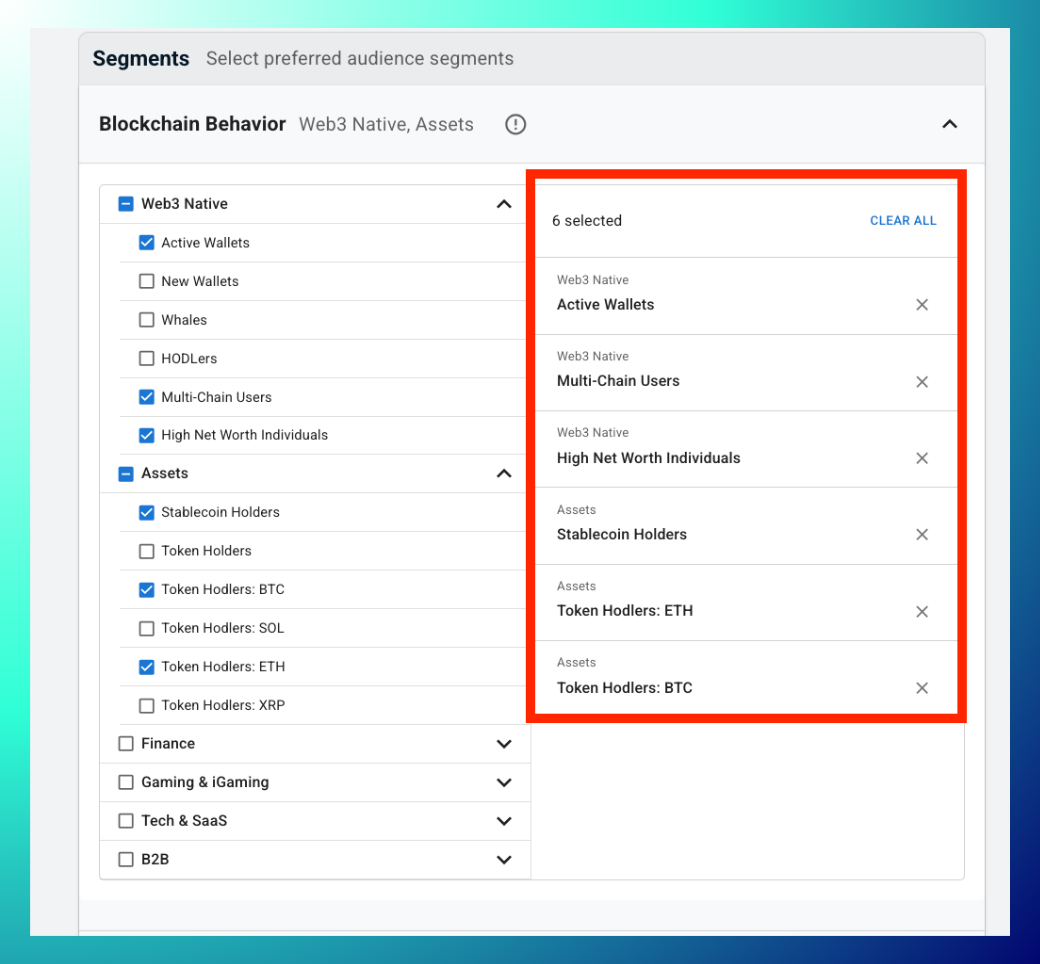
右側のパネルで選択内容を確認します。各項目が個別に表示され、✕で削除できるほか、Clear Allですべてリセットできます。
セグメントを追加・削除するたびに、estimates based on daily budget(日予算にもとづく推定値)パネルで、更新されたターゲットオーディエンス規模、インプレッション、クリック数、コンバージョン、成果単価を確認します。
ベストプラクティス:まずはひとつのカテゴリ(例:Web3 Nativeのみ)で広く始め、その後にAssetsやFinanceのサブセグメントを重ねると、追加ごとのオーディエンス規模への影響を確認できます。組み合わせが絞り込まれすぎた場合は、Clear Allでワンクリックでリセットできるため、セグメントのチェックを1つずつ外す手間は不要です。ウォレットアクティビティのセグメントをOn-site Interestのセグメントと組み合わせると、さらに精度の高いターゲティングが可能です。→ 構築済みオーディエンス:インタレストグラフをご覧ください。
トラブルシューティング:セグメントを追加した後にオーディエンス規模が大きく減少した場合は、最後に追加したセグメントから削除してください。Whalesに加えてHigh Net Worth Individualsのように、狭いセグメントを重ねると急速に絞り込まれます。推定値が更新されない場合は、サブセグメントが少なくとも1つチェックされているかをご確認ください。何も選択されていない状態では、パネルは空欄のままです。
よくある質問
- Web3 NativeとAssetsの違いは何ですか?Web3 Nativeは、ウォレットの行動(アクティビティの水準、保有期間、チェーンの利用状況)でターゲティングします。Assetsは、ウォレットが実際に保有しているもの(ステーブルコイン、特定のトークン)でターゲティングします。
- すべてをクリアせずに、1つのセグメントだけを削除できますか?はい。右側のパネルで、そのセグメントの横にある✕をクリックしてください。
- 選択できるサブセグメントの数に上限はありますか?インターフェース上に上限の表示はありません。ただし、追加するたびにオーディエンスが絞り込まれるため、推定値パネルを確認しながら進めてください。

