トピックス
広告アセットとプロパティのアップロード
キャンペーンフォーマットを選択すると、Creativesステップに進み、そのフォーマット専用のアセットをアップロードします。広告タイプごとに、必須フィールド、ファイル形式、サイズ制限が異なります。
ディスプレイ広告アセットのアップロード方法
- 画像ファイルをアップロードエリアにドラッグするか、browseをクリックして手動で選択します。

- プレビュー上部のデバイスアイコンを使って、モバイル、タブレット、デスクトップで広告がどのように表示されるかを確認します。
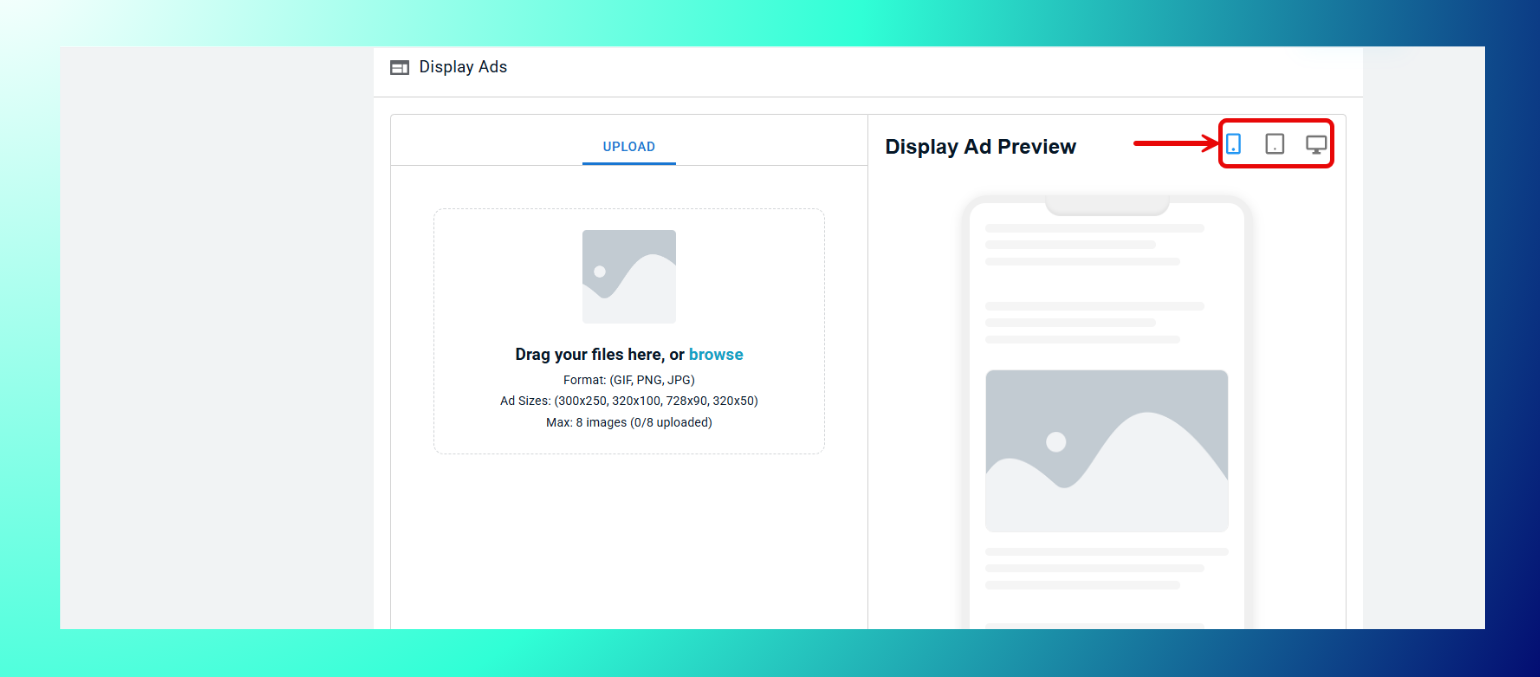
- キャンペーンごとに最大8枚の画像をアップロードできます。
仕様
- フォーマット:GIF、PNG、JPG。
- 対応サイズ:300x250、320x100、728x90、320x50。
ネイティブ広告アセットのアップロード方法
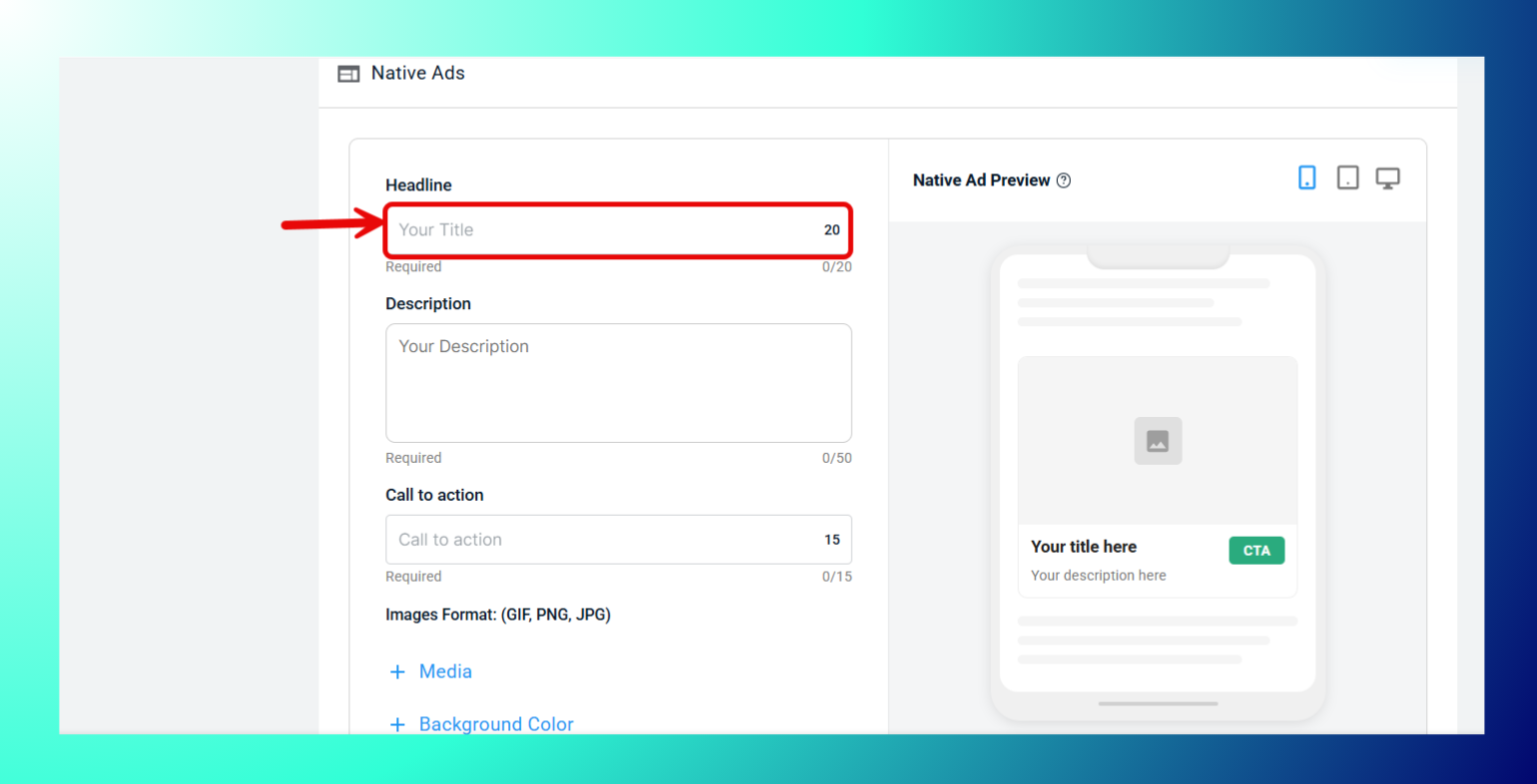
- Headlineを入力します(必須)。
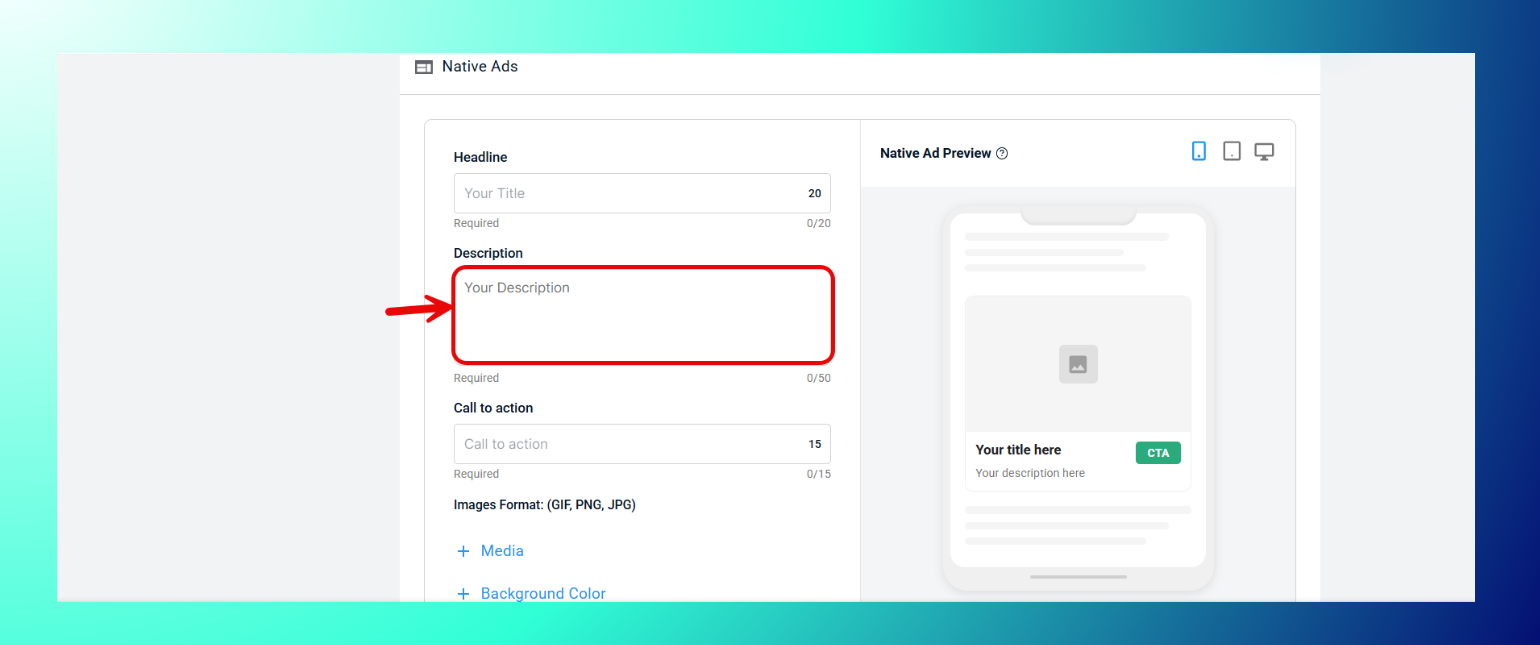
- Descriptionを入力します(必須)。
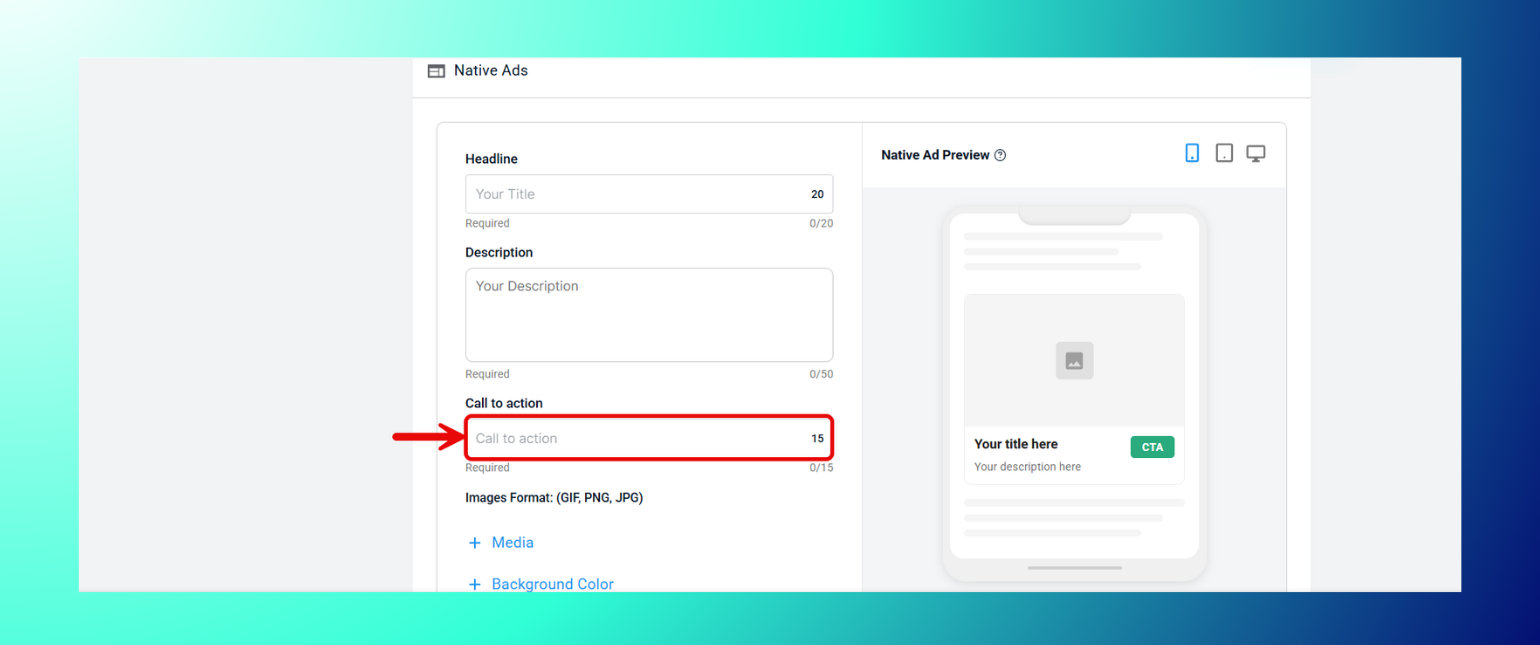
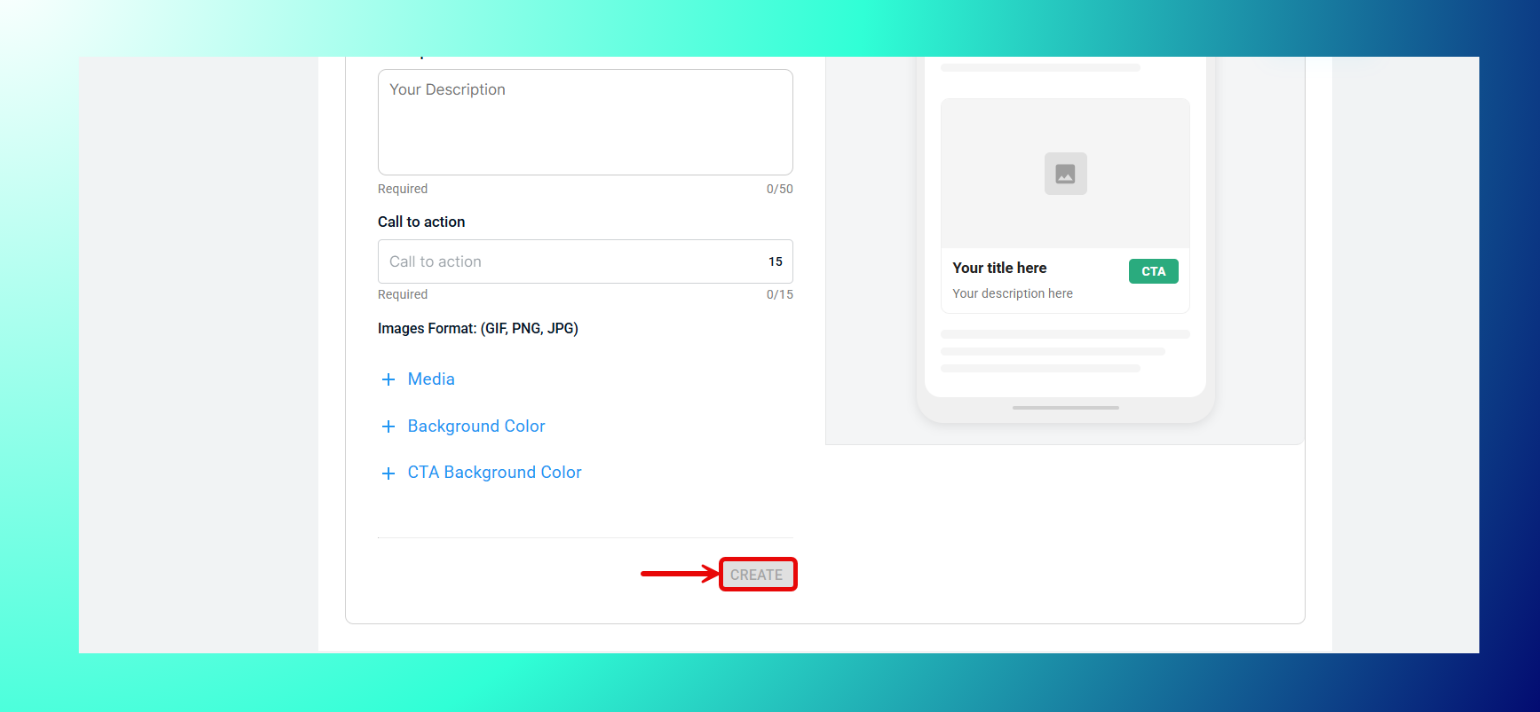
- Call to Actionのテキストを入力します(必須)。
- 必要に応じてMedia、Background Color、CTA Background Colorを展開して、さらにカスタマイズできます。

- Createをクリックします(必須フィールドをすべて入力した後)。
仕様
- Headline:最大20文字。
- Description:最大50文字。
- Call to Action:最大15文字。
- 画像フォーマット:GIF、PNG、JPG。
Flux Campaignアセットのアップロード方法
- Flux Campaignのクリエイティブは、単体のディスプレイ広告やネイティブ広告と同じ方法でアップロードします。Display AdsとNative Adsのタブを切り替えて、それぞれアップロードできます。
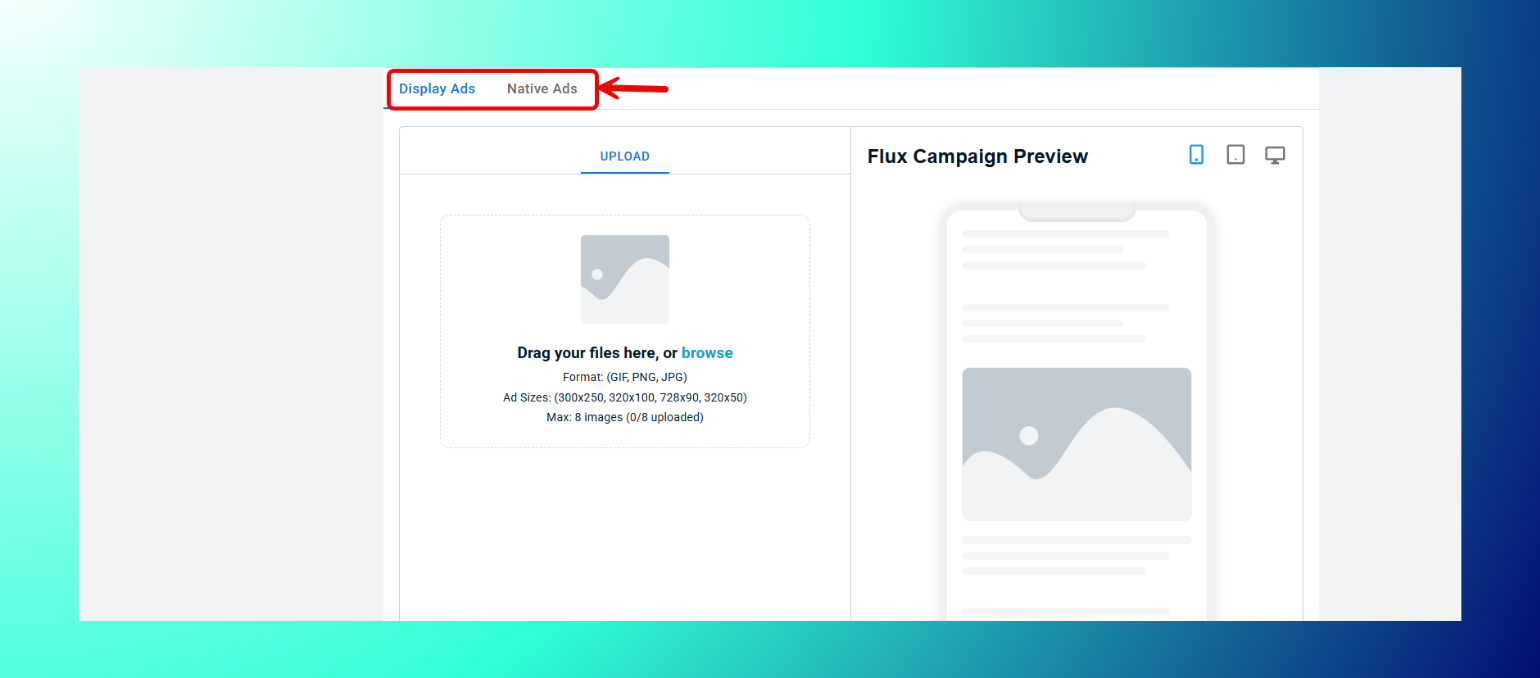
- 上記のディスプレイ広告アセットのアップロード方法とネイティブ広告アセットのアップロード方法と同じ手順と仕様に従ってください。
注:Flux Campaignのクリエイティブアップロード手順は、Performance Maxと機能的に同じです。どちらもこの段階で提供されるのはディスプレイ形式とネイティブ形式のみです。
Performance Maxアセットのアップロード方法
- Performance Maxのクリエイティブは、単体のディスプレイ広告やネイティブ広告と同じ方法でアップロードします。Display AdsとNative Adsのタブを切り替えて、それぞれアップロードできます。
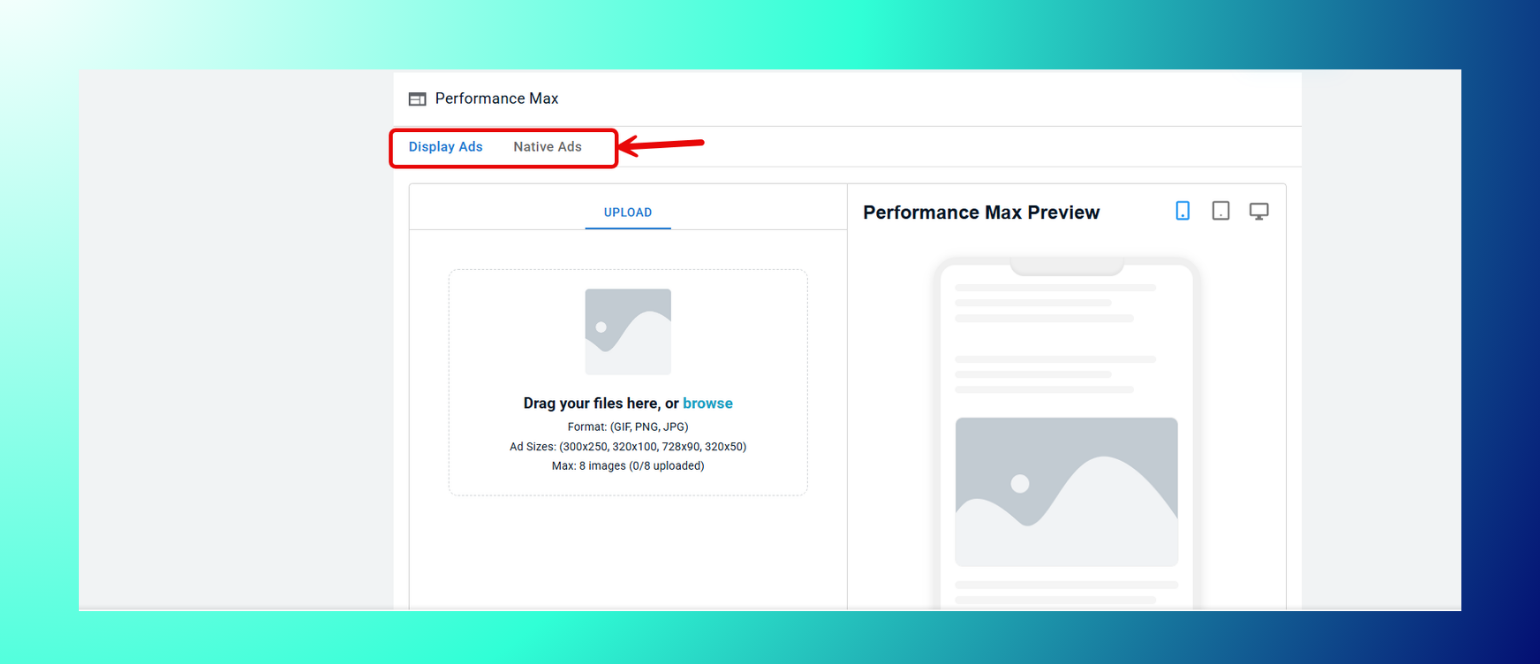
- 上記のディスプレイ広告アセットのアップロード方法とネイティブ広告アセットのアップロード方法と同じ手順と仕様に従ってください。
HTML5アセットのアップロード方法
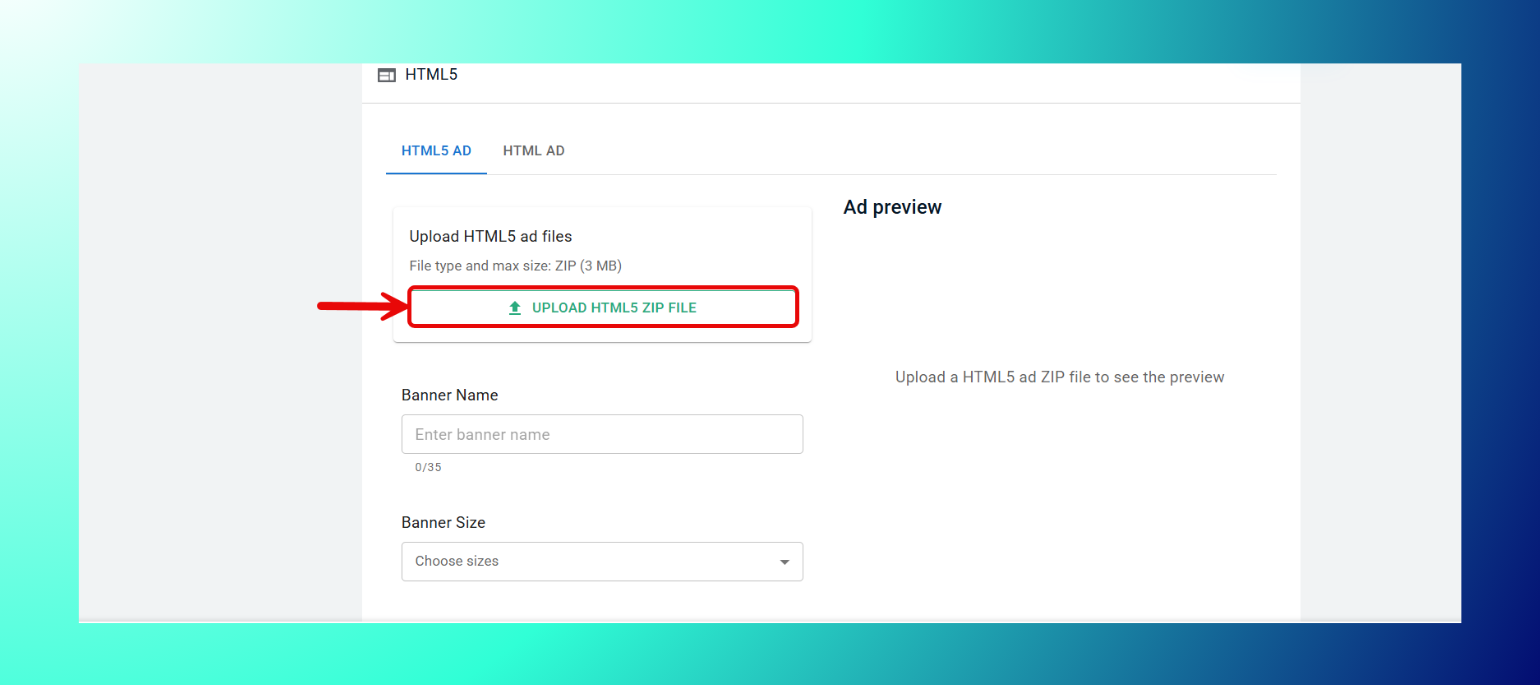
HTML5 Adは、パッケージ化されたZIPファイルがある場合に使用します(Google Web Designerなどのツールで作成したアニメーション/インタラクティブバナーでよく使われます)。
- HTML5 Adタブを選択します。
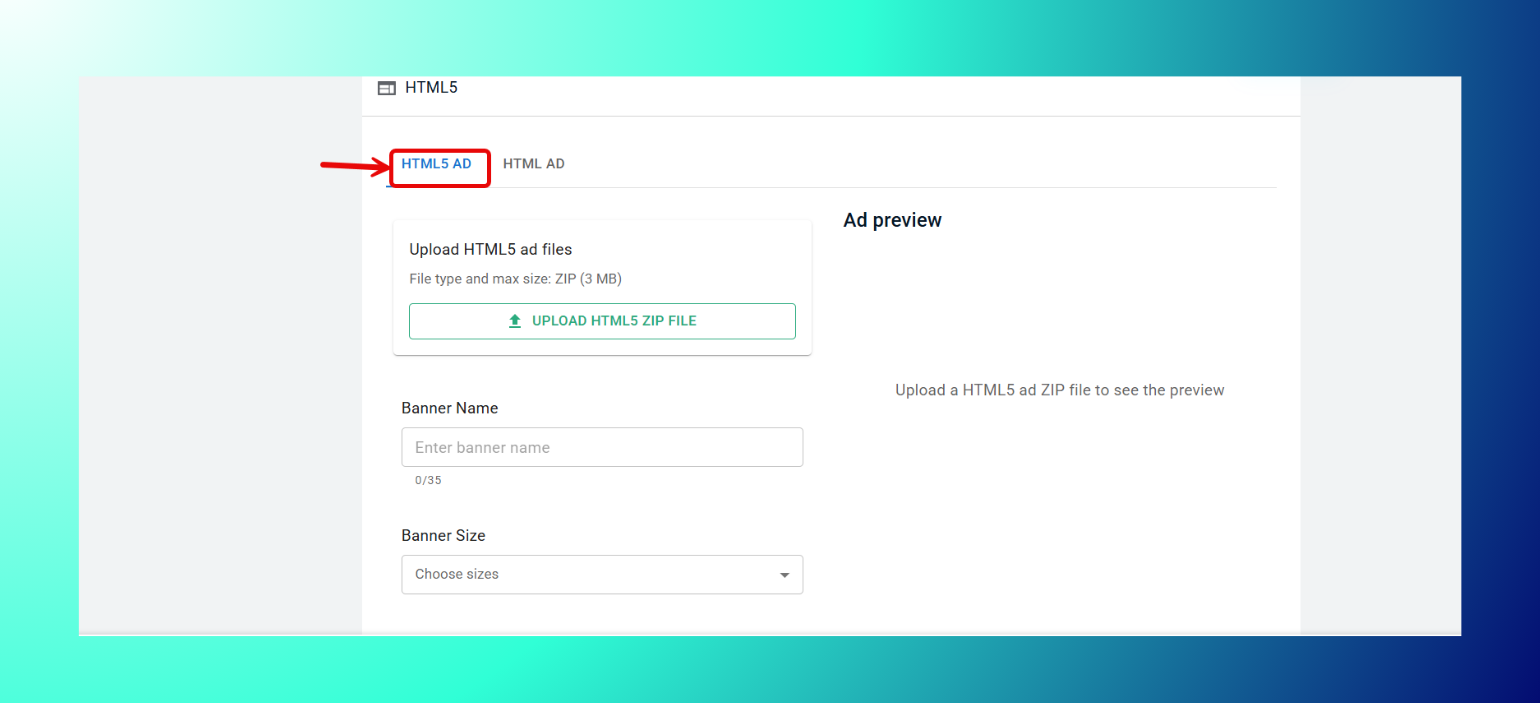
- Upload HTML5 ZIP Fileをクリックし、ファイルを選択します。
- Banner Nameを入力します。
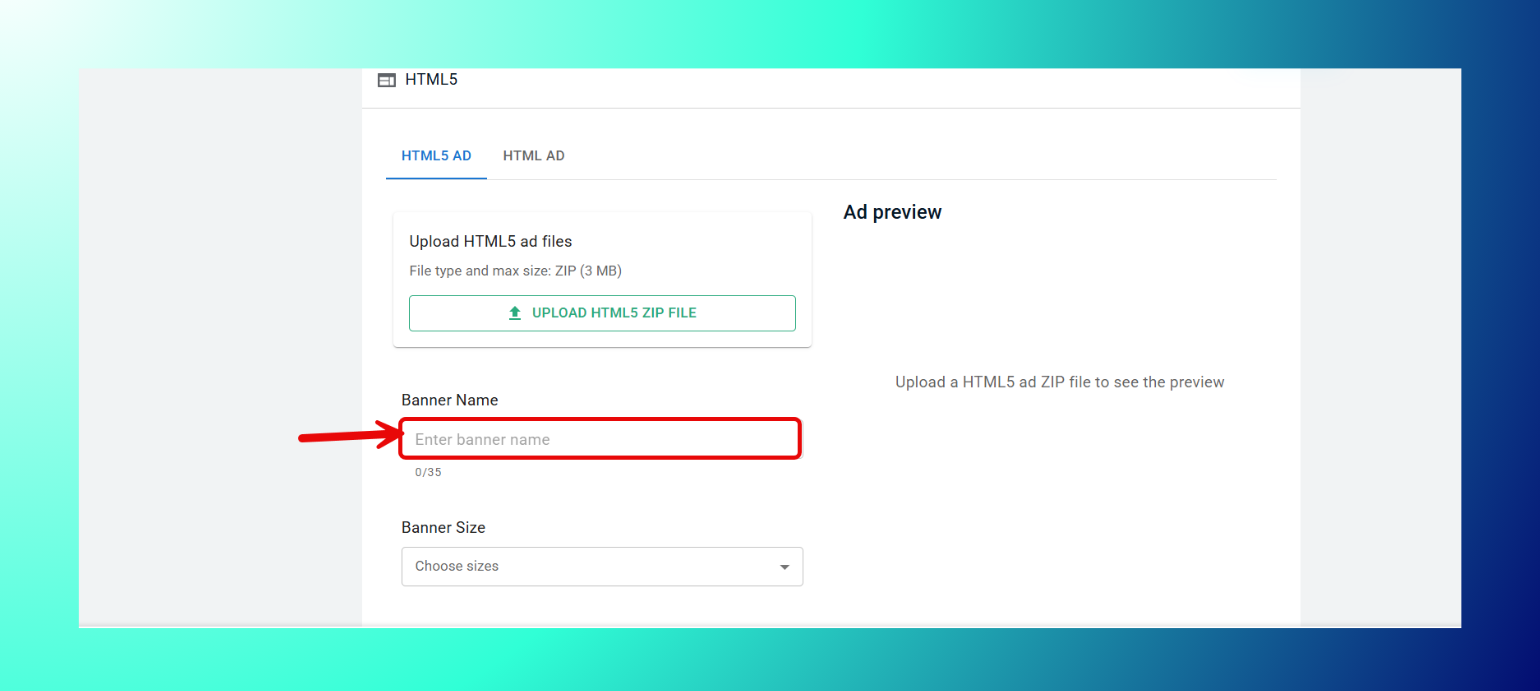
- Banner Sizeをドロップダウンから選択します。

- Createをクリックします。
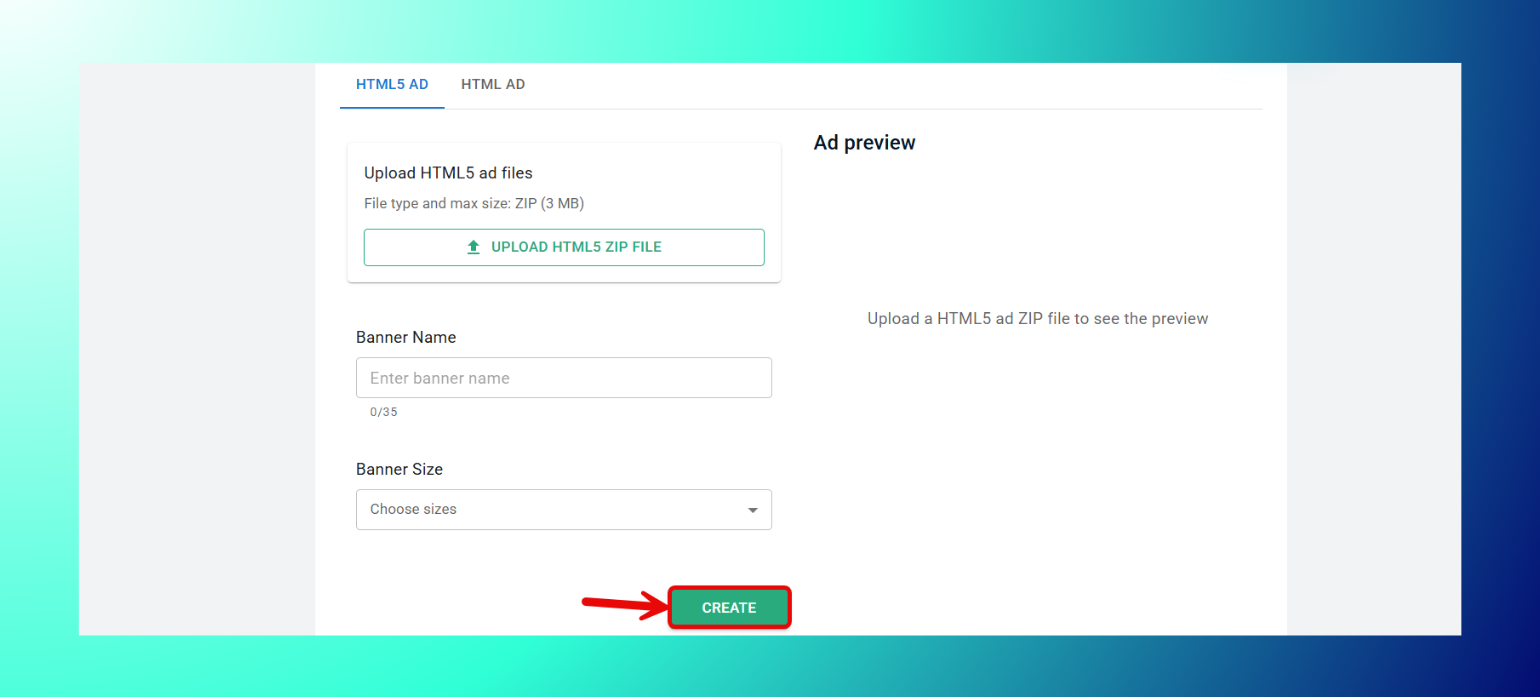
仕様
- ファイル形式:ZIP。
- 最大サイズ:3MB。
- Banner Name:最大35文字。
HTML Adは、生のHTMLコードを直接貼り付ける場合に使用します。
- HTML Adタブを選択します。
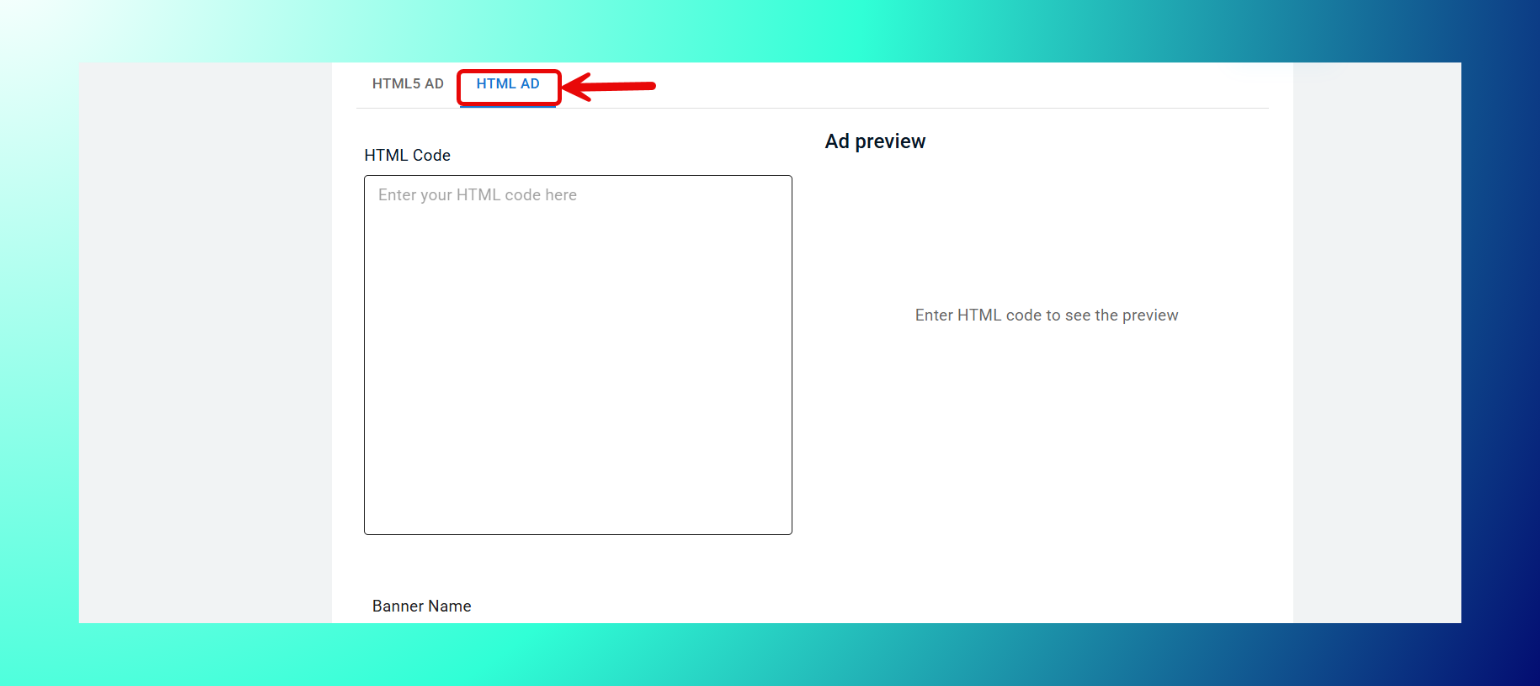
- 生のHTMLをHTML Codeボックスに貼り付けます。
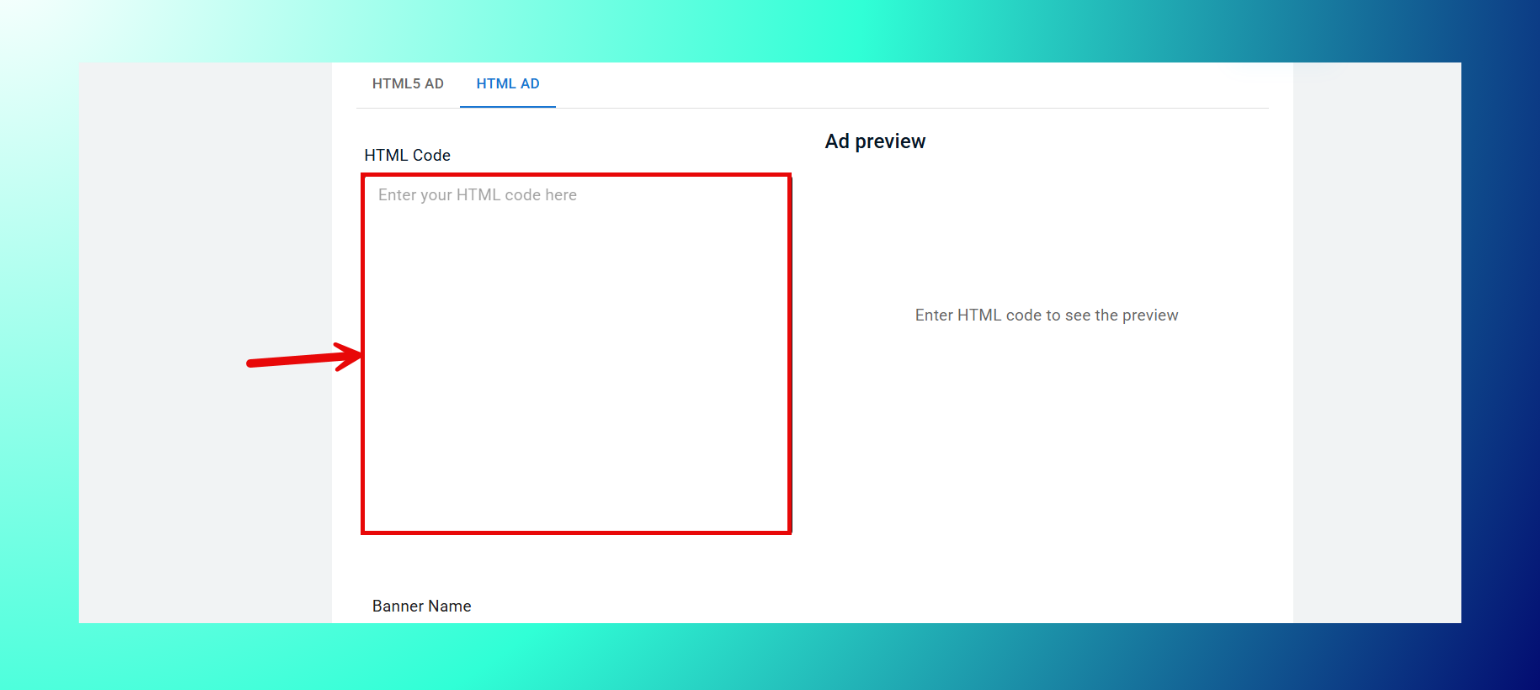
- Banner Nameを入力します。

- Banner Sizeをドロップダウンから選択します。

- Createをクリックします。
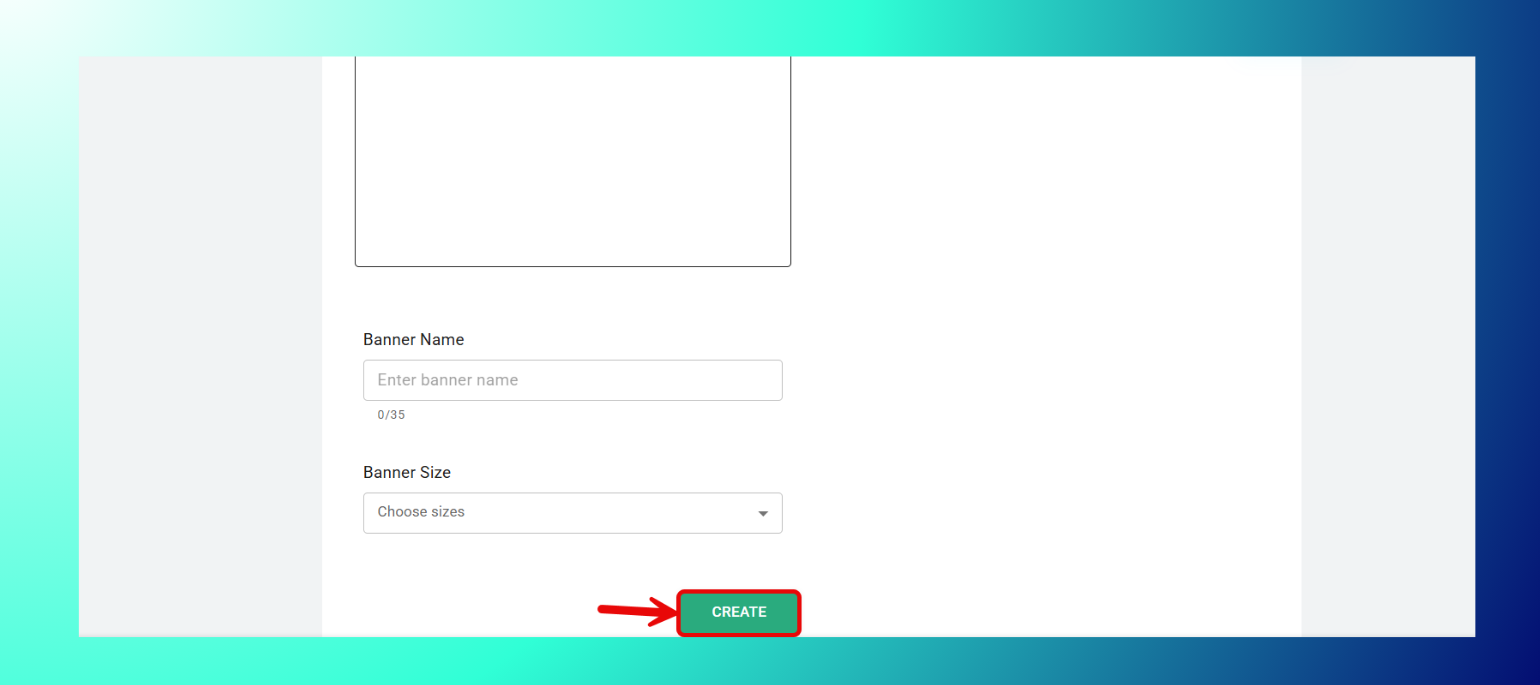
仕様
Banner Name:最大35文字。有効なHTMLコードを入力すると、広告プレビューが更新されます。
動画広告アセットのアップロード方法
- Upload Video Fileをクリックし、動画を選択します。
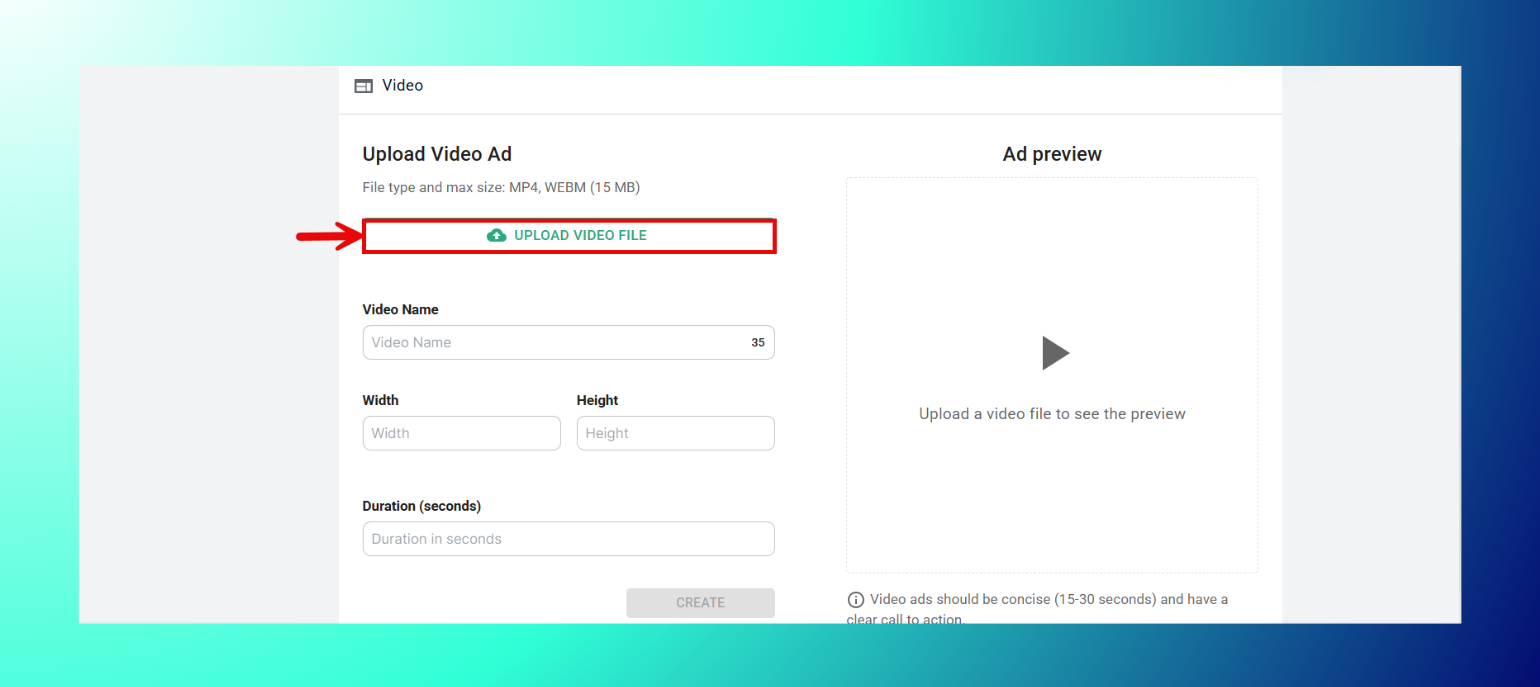
- Video Nameを入力します。
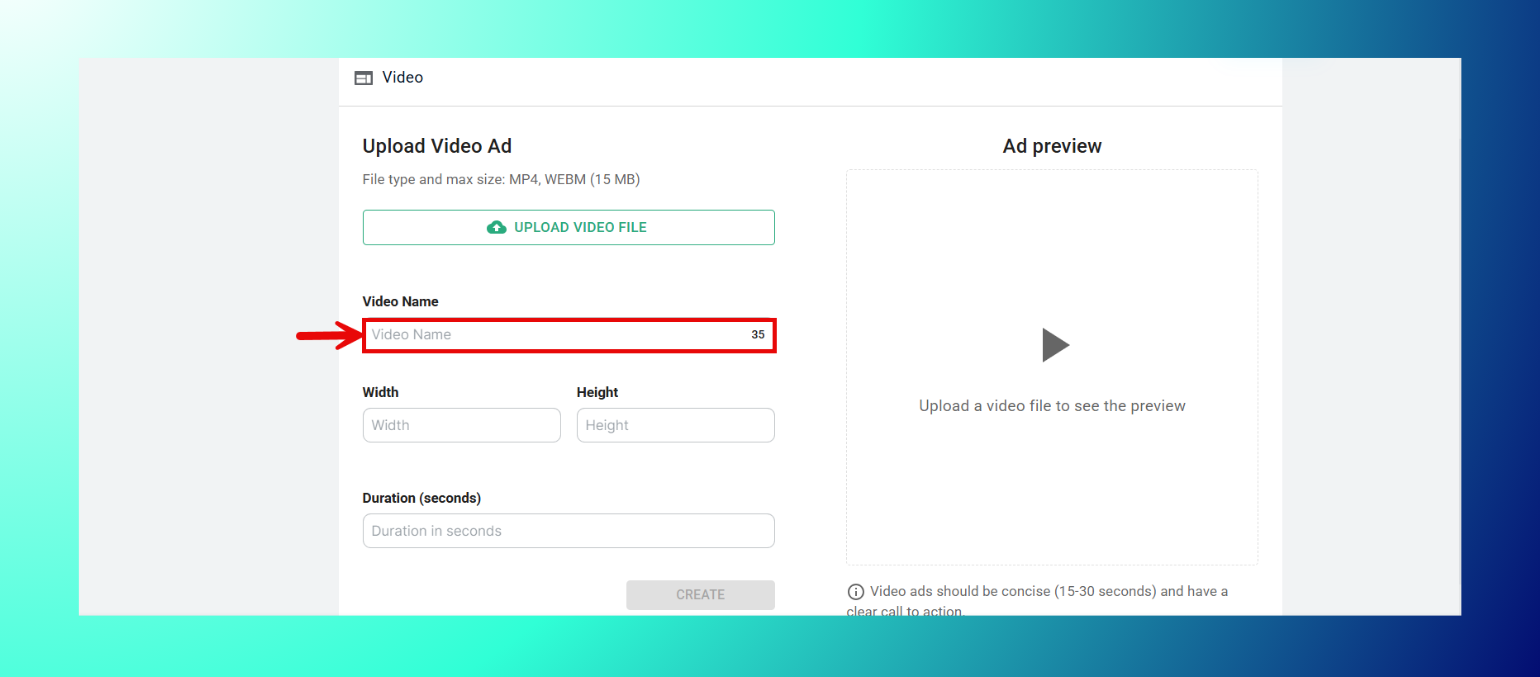
- WidthとHeightのサイズを入力します。
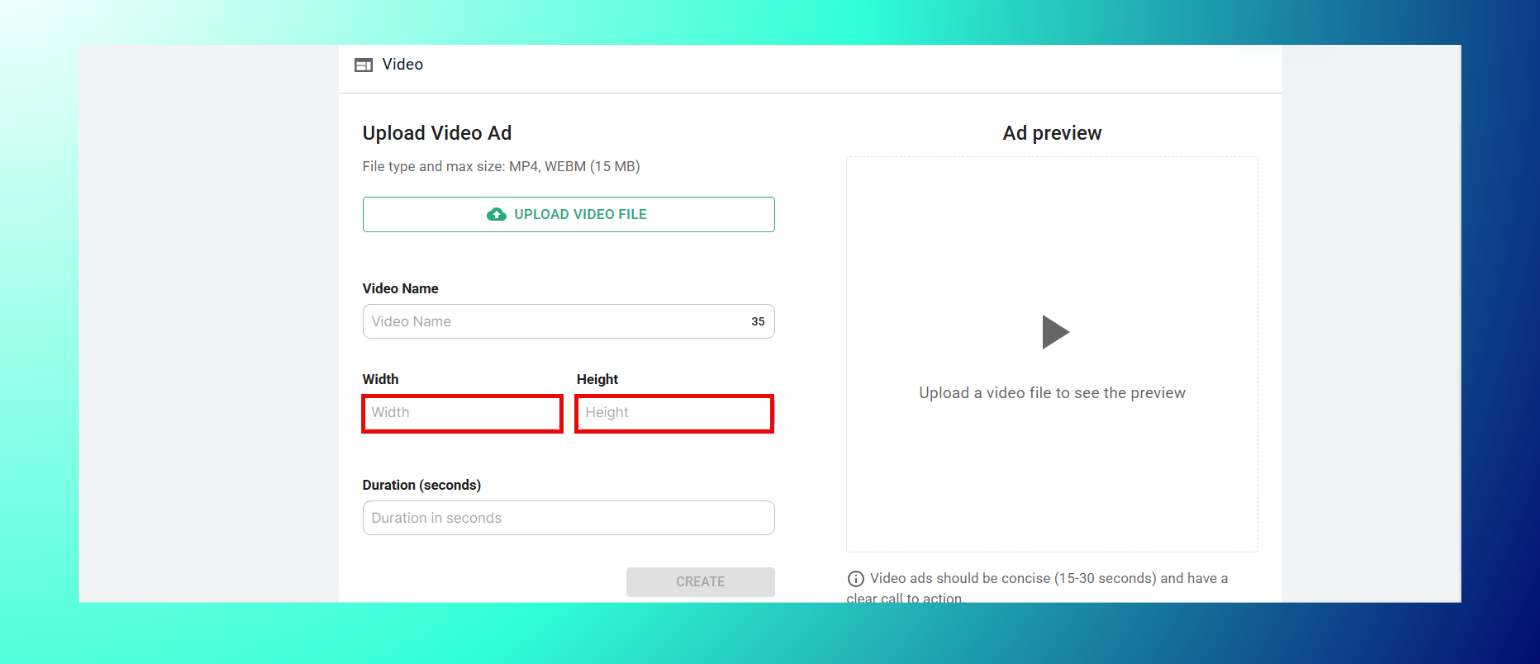
- Durationを秒単位で入力します。

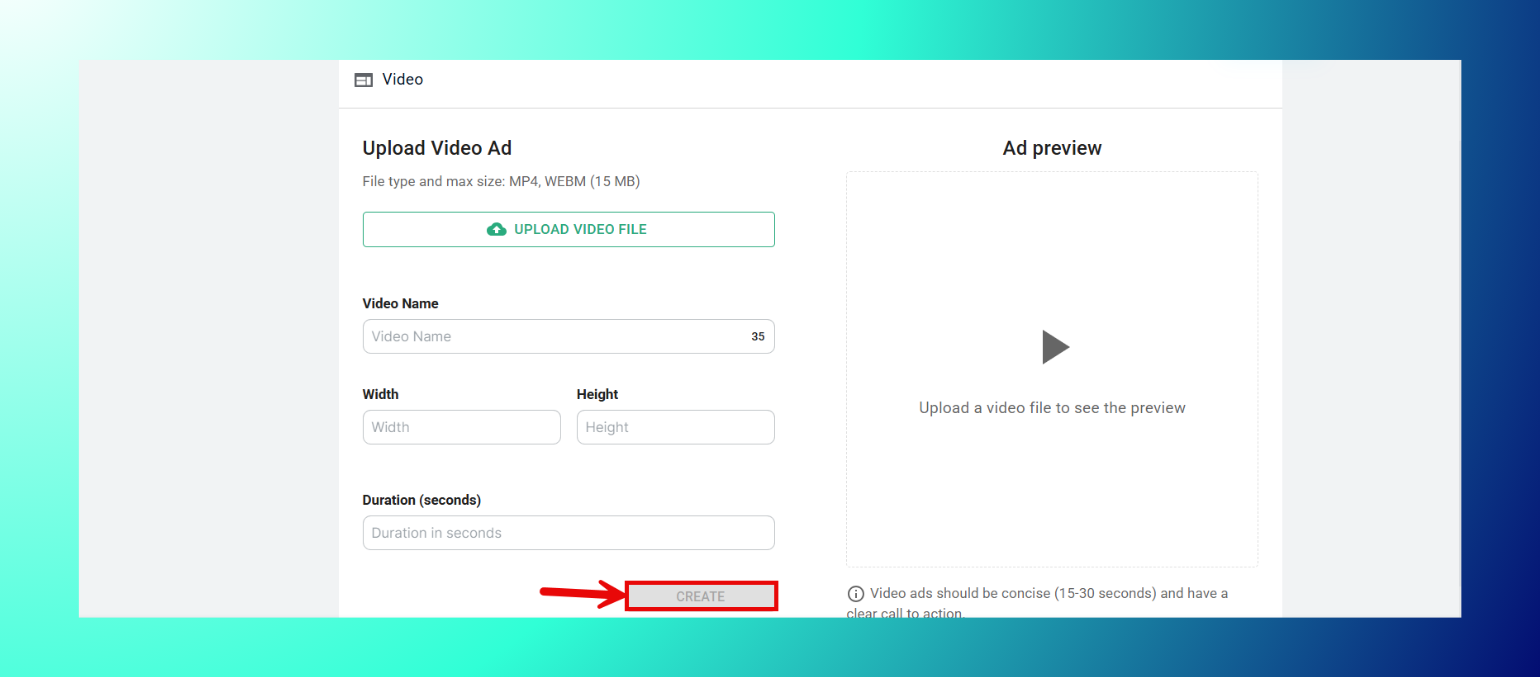
- Createをクリックします。
仕様
- ファイル形式:MP4、WEBM。
- 最大サイズ:15MB。
- 推奨の長さ:15〜30秒、明確なコールトゥアクションを含めます。
Telegram広告アセットのアップロード方法
- Headlineを入力します(必須)。

- Descriptionを入力します(必須)。
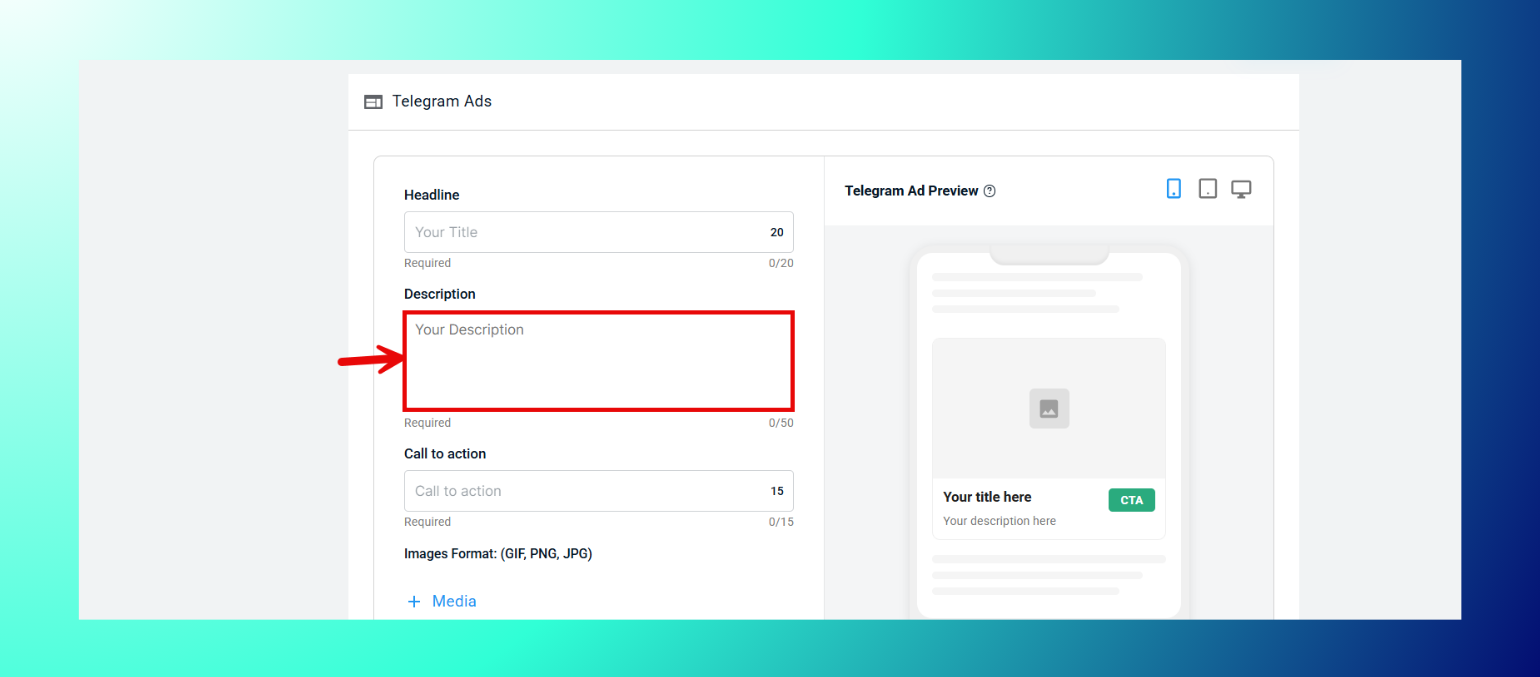
- Call to Actionのテキストを入力します(必須)。
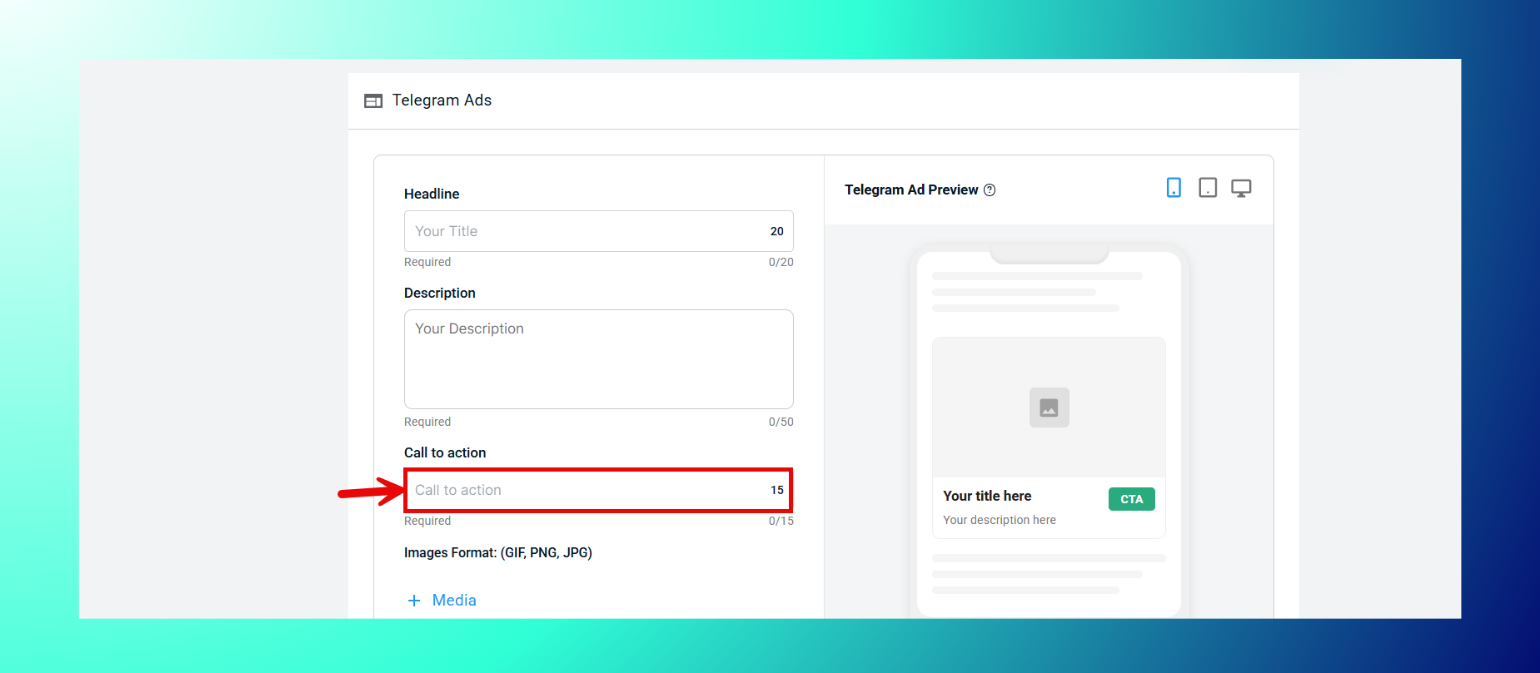
- 必要に応じてMedia、Background Color、CTA Background Colorを展開できます。
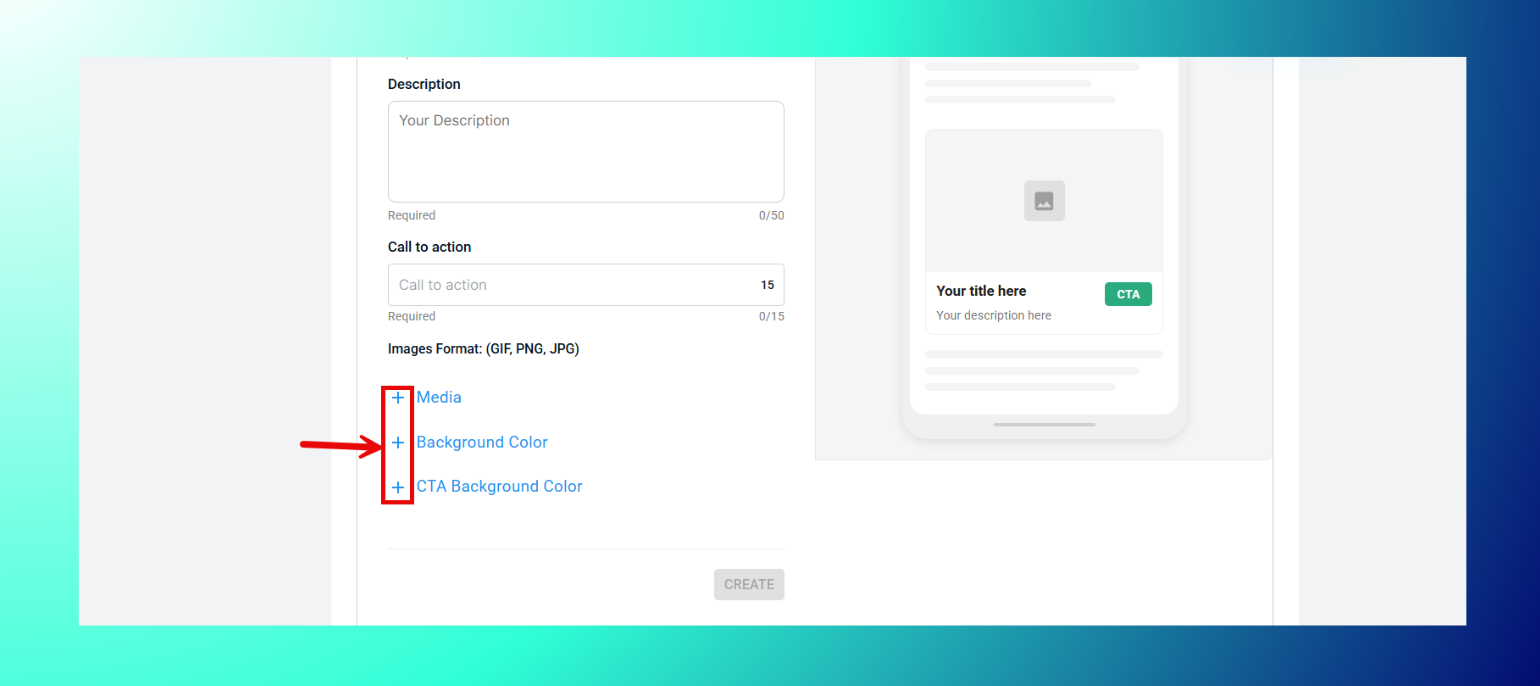
- Createをクリックします。

仕様
- Headline:最大20文字。
- Description:最大50文字。
- Call to Action:最大15文字。
- 画像フォーマット:GIF、PNG、JPG。
モバイル広告アセットのアップロード方法
- 画像ファイルをアップロードエリアにドラッグするか、browseをクリックします。

- キャンペーンごとに最大8枚の画像をアップロードできます。
仕様
- フォーマット:GIF、PNG、JPG。
- 対応サイズ:320x100、320x50。
プッシュ通知広告アセットのアップロード方法
- Upload Iconをクリックして通知アイコンを追加します(必須)。
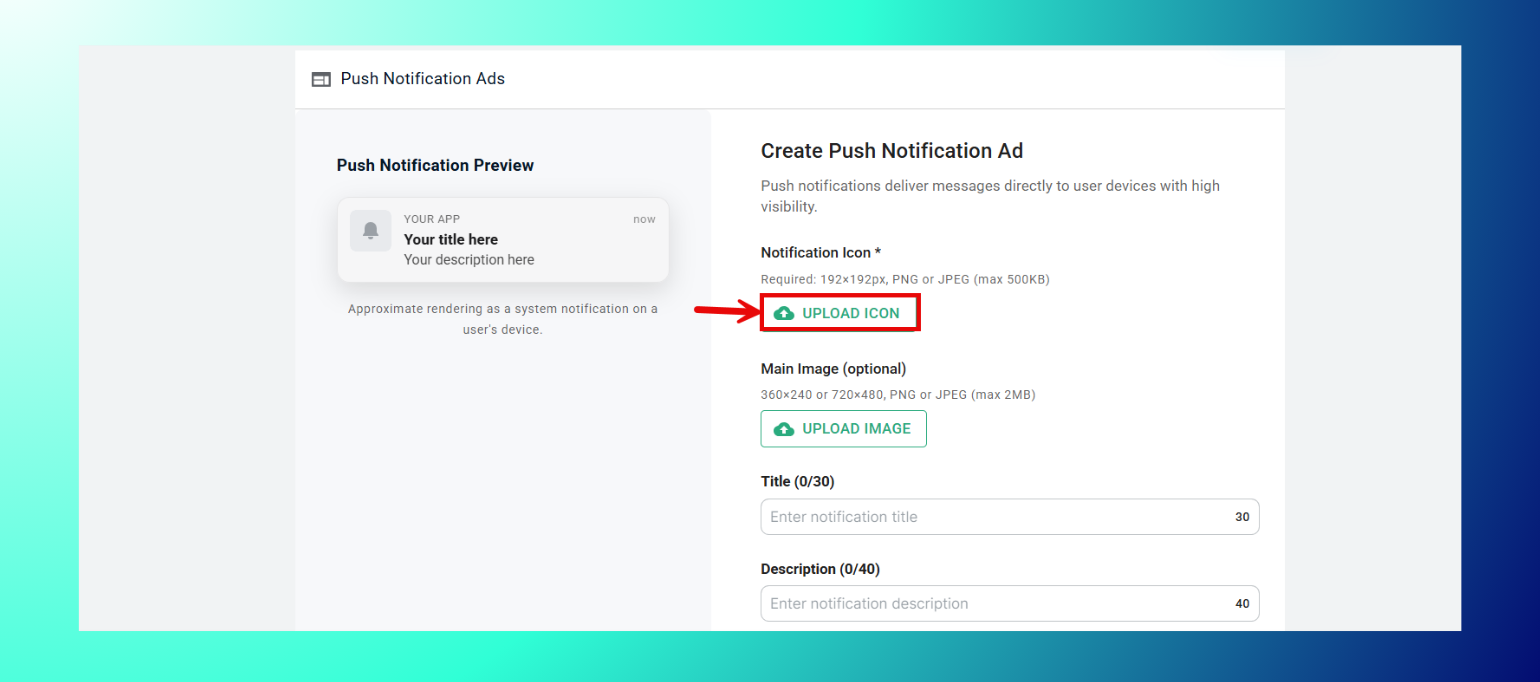
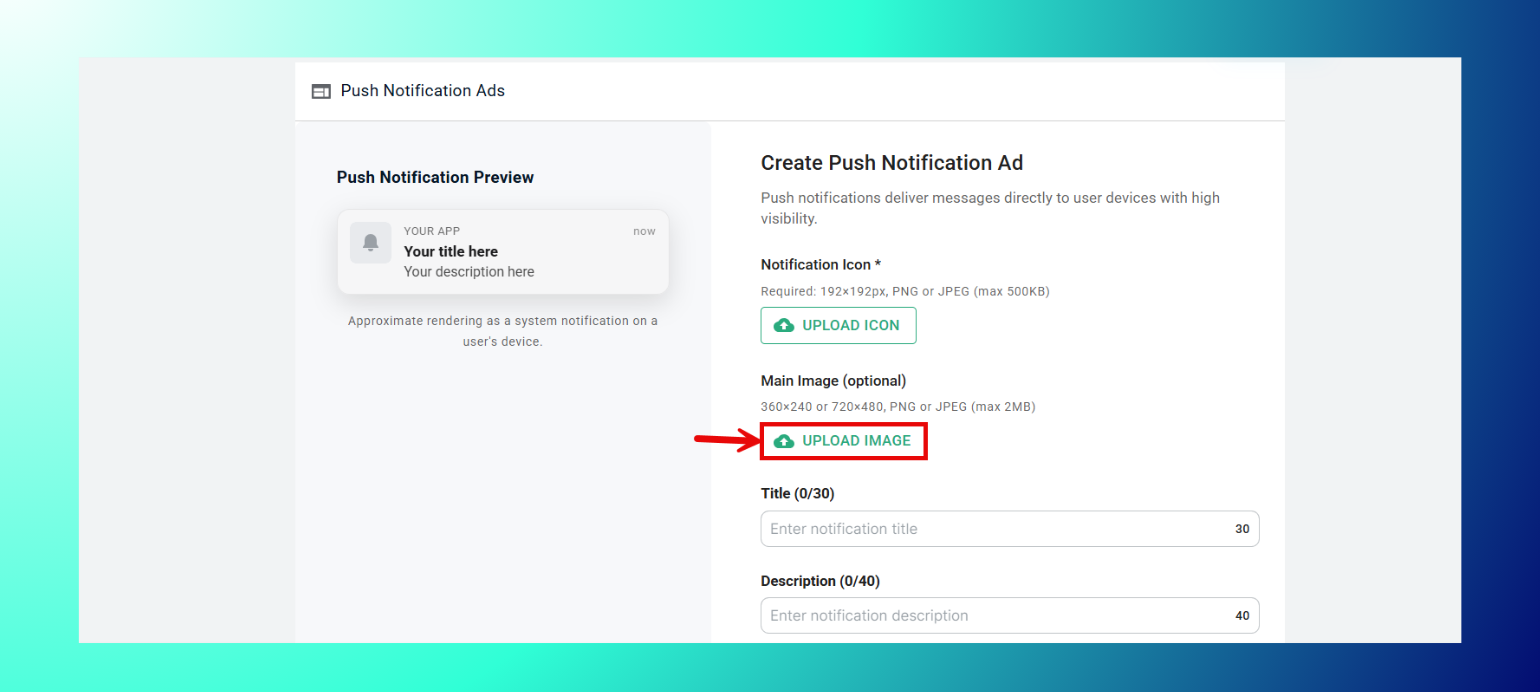
- 必要に応じてUpload Imageをクリックしてメイン画像を追加します。
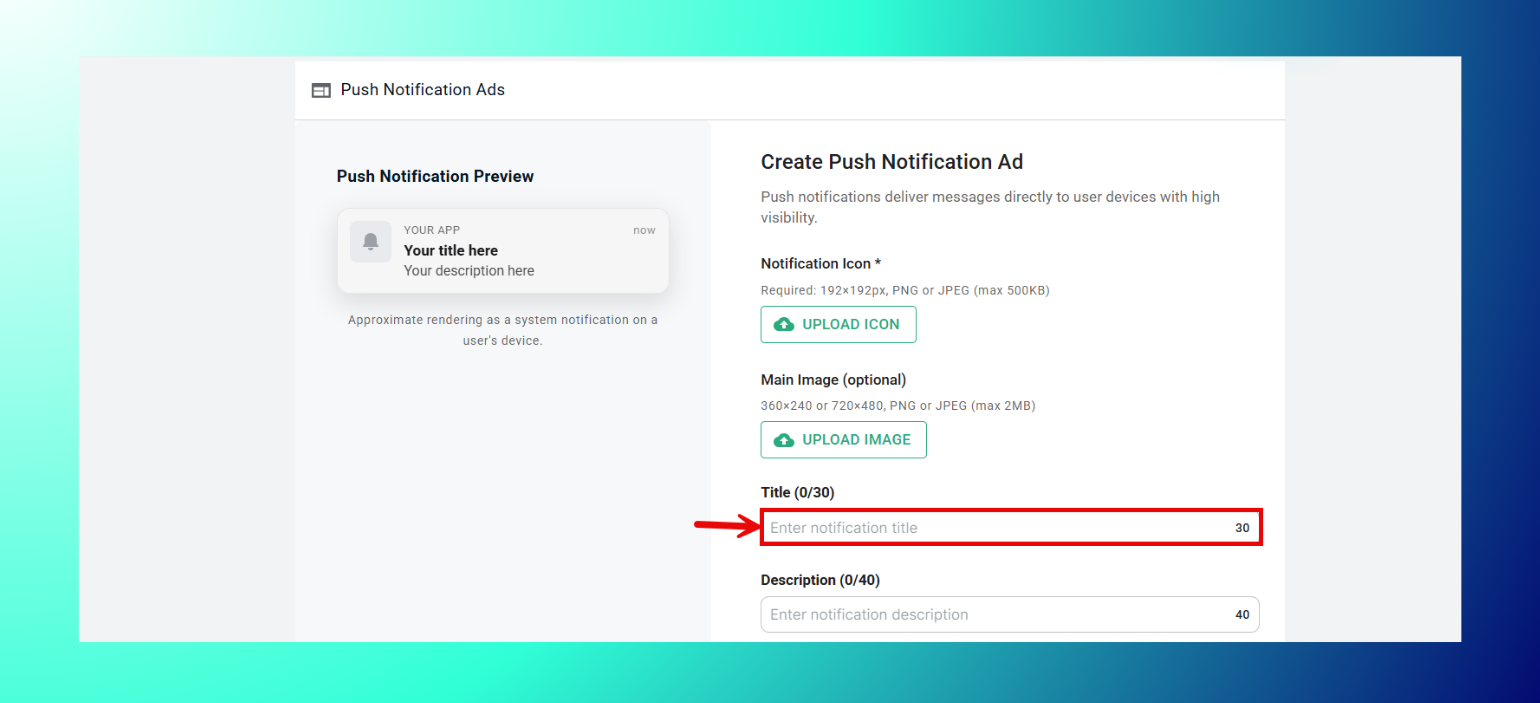
- Titleを入力します。
- Descriptionを入力します。
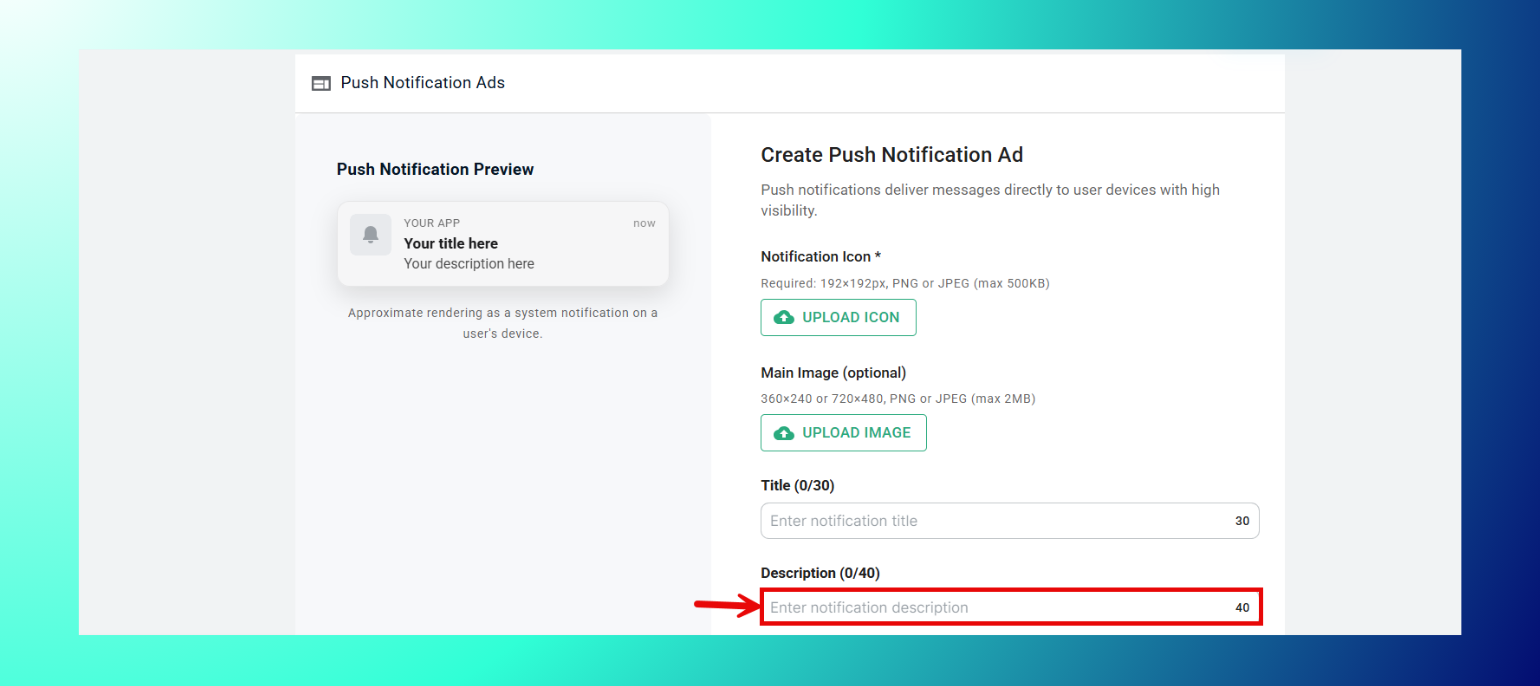
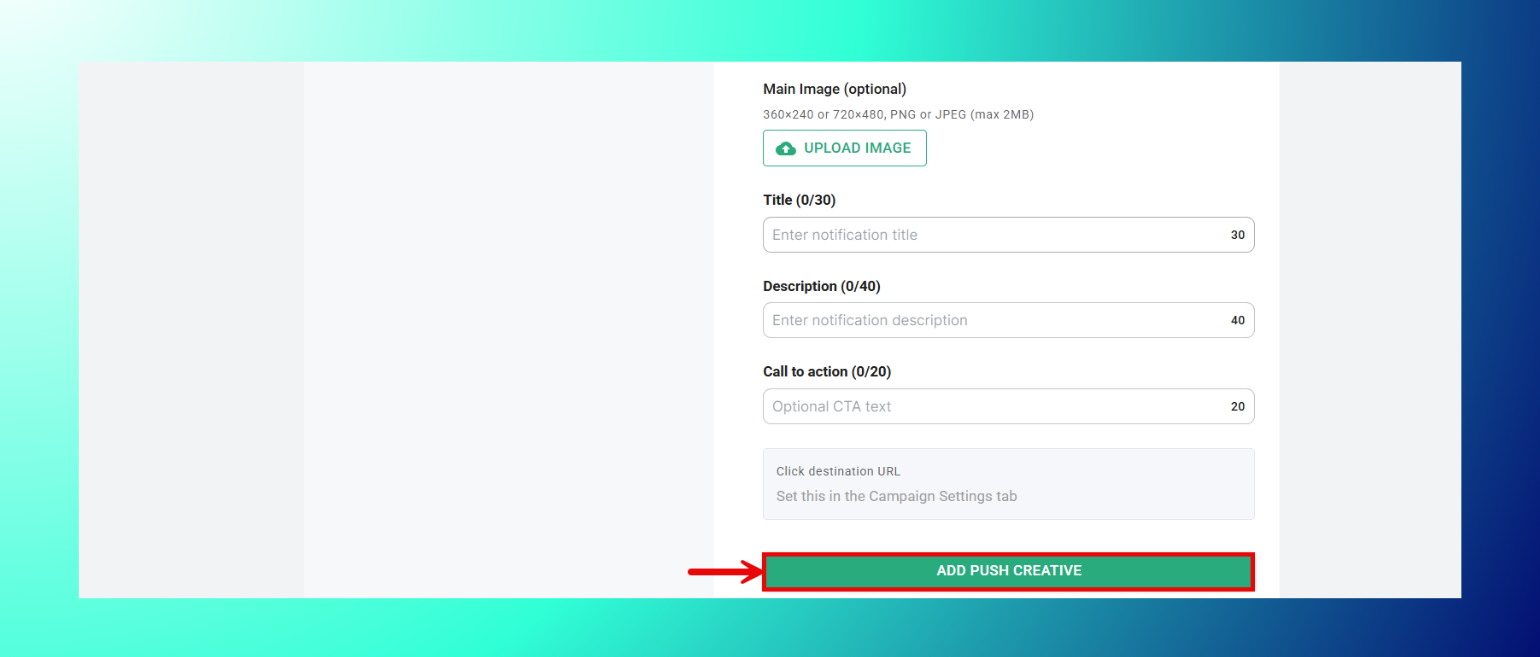
- 必要に応じてCall to Actionのテキストを入力します。

- Add Push Creativeをクリックします。
仕様
- 通知アイコン:192x192px、PNGまたはJPEG、最大500KB(必須)。
- メイン画像:360x240または720x480、PNGまたはJPEG、最大2MB(任意)。
- Title:最大30文字。
- Description:最大40文字。
- Call to Action:最大20文字。
クリック先URLは、この画面とは別にCampaign Settingsタブで設定します。
ポップ広告アセットのアップロード方法
- 画像ファイルをアップロードエリアにドラッグするか、browseをクリックします。

- キャンペーンごとに最大8枚の画像をアップロードできます。
仕様
- フォーマット:GIF、PNG、JPG。
- 対応サイズ:300x250、728x90。
インページプッシュ広告アセットのアップロード方法
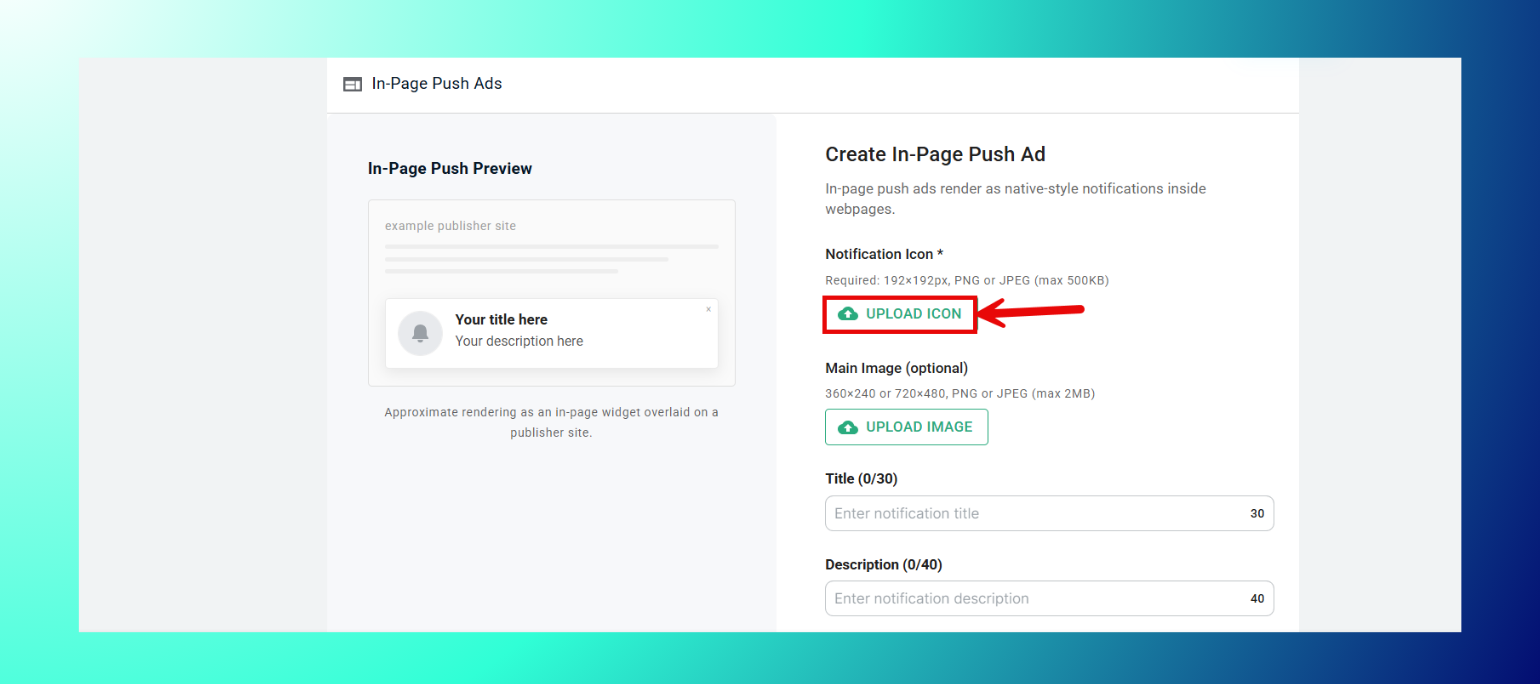
- Upload Iconをクリックして通知アイコンを追加します(必須)。
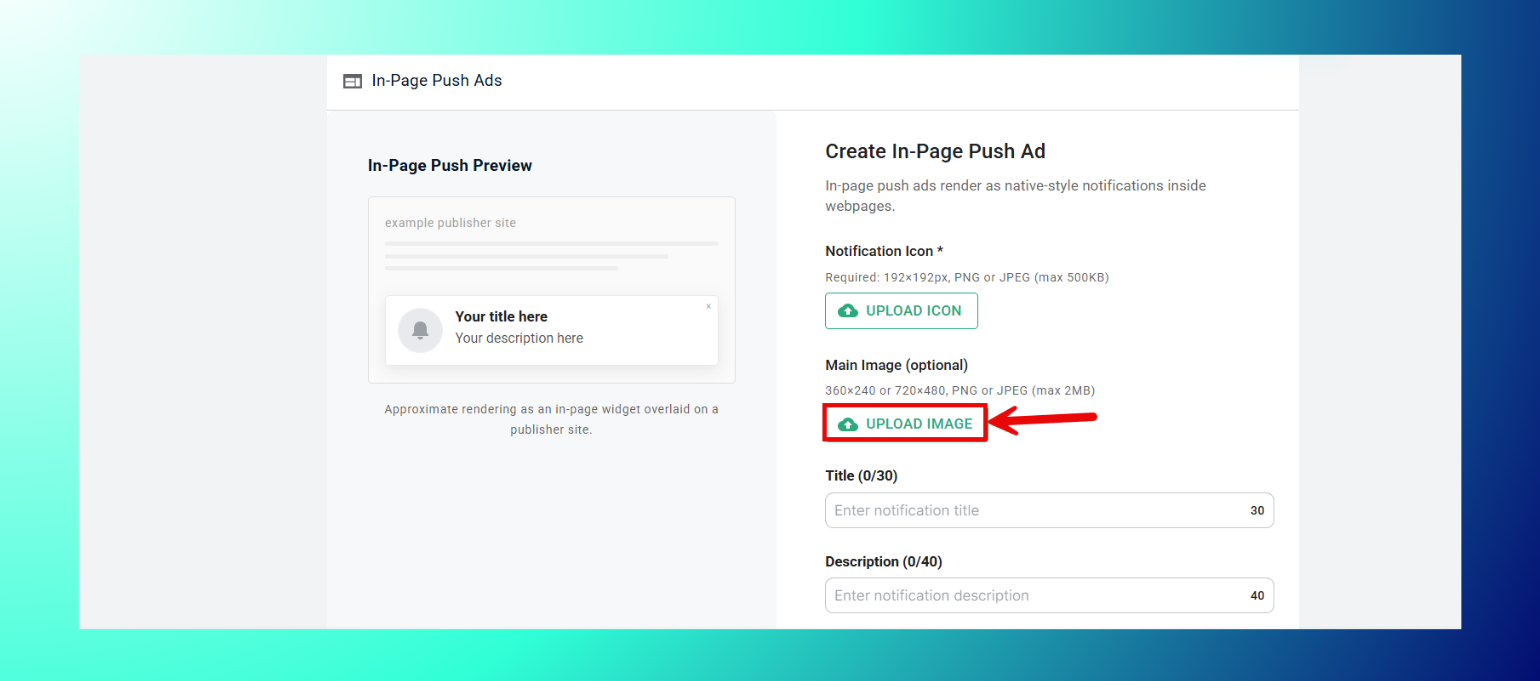
- 必要に応じてUpload Imageをクリックしてメイン画像を追加します。
- Titleを入力します。
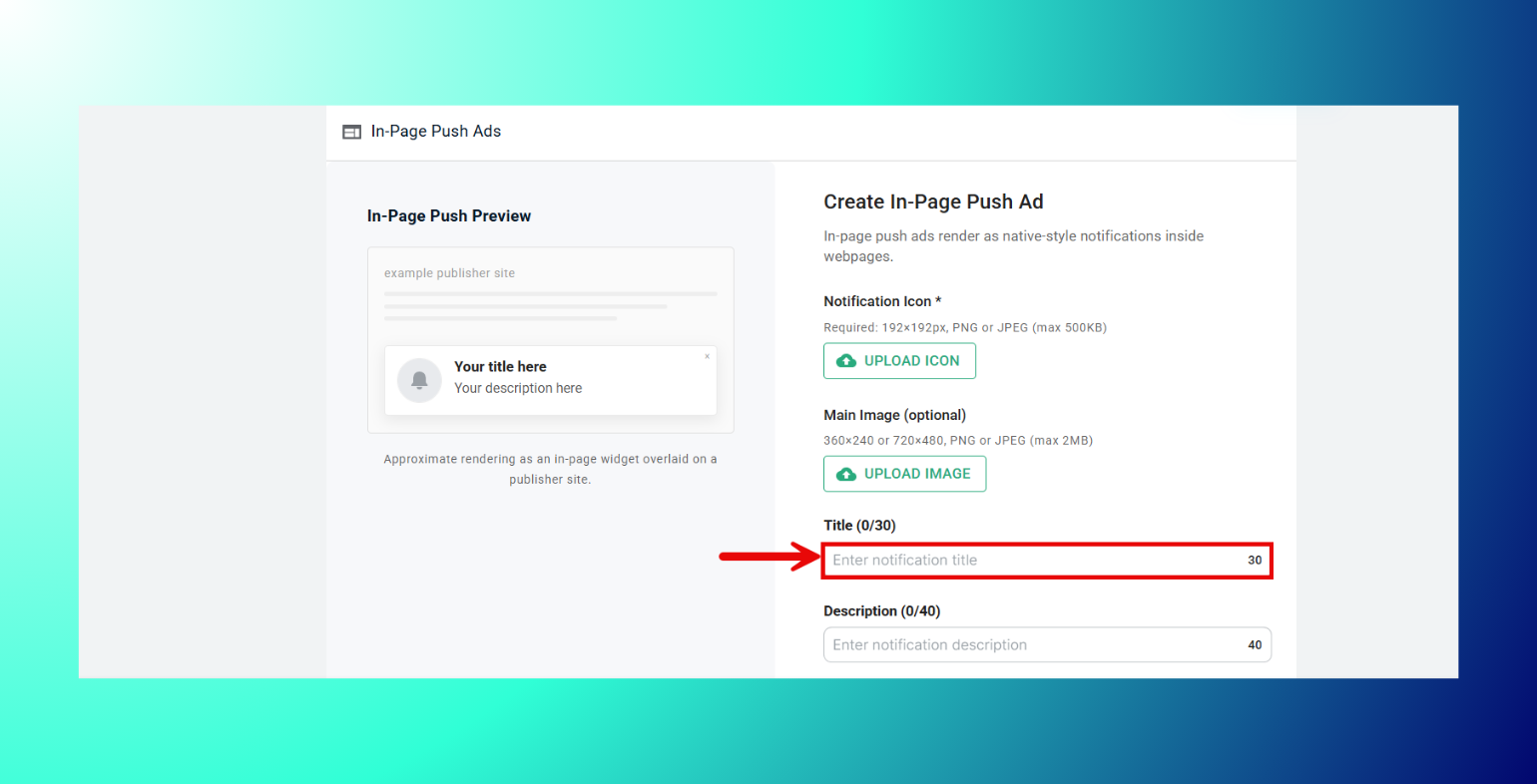
- Descriptionを入力します。

- 必要に応じてCall to Actionのテキストを入力します。
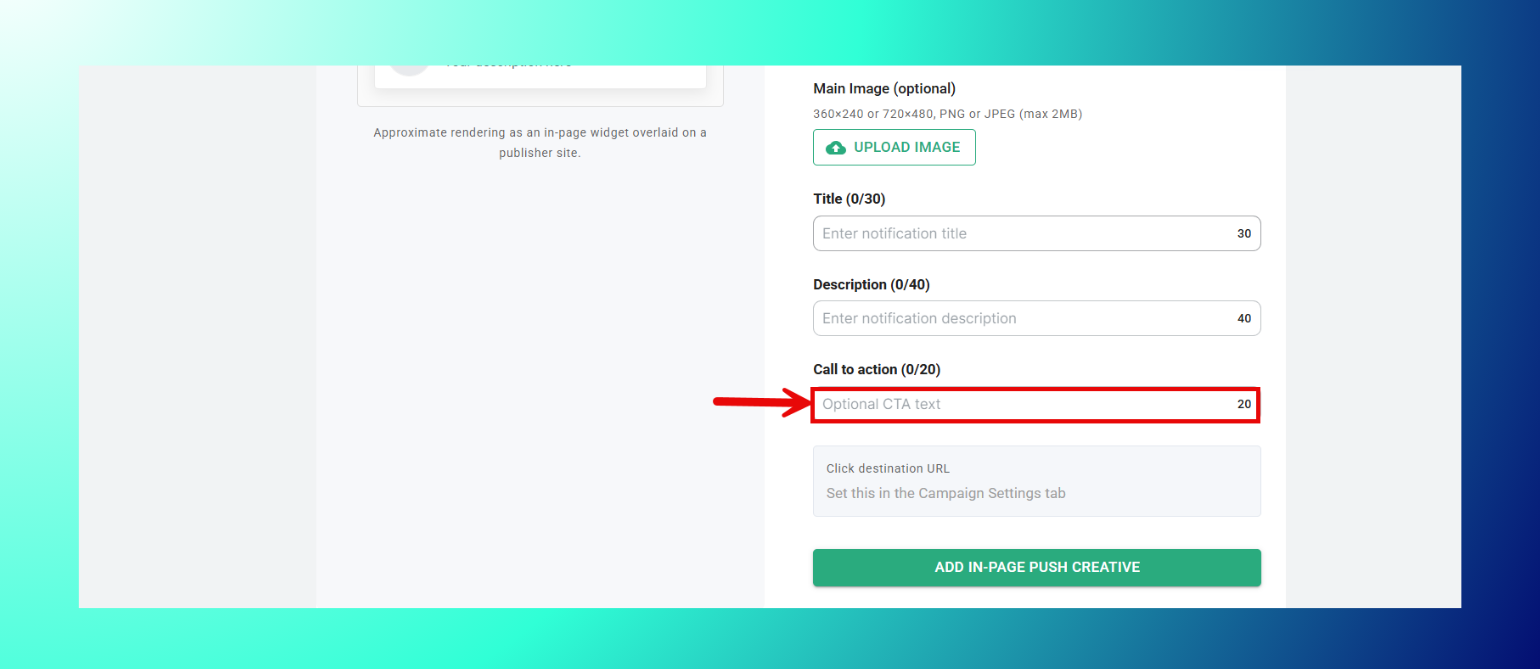
- Add In-Page Push Creativeをクリックします。

仕様
- 通知アイコン:192x192px、PNGまたはJPEG、最大500KB(必須)。
- メイン画像:360x240または720x480、PNGまたはJPEG、最大2MB(任意)。
- Title:最大30文字。
- Description:最大40文字。
- Call to Action:最大20文字。
クリック先URLは、Campaign Settingsタブで別途設定します。
インタースティシャル広告アセットのアップロード方法
- 画像ファイルをアップロードエリアにドラッグするか、browseをクリックします。
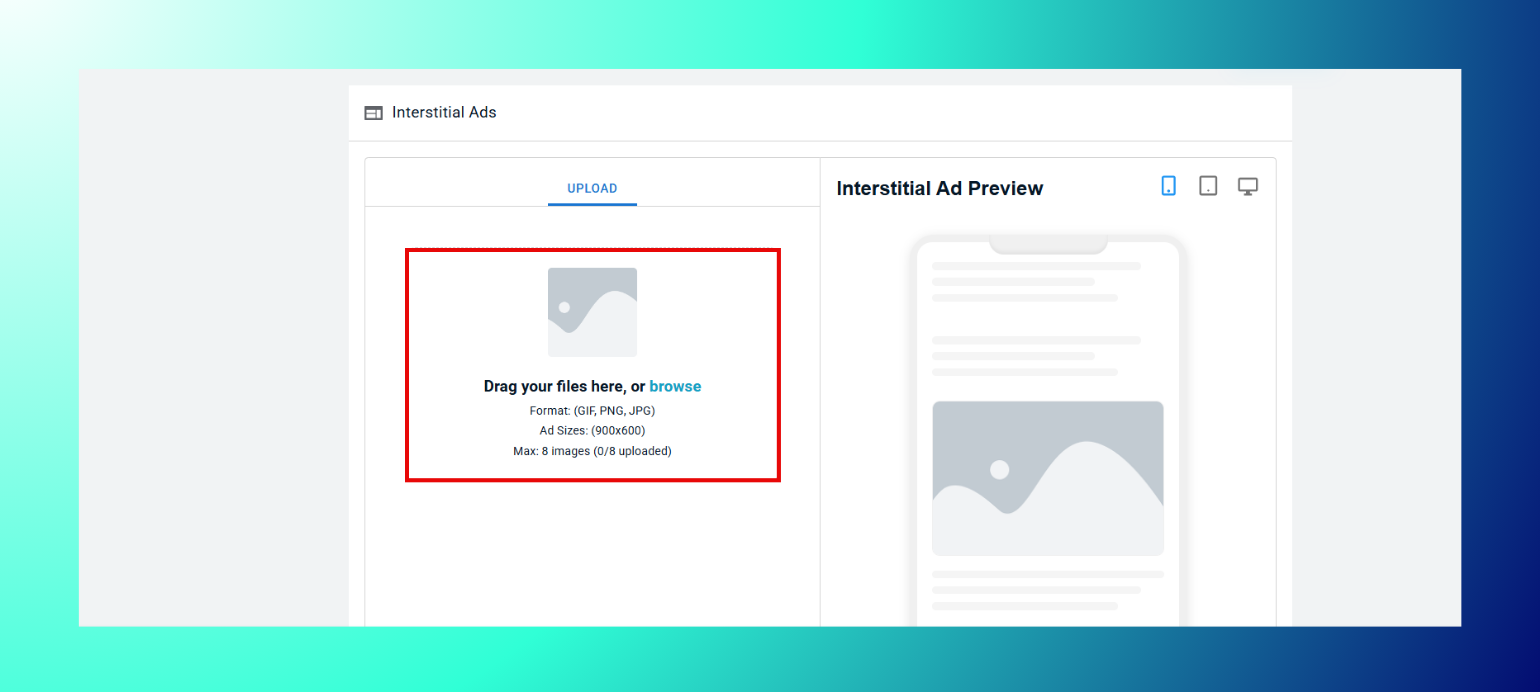
- キャンペーンごとに最大8枚の画像をアップロードできます。
仕様
- フォーマット:GIF、PNG、JPG。
- 対応サイズ:900x600。
ベストプラクティス:レイアウトはモバイル、タブレット、デスクトップで表示が異なる場合があるため、クリエイティブを確定する前に必ずライブプレビューを確認してください。ネイティブ広告とプッシュ広告のコピーは文字数制限内に収めてください。長すぎるテキストは改行されずに途中で切り詰められます。動画は15〜30秒の範囲に収め、明確なCTAを入れてください。長い動画ほど離脱が大きくなります。
トラブルシューティング
- アップロードが受け付けられない場合:ファイルが、その広告タイプに記載された形式とサイズに正確に一致しているか確認してください。
- Createボタンがグレー表示になっている場合:必須フィールドが未入力のままです。特にHeadline、Description、Call to Actionの各フィールドを確認してください。
- プレビューが更新されない場合:アップロード後にページを再読み込みしてください。
次のステップ
ありがとうございます。送信内容を受け付けました。
エラーが発生しました。フォームの送信中に問題が起きました。