

Thank you! Your submission has been received!
Oops! Something went wrong while submitting the form.
Topics
Block a traffic source or publisher
If you run a crypto exchange, an iGaming operator, or a finance app, you can block traffic sources yourself. Block a whole traffic provider, or a single website or app, from the Source tab in Advertising › Reports. Each block applies to the campaign you have selected and takes effect automatically.
What you need before you start
- A campaign that has started delivering, so the Source tab has rows to show.
Block a traffic provider or a website
- Open Advertising › Reports and select the campaign you want to review.
- Under Performance by, open the Source tab. Each row is a traffic provider, shown as an SSP ID with the number of sources under it.
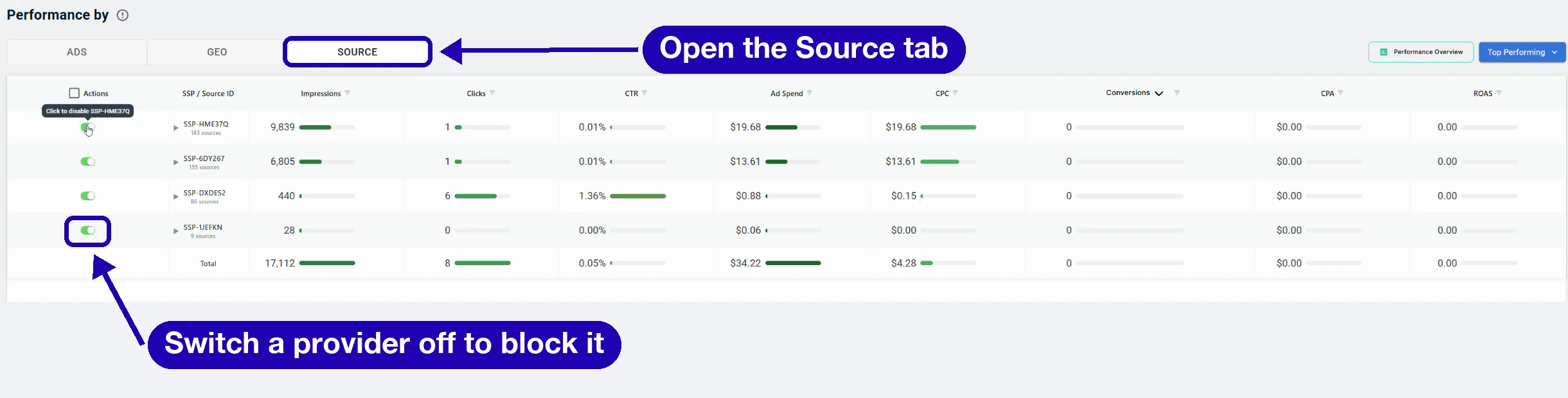
- Sort the table by the metric that matches your campaign goal, such as CPA, Conversions or CPC.
- To block a traffic provider, switch off its toggle in the Actions column. Ads for this campaign stop running through every source under that provider.
- To block one website or app, click the arrow next to its provider, find its Source ID and switch off its toggle.
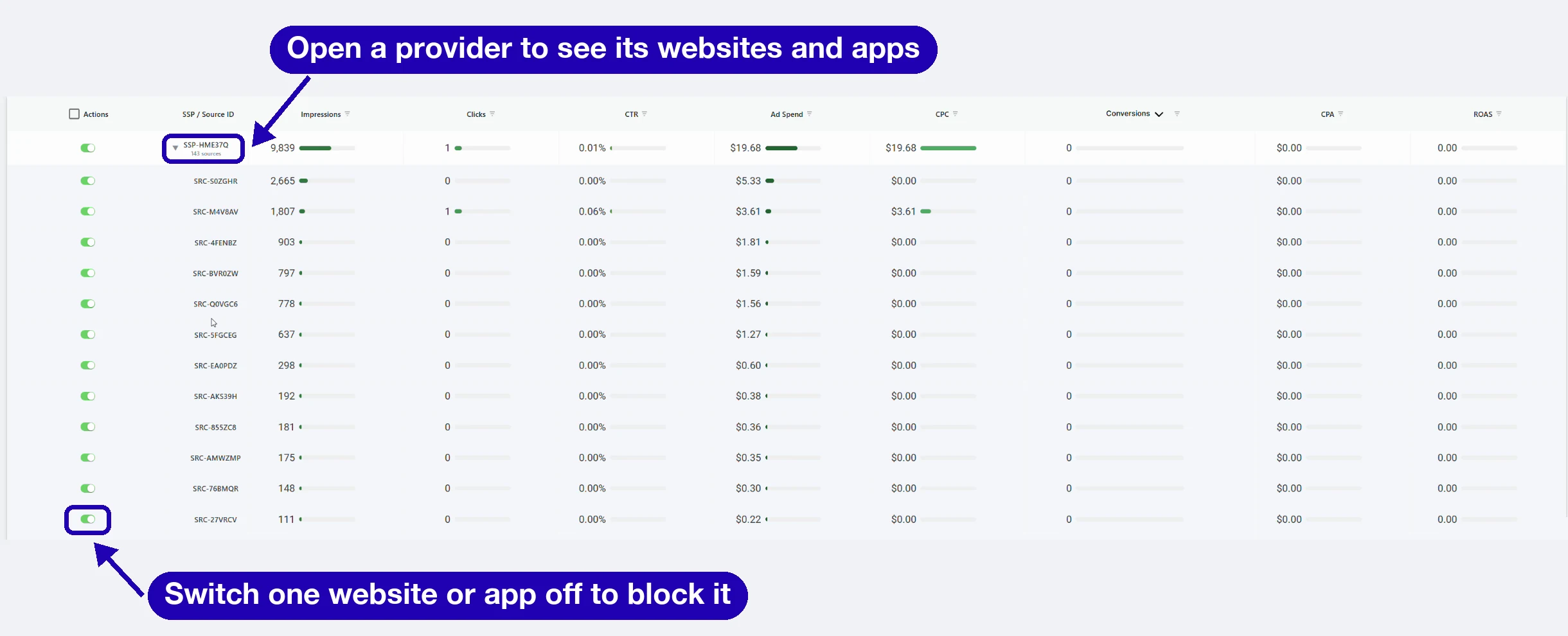
- To bring a source back, switch its toggle on again. Delivery resumes automatically.
Notes and limits
- A block applies to the selected campaign. To block the same source on another campaign, select that campaign and switch it off there.
- Websites and apps appear as anonymized Source IDs, such as SRC-S0ZGHR.
- Judge each source on the conversion your campaign is optimized for, such as a sign-up, a first deposit or a first trade. Give each source enough delivery before you judge it.
- Your account manager can review your sources with you.
FAQ
Does a block apply to all my campaigns? A block applies to the campaign you selected. Repeat it on each campaign where you want that source switched off.
How fast does a block take effect? The change applies automatically when you switch the toggle.
Can I undo a block? Yes. Switch the toggle back on and delivery through that source resumes automatically.
Next steps
Thank you! Your submission has been received!
Oops! Something went wrong while submitting the form.